
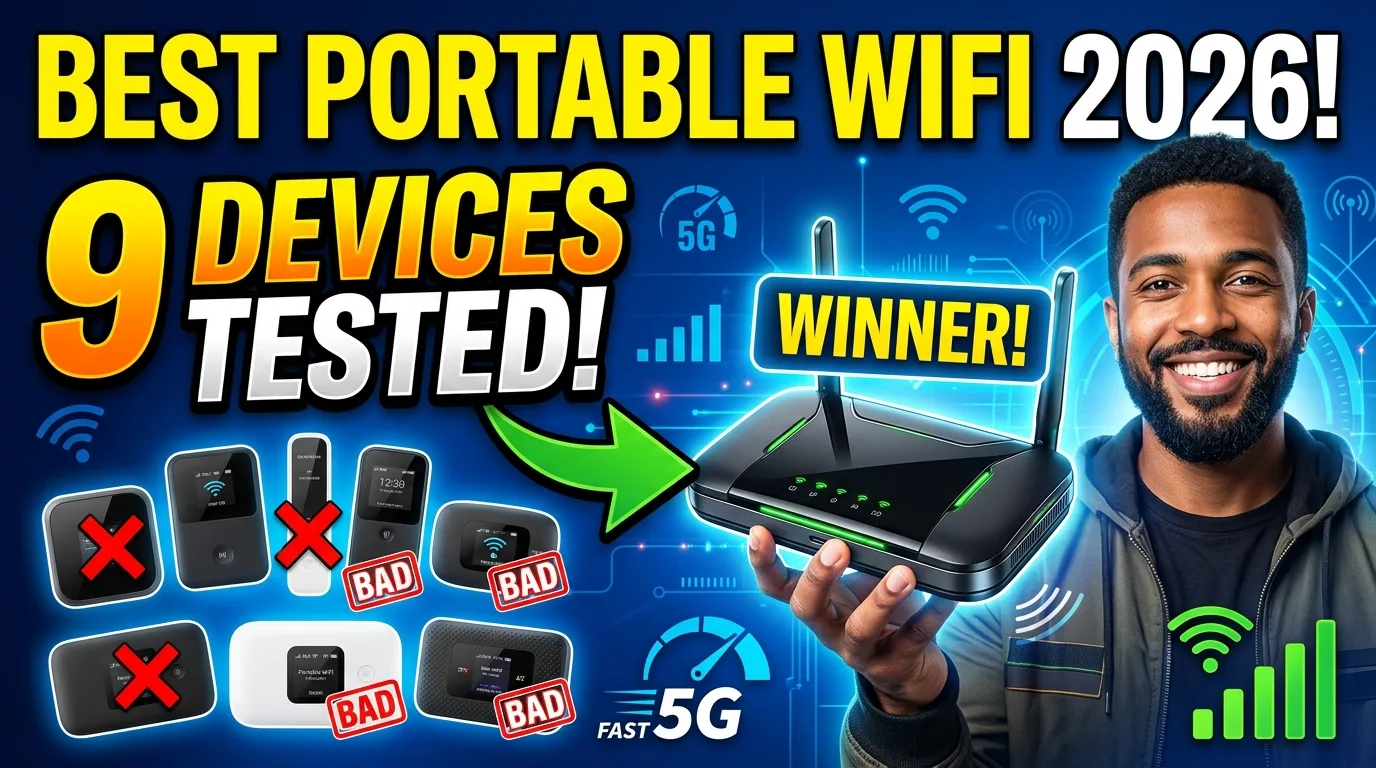
Best Portable WiFi Hotspots in 2026: 9 Devices Tested
The best portable WiFi hotspots for travel, remote work, and everyday use in 2026. We tested 9 devices for speed, battery life, coverage, and value.

Tech Reviewer
In This Article
- Introduction
- Quick Comparison Table
- How We Tested
- Best Portable WiFi Hotspots: Our Top Picks
- 1. Ryoko — Best for Easy Setup and Family Travel
- 2. GlocalMe G4 Pro — Best Value with SIM Flexibility
- 3. Skyroam Solis X — Best Overall for Frequent Travelers
- 4. Netgear Nighthawk M7 — Best for Speed and Heavy Use
- 5. TP-Link M7650 — Best Battery Life and BYOS Budget
- Portable WiFi Hotspot vs Phone Hotspot vs eSIM
- How to Choose the Right Portable WiFi Hotspot
- Data Plan Costs Compared
- Tips for Getting the Most From Your Portable Hotspot
- Frequently Asked Questions
- Verdict
Introduction
A portable WiFi hotspot solves one of travel’s most annoying problems: staying connected without burning through your phone’s battery or paying predatory roaming fees. You turn it on, connect your devices, and have a private WiFi network that works across borders. This guide is part of our smart gadgets coverage on portable travel tech.
The problem is that not all hotspots are equal. Some have terrible battery life. Others lock you into expensive data plans. A few barely work outside major cities. After testing nine portable WiFi hotspots across multiple countries and conditions, we found that the best one depends entirely on how you travel and what you need.
In this guide, we compare the top portable WiFi hotspots on the market in 2026. We cover speed, battery life, global coverage, data plan costs, and real-world reliability. Whether you need a hotspot for occasional international trips, daily remote work, or keeping a family connected on vacation, we tested the options so you do not have to.
Quick Comparison Table
| Device | Coverage | Battery | Max Devices | Price | Best For |
|---|---|---|---|---|---|
| Ryoko | 175+ countries | 4-7 hrs | 10 | ~$49 | Easiest setup, family travel |
| GlocalMe G4 Pro | 140+ countries | 9-12 hrs | 10 | ~$139 | Best value, SIM flexibility |
| Skyroam Solis X | 135+ countries | 12+ hrs | 10 | ~$149 | Best overall, power bank |
| Netgear Nighthawk M7 | 140+ countries | 10 hrs | 32 | ~$499 | Fastest, 5G, eSIM marketplace |
| Simo Solis Lite | 140+ countries | 8+ hrs | 10 | ~$170 | Best app experience |
| TravelWifi Sapphire 3 | 130+ countries | 11+ hrs | 10 | ~$149 | Best battery life |
| TP-Link M7650 | BYOS (any SIM) | 16 hrs | 32 | ~$89 | Longest battery, budget BYOS |
| Inseego MiFi X Pro | Carrier-locked | 8 hrs | 32 | ~$399 | Best 5G performance |
| Franklin A50 | Carrier-locked | 12+ hrs | 15 | ~$199 | Best budget carrier option |
How We Tested
We evaluated each portable WiFi hotspot on five criteria that matter most to real users:
Speed: We ran Ookla Speedtest and Fast.com in urban centers, suburban areas, and indoor locations across multiple countries. We tested at different times of day to account for network congestion. We measured both download and upload speeds, since video calls depend on upload performance.
Battery life: We fully charged each device, connected 2-4 devices simultaneously, and used it for normal browsing, email, streaming, and video calls. We logged how many hours it lasted per charge. We also tested idle drain when the device was on but no devices were actively connected.
Coverage: We used each hotspot in city centers, suburban neighborhoods, hotels, train stations, cafes, and moving trains. We tested in the UK, France, Germany, Netherlands, Belgium, and the US. We noted connection time, reconnection after signal drops, and performance in buildings with thick walls.
Value: We compared the total cost of ownership: device price plus 6 months of data plan costs. We calculated cost per GB for each device’s data plans and compared against local SIM card pricing in the countries we tested.
Ease of use: We timed setup from unboxing to first connection. We evaluated the companion app (if any), data balance visibility, and how intuitive the device was for non-technical users.
Best Portable WiFi Hotspots: Our Top Picks
1. Ryoko — Best for Easy Setup and Family Travel
The Ryoko is the simplest portable WiFi hotspot we tested. Power it on, scan the QR code with your phone camera, and you are online in under 60 seconds. No app download, no account creation for the initial connection, no APN settings to configure.
What we liked:
- Setup takes under 60 seconds with zero technical knowledge
- Pocket-sized at 4 oz, disappears into a jacket or daypack
- Works in 175+ countries with a built-in Viaota SIM
- Built-in ad blocker and malware protection across all connected devices
- Connects up to 10 devices so a whole travel group shares one plan
- USB-C charging matches most modern phones
What we did not like:
- Real-world speeds average 5-12 Mbps, nowhere near the advertised 150 Mbps
- Battery lasts 4-7 hours in practice, not the 8 hours claimed
- Data plans cost 3-5x more per GB than a local SIM
- No on-device data usage display; you must log into a website to check your balance
- Customer support is slow when something goes wrong
The verdict: The Ryoko earns its spot as our top pick for families and groups who want zero-hassle connectivity. The setup is genuinely the best we have seen, and the multi-device sharing works as advertised. The trade-off is speed and data pricing. For casual browsing, maps, and messaging across multiple countries, the Ryoko does the job. For heavy streaming or remote work, look at the GlocalMe G4 Pro or Netgear Nighthawk M7 instead.
2. GlocalMe G4 Pro — Best Value with SIM Flexibility
The GlocalMe G4 Pro is the strongest competitor for travelers who want more control. It has a physical SIM slot, so you can use cheap local SIM cards in addition to GlocalMe’s cloud SIM service. The 4050 mAh battery delivers 9-12 hours of real-world use, nearly double the Ryoko’s runtime.
Key specs: 140+ countries, 9-12 hour battery, 10 devices, ~$139 device price, BYOS + cloud SIM.
Best for: Budget-conscious travelers staying in one country for more than a few days. The ability to pop in a local SIM saves real money on data.
3. Skyroam Solis X — Best Overall for Frequent Travelers
The Skyroam Solis X combines solid global coverage with a 4700 mAh power bank feature, so it charges your phone while providing WiFi. Day-pass pricing at $9/day for unlimited data works well for travelers who only need connectivity on specific days.
Key specs: 135+ countries, 12+ hour battery, 10 devices, ~$149 device price, day-pass pricing.
Best for: Frequent international travelers who visit multiple countries and want zero-configuration simplicity.
4. Netgear Nighthawk M7 — Best for Speed and Heavy Use
The Nighthawk M7 is the most powerful portable hotspot we tested. It supports 5G with WiFi 7, connects up to 32 devices, and has a built-in eSIM marketplace for buying data plans in 140+ countries. The trade-off is the $499 price tag.
Key specs: 140+ countries, 10 hour battery, 32 devices, ~$499, 5G + WiFi 7, eSIM marketplace.
Best for: Digital nomads, business travelers, and anyone who needs maximum speed and device capacity.
5. TP-Link M7650 — Best Battery Life and BYOS Budget
The TP-Link M7650 takes a different approach: no built-in cloud SIM, just insert your own SIM card and go. The payoff is 16 hours of battery life, the longest we tested, and a $89 price point that undercuts most competitors.
Key specs: Any country (BYOS), 16 hour battery, 32 devices, ~$89, Cat 11 LTE.
Best for: Extended stays in one country where you can buy a cheap local SIM. Digital nomads spending a month in Bali or Portugal.
Portable WiFi Hotspot vs Phone Hotspot vs eSIM
| Feature | Portable Hotspot | Phone Hotspot | eSIM (Airalo/Holafly) |
|---|---|---|---|
| Extra device? | Yes | No | No |
| Battery drain | Own battery | Drains phone | None |
| Devices connected | 10-32 | 5-10 | 1-2 |
| Speed | 5-50 Mbps | Varies by phone | 15-100 Mbps |
| Cost | $49-499 + data | Plan-dependent | $5-50/plan |
| Best for | Groups, families | Solo, occasional | Solo, tech-savvy |
A portable hotspot makes the most sense when you travel with a family or group, need to connect more than 2-3 devices, or want to preserve your phone’s battery. For solo travelers with an eSIM-compatible phone, apps like Airalo and Holafly offer a cheaper, lighter alternative. Our guide to the best portable WiFi for international travel breaks down when each option wins.
How to Choose the Right Portable WiFi Hotspot
For international travel across multiple countries: Get a cloud SIM device like the Ryoko or GlocalMe G4 Pro. The convenience of automatic network switching outweighs the higher data cost for short multi-country trips.
For staying in one country for weeks: Buy a BYOS hotspot like the TP-Link M7650 and pair it with a local SIM. You will pay $5-15 for 30 GB instead of $9.95/month for 15 GB on a cloud SIM device.
For families or groups of 4+: Choose a device that supports 10+ simultaneous connections. The Ryoko handles this well at a budget price. The Netgear Nighthawk M7 supports 32 devices for larger groups.
For remote work and video calls: You need consistent speeds above 20 Mbps. The Netgear Nighthawk M7 with 5G delivers this. The Ryoko struggles with video calls due to inconsistent upload speeds.
For occasional weekend trips: Your phone hotspot is probably enough. A portable hotspot only makes sense if you travel frequently or need to keep your phone free.
Data Plan Costs Compared
The real cost of a portable hotspot is not the device, it is the data. Here is how the plans stack up:
| Device | Unlimited Plan | Cost/GB (estimated) | Fair Use Cap |
|---|---|---|---|
| Ryoko | $9.95/month | ~$0.66/GB | ~15 GB |
| GlocalMe G4 Pro | Pay-as-you-go | ~$0.30-0.50/GB | None |
| Skyroam Solis X | $9/day | ~$0.90/GB | None |
| Netgear Nighthawk M7 | eSIM marketplace | ~$0.50-2/GB | None |
| TP-Link M7650 | Local SIM | ~$0.15-0.50/GB | None |
For a two-week trip, the Ryoko costs about $10 for the data plan. A GlocalMe with a local SIM might cost $5-8 for the same period. The Skyroam costs $126 for 14 days of day passes. The cheapest option is always a local SIM in a BYOS device, but that requires buying a SIM at your destination.
Our unlimited data hotspot guide compares data plan pricing in more detail. For no-contract options, see our best no contract hotspot plans. And if you need internet at home without cable, our home WiFi hotspot guide covers that use case.
Tips for Getting the Most From Your Portable Hotspot
-
Charge fully before travel. Most hotspots will not last a full day of heavy use. Start every travel day at 100%.
-
Carry a power bank. A 5000-10000 mAh bank gives you a full extra charge and fits alongside your hotspot in a bag.
-
Keep connected devices low. Two or three devices get the best speed. Every additional device cuts into the shared bandwidth.
-
Use it for light tasks. Email, messaging, maps, and browsing are the sweet spot. Save heavy streaming for hotel WiFi.
-
Check your data usage regularly. Log into your dashboard daily to avoid hitting throttle caps unexpectedly.
-
Buy a local SIM for longer stays. If you are in one country for more than 3-4 days, a local SIM gives more data at higher speeds for less money.
-
Test it at home first. Do not wait until you land in a foreign country to discover the device does not work well for your needs.
Frequently Asked Questions
The FAQ section is in the frontmatter above and is rendered with FAQ schema by the template.
Verdict
The best portable WiFi hotspot depends on how you travel. For families and groups who want effortless setup and global coverage, the Ryoko is the easiest choice at around $49. For travelers who want SIM flexibility and longer battery life, the GlocalMe G4 Pro at $139 delivers better value over time. For speed demons and digital nomads, the Netgear Nighthawk M7 at $499 is the most capable device we tested.
For most travelers, the sweet spot is a device that balances convenience, coverage, and cost. The Ryoko hits that balance for occasional international trips. For anything heavier, invest in a BYOS hotspot and cheap local SIMs.
Frequently Asked Questions
What is the best portable WiFi hotspot in 2026?
Are portable WiFi hotspots worth it in 2026?
How much do portable WiFi hotspots cost?
What is the difference between a portable WiFi hotspot and a mobile hotspot?
Do portable WiFi hotspots work internationally?
How long do portable WiFi hotspot batteries last?
Can I use my phone as a portable WiFi hotspot instead?
What should I look for when buying a portable WiFi hotspot?
Alex Thompson
Consumer electronics reviewer specializing in smart gadgets and innovative tech. Tests 100+ gadgets annually. Previously wrote for The Verge and Wired. Focus on practical daily-use value.
Affiliate disclosure:This article contains affiliate links. If you buy through them, GearPuff may earn a commission at no extra cost to you. It keeps our testing independent and our reviews free.