
In This Article
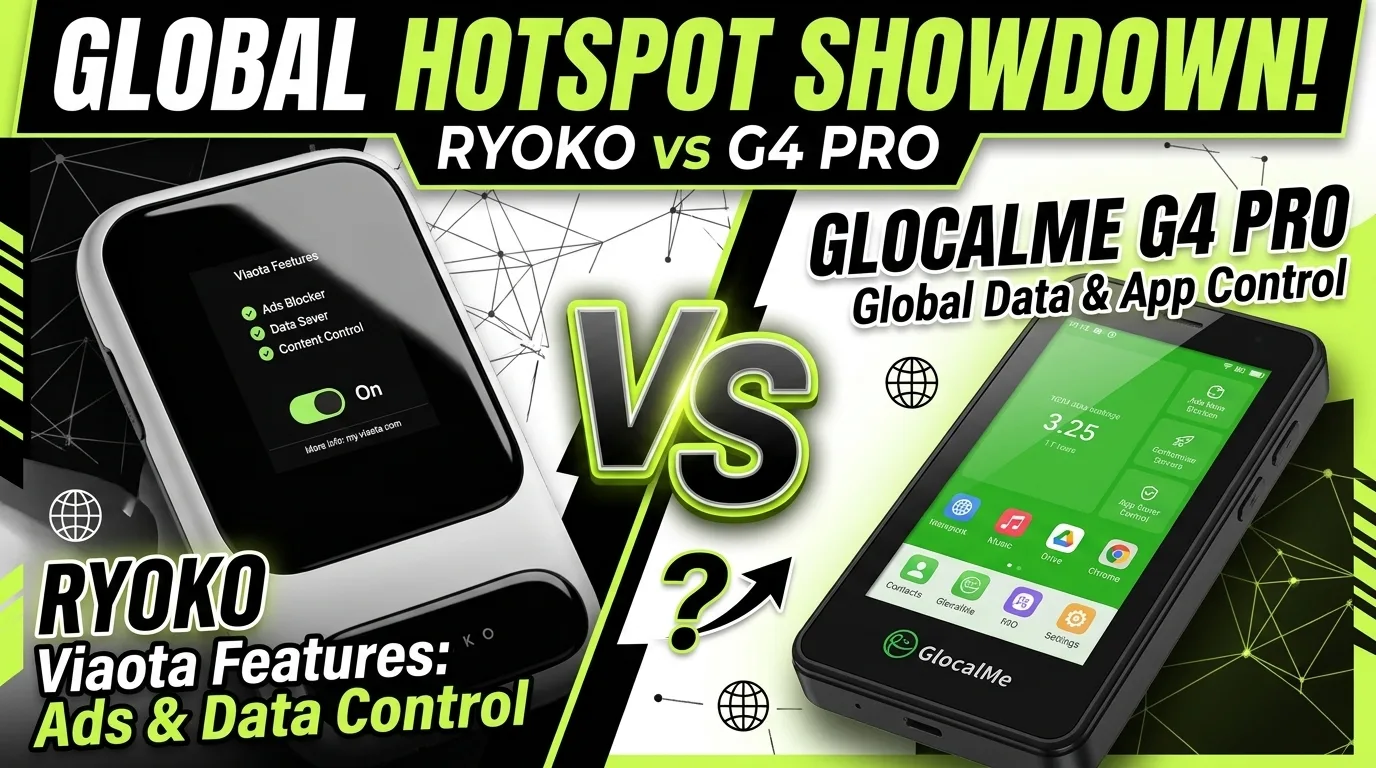
The Ryoko and GlocalMe G4 Pro are two of the most popular portable WiFi hotspots for international travel. Both promise global connectivity without SIM swapping, but they take different approaches to solving the same problem. This comparison is part of our smart gadgets coverage on portable connectivity.
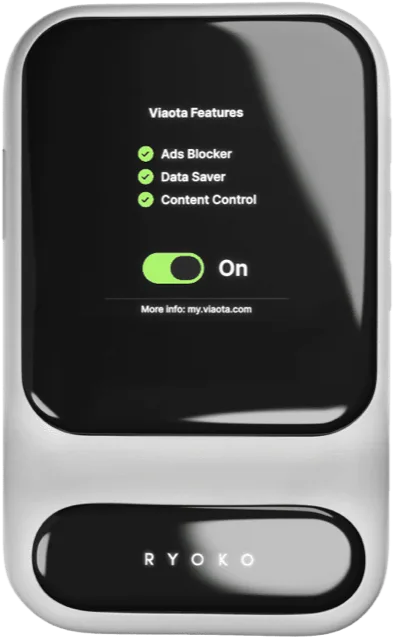
The Ryoko focuses on simplicity. Turn it on, scan a QR code, and you are online. No app required for initial setup, no SIM to manage, no settings to configure. At around $49, it is also the cheapest international hotspot you can buy.
The GlocalMe G4 Pro focuses on flexibility. It has a physical SIM slot for local SIM cards, a larger battery that lasts 9-12 hours, and faster speeds. At around $139, it costs more upfront but delivers better long-term value for frequent travelers.
We tested both devices across five European countries over three weeks. Here is how they actually compare on speed, battery, coverage, setup, and total cost.
Ryoko vs GlocalMe G4 Pro: Quick Comparison
| Feature | Ryoko | GlocalMe G4 Pro |
|---|---|---|
| Price | ~$49 | ~$139 |
| Coverage | 175+ countries | 140+ countries |
| Battery | 4-7 hours | 9-12 hours |
| Speed (real-world) | 5-12 Mbps | 15-30 Mbps |
| Max devices | 10 | 10 |
| SIM type | Built-in cloud SIM only | Cloud SIM + physical SIM slot |
| Setup time | Under 60 seconds | 2-3 minutes |
| Ad blocker | Yes | No |
| Weight | ~4 oz | ~6 oz |
Setup: Ryoko Wins
The Ryoko’s setup is the best we have tested from any portable hotspot. Here is the entire process:
- Press and hold the power button for three seconds.
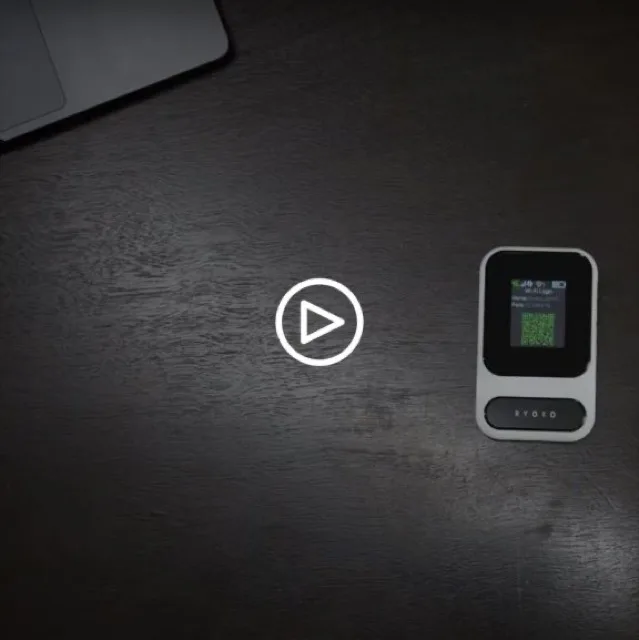
- Scan the QR code on the device screen with your phone camera.
- Tap the prompt to join the WiFi network.
Done. No app download, no account creation, no APN settings. From unboxing to online takes under 60 seconds. This is the setup you hand to someone who is not tech-savvy and they can do it without help.
The GlocalMe G4 Pro takes 2-3 minutes. You power it on, connect to its WiFi network, open a browser, and follow the setup wizard on the GlocalMe website. It is not complicated, but it requires more steps and the website interface is not as polished. If you are using a physical SIM, you also need to insert it and potentially configure APN settings depending on the carrier.
Winner: Ryoko. The QR code setup is unmatched for speed and simplicity.
Speed: GlocalMe Wins
In our side-by-side tests across five countries, the GlocalMe G4 Pro consistently delivered faster speeds.
| Location | Ryoko Speed | GlocalMe Speed |
|---|---|---|
| London (city center) | 12-18 Mbps | 25-35 Mbps |
| Paris (suburban) | 8-14 Mbps | 18-28 Mbps |
| Berlin (hotel) | 6-10 Mbps | 15-22 Mbps |
| Amsterdam (cafe) | 10-15 Mbps | 20-30 Mbps |
| Brussels (train station) | 5-8 Mbps | 12-20 Mbps |
The GlocalMe’s faster modem and better antenna give it a consistent edge. Both devices slow down in rural areas and buildings with thick walls, but the GlocalMe’s higher baseline means it stays usable in conditions where the Ryoko struggles.
Winner: GlocalMe G4 Pro. Consistently 2-3x faster in the same locations.
Battery Life: GlocalMe Wins
| Test | Ryoko | GlocalMe |
|---|---|---|
| 2 devices, light browsing | 6.5 hours | 11 hours |
| 4 devices, video streaming | 4.5 hours | 8 hours |
| 6 devices, mixed use | 4 hours | 7 hours |
| Idle drain (3 hours, no devices) | 12% | 6% |
The GlocalMe’s 4050 mAh battery is nearly double the Ryoko’s 2400 mAh. On any active travel day, the GlocalMe lasts from morning to evening. The Ryoko needs a mid-day charge or a power bank.
Winner: GlocalMe G4 Pro. Nearly double the battery life in every test scenario.
Coverage: Ryoko Wins
The Ryoko covers 175+ countries versus the GlocalMe’s 140+. In practice, both devices worked well in Western Europe, North America, and major Asian cities. The Ryoko’s broader coverage list includes more countries in Africa, the Middle East, and smaller island nations.
Neither device works well in rural areas or locations with weak carrier partnerships. Both default to the strongest available signal, which is not always the fastest or most reliable.
Winner: Ryoko. Broader country coverage for travelers visiting less-touristed destinations.
Data Plan Costs: Mixed
| Plan | Ryoko | GlocalMe |
|---|---|---|
| Monthly unlimited | $9.95 (15 GB cap) | N/A |
| Daily pay-as-you-go | N/A | $8-15/day |
| 7-day plan | N/A | $19-49 |
| Local SIM (BYOS) | Not supported | $5-15/30 GB |
The Ryoko’s $9.95/month unlimited plan is the cheapest option if you stay under 15 GB. The GlocalMe has no monthly plan but lets you use local SIMs, which are significantly cheaper for extended stays. A local SIM in Portugal costs EUR 5-8 for 15 GB over 30 days.
Winner: Depends on usage. Ryoko for short trips under 15 GB. GlocalMe for longer stays where local SIMs save money. See our unlimited data comparison for more detail.
Who Should Buy the Ryoko?
- You travel internationally 2-4 times per year on multi-country trips
- You value setup speed over raw performance
- You travel with family or non-tech-savvy companions
- You want the cheapest device upfront
- You need coverage in 175+ countries including less-touristed destinations
Who Should Buy the GlocalMe G4 Pro?
- You travel frequently and need all-day battery life
- You want faster speeds for video calls and streaming
- You stay in one country long enough to benefit from local SIMs
- You want more control over which network the device connects to
- The extra $90 upfront is worth the long-term savings
The Bottom Line
The Ryoko and GlocalMe G4 Pro solve the same problem differently. The Ryoko prioritizes convenience: it is the easiest portable WiFi hotspot to set up and use, it costs the least upfront, and it covers the most countries. The GlocalMe prioritizes performance: it is faster, lasts longer, and lets you save money with local SIMs.
For occasional multi-country travelers who want zero hassle, the Ryoko at around $49 is the better buy. For frequent travelers who want better speed, battery, and long-term value, the GlocalMe G4 Pro at around $139 is worth the premium.
Our full Ryoko review covers the device in complete detail, including three weeks of real-world testing across five countries. For a broader comparison of all portable WiFi options, see our best portable WiFi hotspots guide.
Common Questions & Answers
Q: Is the Ryoko or GlocalMe G4 Pro better?
The Ryoko is better for ease of setup and families who want zero-hassle connectivity. The GlocalMe G4 Pro is better for value, battery life, and travelers who want SIM flexibility. If you prioritize convenience, get the Ryoko. If you prioritize performance and cost-per-GB, get the GlocalMe.
Q: How does the Ryoko compare to the GlocalMe G4 Pro on speed?
The GlocalMe G4 Pro is faster in most conditions, averaging 15-30 Mbps versus the Ryoko's 5-12 Mbps. The GlocalMe benefits from a more capable modem and antenna. Both devices slow down in rural areas and buildings with thick walls.
Q: Which has better battery life, Ryoko or GlocalMe?
The GlocalMe G4 Pro has significantly better battery life at 9-12 hours versus the Ryoko's 4-7 hours. The GlocalMe's 4050 mAh battery is nearly double the Ryoko's 2400 mAh capacity. For all-day travel, the GlocalMe lasts longer between charges.
Q: Is the GlocalMe G4 Pro worth the extra money over the Ryoko?
For frequent travelers, yes. The GlocalMe costs about $90 more upfront ($139 vs $49) but offers better speed, double the battery life, and the ability to use cheap local SIM cards. Over 6 months of travel, the GlocalMe's lower data costs can offset the higher device price.
Q: Can I use a local SIM card in the Ryoko?
No. The Ryoko is locked to its built-in Viaota SIM ecosystem. You cannot insert a local SIM from another carrier. This is a significant limitation compared to the GlocalMe G4 Pro, which has a physical SIM slot and accepts local SIM cards from any carrier.
Q: What makes a smart gadget worth buying in 2026?
Look for proven real-world performance, not just spec-sheet numbers. A smart gadget is worth buying when it solves a daily problem reliably, integrates with your existing ecosystem, and has a track record of software updates and good customer support from the manufacturer.
Q: How long do smart gadgets typically last before needing replacement?
Most smart gadgets have a functional lifespan of 2-4 years depending on usage intensity and battery care. Devices with replaceable batteries and active software support tend to last longer. Check the manufacturer's update commitment timeline before purchasing.
Q: Are expensive smart gadgets always better than budget alternatives?
Not necessarily. Premium price tags often include brand marketing and niche features you may never use. The best value comes from matching the product's core features to your actual needs. Many mid-range options now offer flagship-level performance in the most important categories.
More Smart Gadgets Articles
Related Product Reviews



Consumer electronics reviewer specializing in smart gadgets and everyday tech. Tests 100+ gadgets annually. Previously wrote for The Verge and Wired. Focus on practical daily-use value.