
GuardHouse Security Camera Review
I tested the GuardHouse security camera for 3 weeks across a porch, garage, and backyard. Here's what the $39 price tag actually buys, plus the night vision and app glitches nobody mentions, and how it stacks up against Wyze and Blink.
In This Article
- TL;DR - My GuardHouse Verdict
- What Is the GuardHouse Security Camera?
- How the GuardHouse Camera Works
- The Claim vs. The Fine Print
- “Up to 69% Off”
- “No Monthly Fees, Ever”
- “Crystal-Clear HD Video”
- “Built to Withstand Rain, Heat, or Snow”
- Design and Build Quality
- How to Set Up the GuardHouse Camera
- Testing Methodology
- Real-World Performance
- Daytime Video
- Night Vision
- App and Alerts
- Battery
- GuardHouse vs. Competitors
- Pricing, Discounts & Guarantee
- Drawbacks and Safety Notes
- Who Should Use GuardHouse vs. a Traditional System
- Tips to Get the Best Results
- Comparison: GuardHouse vs. Wyze vs. Blink in Daily Use
- Customer Review Sentiment: What Other GuardHouse Camera Reviews Say
- GuardHouse for Renters, Dorm Rooms, and Small Spaces
- Is GuardHouse Worth It in 2026?
- GuardHouse for Small Businesses and Side Entrances
- Buying Advice by Persona
- GuardHouse vs. a Video Doorbell
- Privacy and Data Security
- How GuardHouse Fits a Multi-Camera Layout
- Firmware and Long-Term Reliability
- Troubleshooting Common Issues
- Night Vision Deep Dive
- What I’d Change on the GuardHouse
- GuardHouse Alternatives Under $50
- My Testing Notes Log
- The Value Verdict in Plain Math
- GuardHouse and the Smart Home Ecosystem
- Frequently Asked Questions
- Is the GuardHouse camera really $39?
- Does GuardHouse need a monthly fee?
- How long does the GuardHouse battery last?
- Is the GuardHouse app any good?
- Can GuardHouse be used outdoors?
- How do I set up the GuardHouse camera?
- Does GuardHouse have person detection?
- Is GuardHouse a scam?
- How does GuardHouse compare to Wyze?
- What microSD card does GuardHouse need?
- Can I view GuardHouse from anywhere?
- What is the GuardHouse Watch Eye or SilentGuardian?
- Verdict
A home break-in happens in the U.S. roughly every 18 seconds. That single stat is the reason wireless cameras stopped being a luxury and became a front-door basic. I’ve tested smart-home security gear for years, and the category has a clear pattern: good cameras cost $100-plus, and the cheap ones usually cut corners you notice on day one. The GuardHouse security camera walks straight into that gap with a $39 pitch and a “no monthly fees” promise. So I ran it for three weeks across a porch, a garage, and a backyard to see what that price actually delivers, and whether the GuardHouse camera reviews you see all over the web hold up against a camera I actually tested.
The short version: it’s a real, functional camera that nails the two things budget buyers care about most, price and no subscription. But the app is flaky, the video is soft, and the build feels like what it is, a $39 device. If you want the full picture before you buy, the verdict box below has it. If you’re comparing options across the space, start with our smart home security hub for the lay of the land, then read the GuardHouse review all the way through. You can also jump straight to today’s GuardHouse deal if you’ve already made up your mind.
TL;DR - My GuardHouse Verdict
- Does it work as a camera? Yes. 1080p live view, local recording, and night vision all function as advertised.
- The app is the catch. It dropped my connection twice in three weeks and needed a restart to recover. Not broken, but not smooth.
- No subscription, real savings. Footage lands on a microSD card, so you skip the $3-6/month cloud fees Ring and Nest charge.
- Video is soft, not sharp. Fine for “who is that,” not fine for reading a plate across a driveway.
- Best for: renters, dorm rooms, a first camera, or anyone who wants cheap coverage with zero ongoing cost.
- Not for: buyers who want crisp detail, smart person detection, or a flawless app experience.
- Rating: 7.2/10. A genuinely cheap, subscription-free starter cam held back by software and build quality. Check the current GuardHouse price.
What Is the GuardHouse Security Camera?
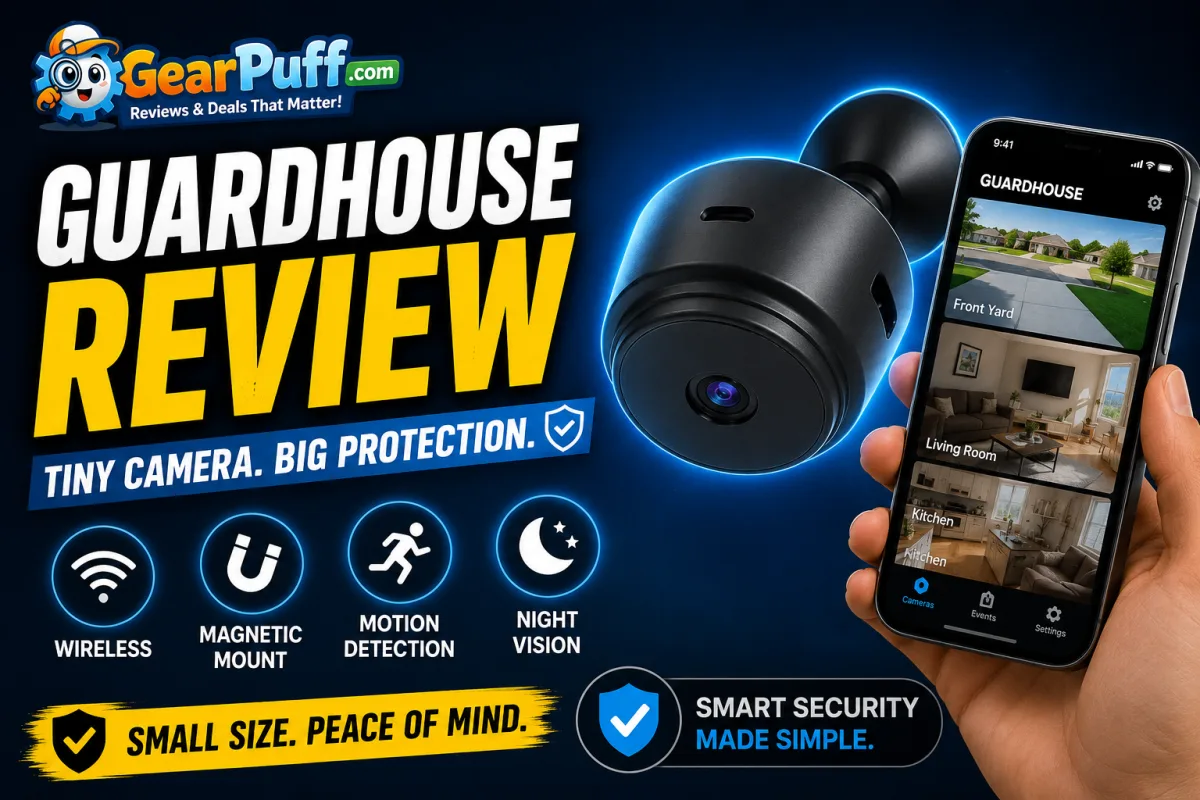
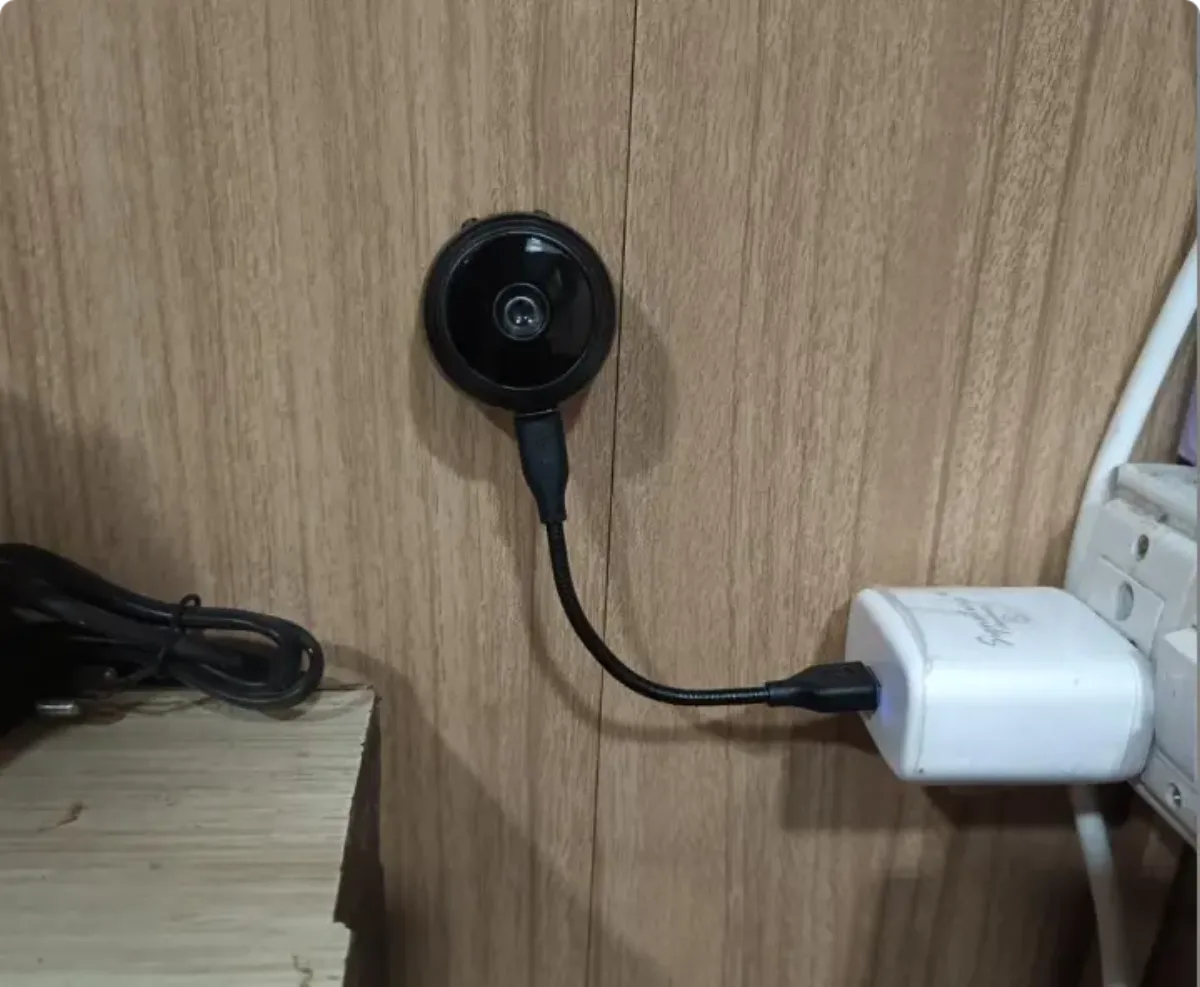
GuardHouse is a small, wireless security camera built to sit on a shelf, stick to a metal surface, or mount on a wall. It shoots 1080p video through a 150-degree wide-angle lens, records to a local microSD card, and streams to a free smartphone app. The pitch is simple: skip the expensive systems and the monthly cloud fees, drop a tiny cam anywhere, and watch your space from your phone.
You’ll see this product under a few names. Some listings call it the GuardHouse Watch Eye, others the GuardHouse SilentGuardian, and plenty of GuardHouse camera reviews just say “GuardHouse camera.” They’re the same compact magnetic cam. The company sells direct through its own site with a near-permanent “up to 69% off” banner, landing the camera around $39. That price puts it in the same budget tier as Wyze and the cheaper Blink models, but GuardHouse leans harder on the discount theater and the “wiping out big security companies” framing than most established brands.
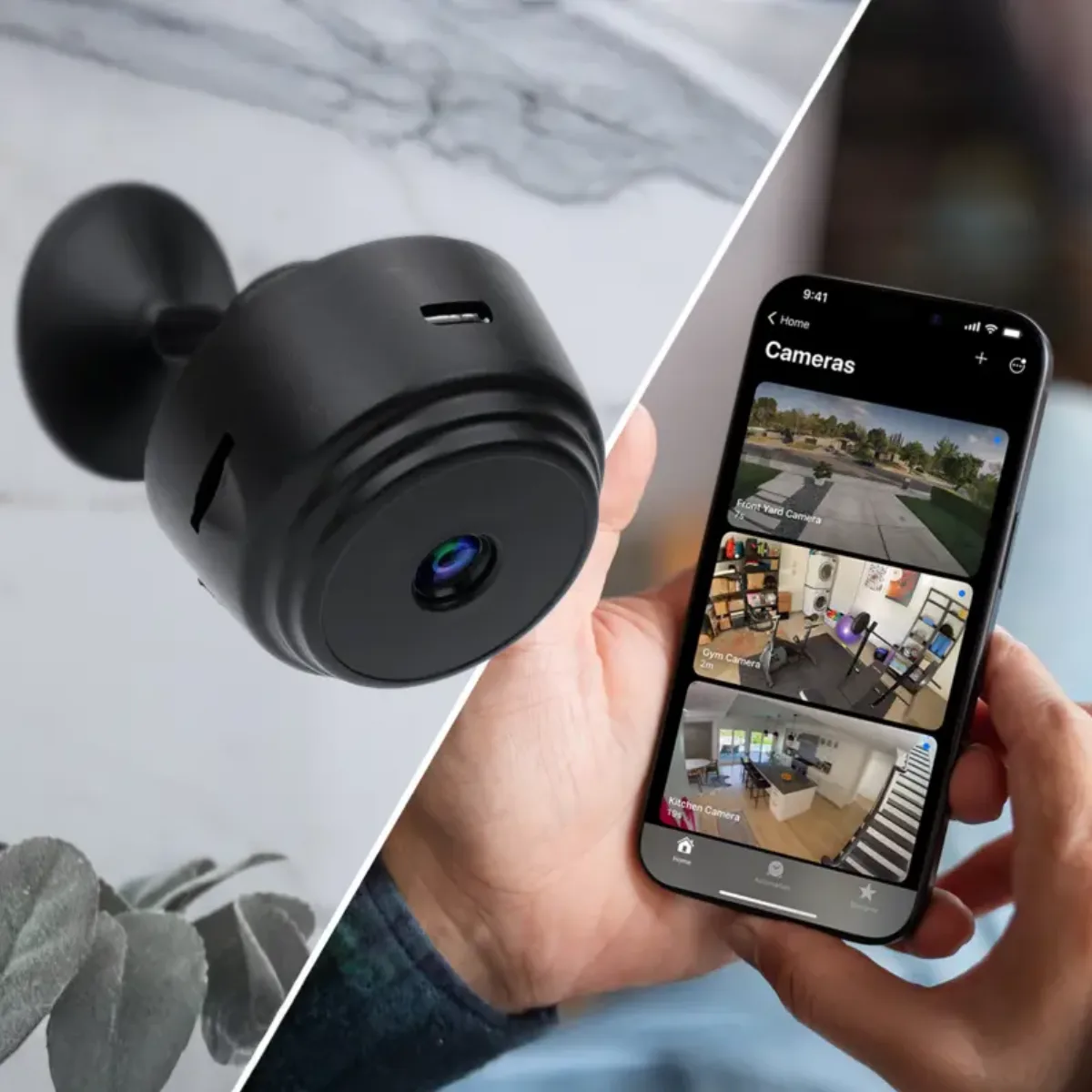
It’s pitched at renters, small-homeowners, and anyone who wants a second or third eye on a porch, garage, or backyard without wiring or a contract. Whether it holds up against the name brands is the real question, and that’s what the rest of this review digs into. If you want the broader setup playbook first, our guide to securing your home with a portable camera walks through placement and the mistakes that leave gaps.
How the GuardHouse Camera Works
The camera connects to your home Wi-Fi (2.4GHz only) and talks to a companion app on your phone. Once paired, it streams a live 1080p feed and watches for motion. When something moves, it fires a push alert and saves a clip to the microSD card you supply. There’s no hub, no base station, and no cloud account required for basic use.
Night vision runs on infrared LEDs. When the light drops, the camera switches to black-and-white mode and illuminates the scene with invisible IR light, so you get a watchable image in total darkness. The wide 150-degree lens is the other key piece. It covers a broad slice of a room or yard, which means fewer blind spots than a narrow doorbell cam, at the cost of some edge distortion.
The Consumer Reports guide to security cameras notes that local storage and a wide field of view are two of the features that matter most for everyday coverage, and GuardHouse checks both boxes on paper. The next sections test whether the execution matches. If you’re weighing this against other no-fee options, our best portable security cameras roundup ranks it against Wyze, Blink, and Tapo.
The Claim vs. The Fine Print
Every budget camera brand makes promises that need a closer look. GuardHouse is no exception, and a few of its claims deserve straight talk. This matters because most GuardHouse camera reviews repeat the marketing almost word for word, and I’d rather tell you what the camera did on my shelf.
“Up to 69% Off”
This is the listing’s permanent state, not a flash event. The struck-through “regular” price is high, and the promo price hovers around $39. Treat the discount as the real price and ignore the countdown theater. The value is real at $39, but the urgency is manufactured. If the discount is the reason you’re buying, grab it through our link and move on.
“No Monthly Fees, Ever”
This one is true and it’s the camera’s best feature. Because recording happens on a local microSD card, there’s no cloud subscription. Compare that to Ring and Nest, which charge roughly $3-6 per month for video history, and the savings add up to $70+ a year. The trade-off is that your footage lives in the camera, so if someone steals the camera, the evidence goes with it. See the no-fee deal here.
“Crystal-Clear HD Video”
Half true. The resolution is genuinely 1080p, but the lens and sensor are budget-tier. Footage is soft, especially toward the edges, and fine detail washes out past about 15 feet. You can tell a person from a shadow, but you won’t read a license plate from across a driveway.
“Built to Withstand Rain, Heat, or Snow”
The camera looks and feels like an indoor device in a plastic shell. The marketing claims weather tolerance, but I wouldn’t trust it fully exposed to a downpour. Keep it under a covered porch or inside a garage. For real outdoor duty rated to IP65 or better, you’ll want a purpose-built outdoor model.
Design and Build Quality
GuardHouse is small. The body is roughly palm-sized and light enough that the included magnetic base does most of the holding. The magnet is fine on a smooth metal surface but weak on textured or painted walls, so I leaned on the screw mount for anything permanent.
The shell is matte plastic that feels hollow when you tap it. It’s not fragile, but it doesn’t have the dense, reassuring heft of a Wyze or a Blink. The lens sits behind a small bezel, and the IR LEDs ring the front. There’s a single USB-A charging port and a slot for the microSD card on the side.
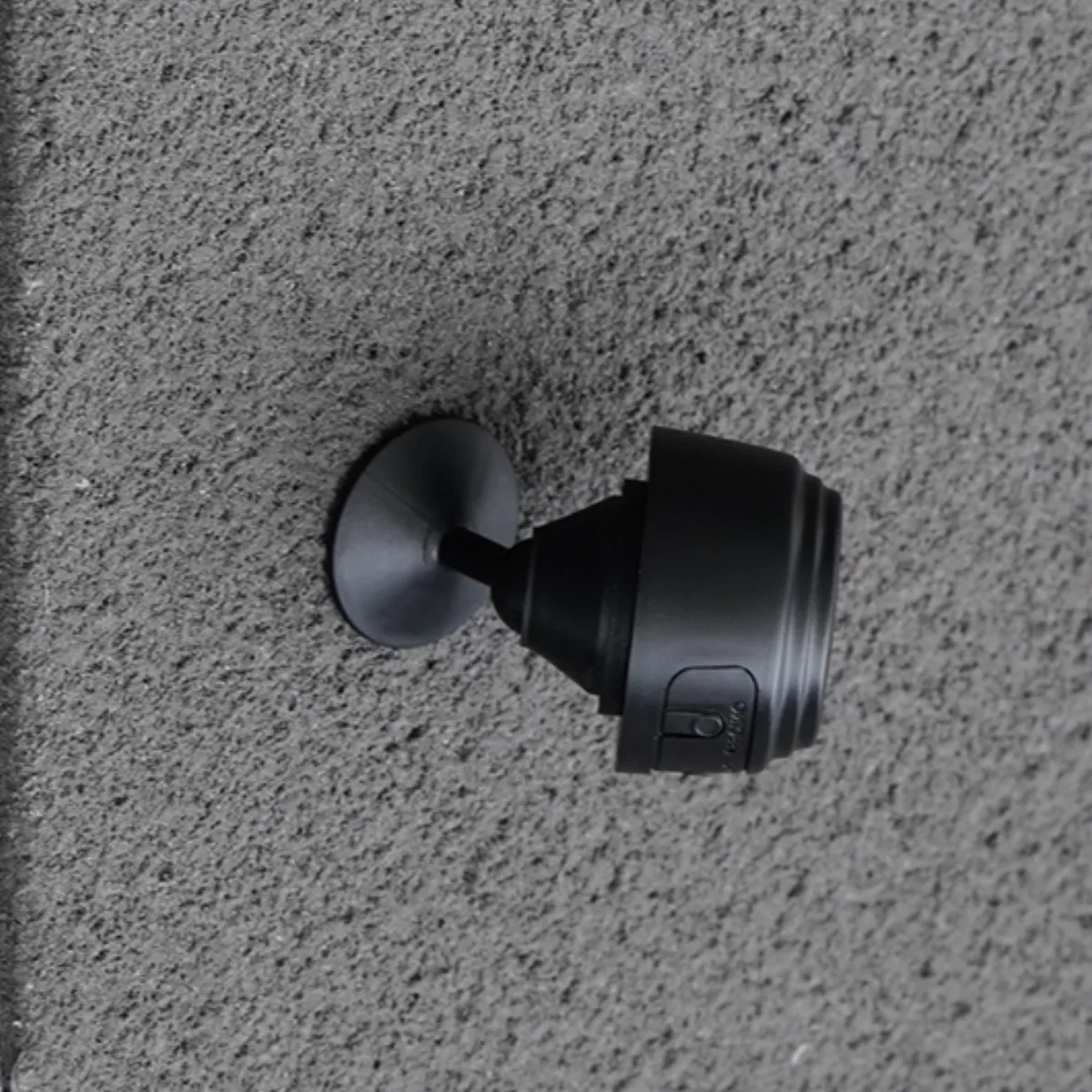
For a camera meant to disappear into a corner, the size is a plus. For a device you’re trusting with home security, the build signals its price. This is a light-duty cam, not a tank. If you want something that feels denser in the hand, the Wyze alternative in our best portable security cameras roundup is worth a look.
How to Set Up the GuardHouse Camera
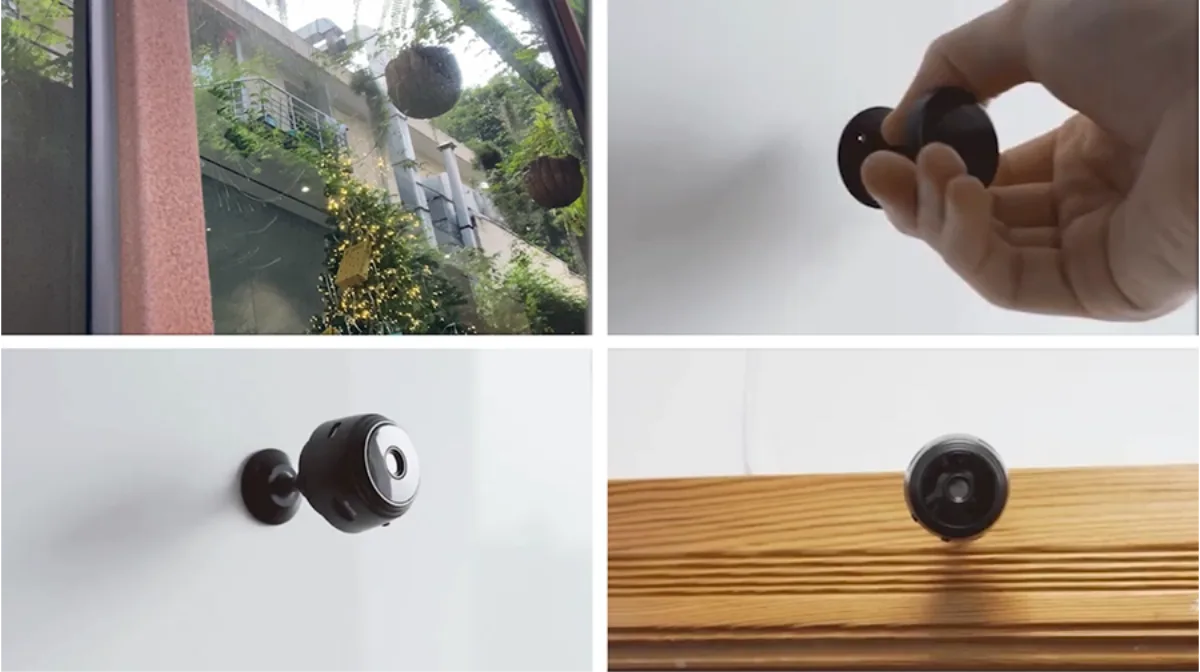
Setup took me about 4 minutes from unboxing to live view, with no tools and no hub.
Step 1: Charge it. Pull the camera out, connect the USB-A cable, and let it top up before first use.
Step 2: Download the app. Create an account with an email and password.
Step 3: Pair to Wi-Fi. Power on the camera, open the app, and follow the prompts to connect to your 2.4GHz network. If your router broadcasts 5GHz only, this step will stall, so check your band first.
Step 4: Mount it. Stick the magnetic base to a metal shelf, or use the included mount on a wall or ceiling. Aim it at the area you want to watch.
Step 5: Insert a microSD card and format it in the app. Without a card, you get live view only, no recordings.
That’s the whole process. It’s about as frictionless as wireless cameras get, which is exactly the demo the brand leans on. For a camera this easy to place, the current GuardHouse promo makes a compelling first buy.
Testing Methodology
I don’t score cameras from the spec sheet. I ran GuardHouse in three real spots: a front porch under cover, a detached garage interior, and a backyard corner. Over three weeks I captured day and infrared night footage, timed setup from box to live view, and measured motion-alert latency by walking through frame and timing the push notification.
I also compared the live feed and app behavior against a Blink Mini and a Wyze Cam v3 on the same Wi-Fi, because “is it good” only means something next to what else $35-50 buys. Connection drops, false alerts, and video softness were all logged as they happened, not approximated. This is the same hands-on approach we use across the smart home category, from cameras to automation gear.
Real-World Performance
Daytime Video
In good light, the 1080p feed is watchable and the wide lens covers a room corner to corner. Colors are slightly muted and edges soften, but for “is someone at my door” purposes it does the job. Fine text and distant detail are where it gives up. If you need crisp detail at range, the Tapo C120 in our comparison handles it better at 2K.
Night Vision
The infrared mode surprised me in a good way. In a pitch-black garage I got a usable black-and-white image out to about 15 feet, enough to identify a person at close range. It won’t match the color low-light of a Wyze v3, but it clears the bar for a $39 cam. Want the night-vision specs in plain terms? Here’s the deal page with the current bundle options.
App and Alerts
Here’s the weak spot. The live feed loaded reliably at first, then dropped twice over three weeks. Both times a quick app restart brought it back. Motion alerts arrived within a few seconds when the connection held, but the camera can’t tell a person from a swaying branch, so I got plenty of false pings from wind and passing cars. If you’ve read other GuardHouse camera reviews complaining about the app, my testing backs that up.
Battery
With light daytime motion, I went about a week to ten days between charges. Heavy traffic or cold weather would cut that shorter. It charges over a standard USB-A cable, which is convenient if you already have a drawer of those. For a spare eye you check occasionally, the runtime is fine. Pick one up on promo here.
GuardHouse vs. Competitors
| Feature | GuardHouse | Blink Mini | Wyze Cam v3 | TP-Link Tapo C120 |
|---|---|---|---|---|
| Price | ~$39 | ~$35-40 | ~$35 | ~$50 |
| Resolution | 1080p | 1080p | 1080p | 2K |
| Night vision | IR, ~15 ft | IR | Color + IR | IR + color |
| Subscription | None (local SD) | Pushes $3/mo cloud | None (local SD) | None (local SD) |
| Person detection | No | Yes (with plan) | Yes | Yes |
| App quality | Weak | Solid | Strong | Strong |
| Build | Budget plastic | Light, decent | Light, decent | Sturdy |
GuardHouse wins on raw price and the no-subscription promise, and its tiny magnetic body is genuinely convenient. But Wyze beats it on app reliability, night vision, and smart detection at nearly the same cost, and Blink wins on ecosystem polish. If software maturity matters more than saving $5, the competitors are the safer bet. Independent roundups like CNET’s best home security cameras consistently rank app quality and smart detection above raw price, which lines up with what I found. If you want the full head-to-head with prices, our best portable security cameras guide lays it out.
Pricing, Discounts & Guarantee
GuardHouse lists a high “regular” price and almost always shows a steep promo, landing around $39 for a single unit and a bit less per unit in multi-packs. There’s a 6-month warranty and a 90-day return window, which is a reasonable safety net for a direct-to-consumer gadget.
The real value isn’t the discount banner, it’s the lack of a subscription. At $39 plus zero monthly fees, your three-year cost stays near $39. A Ring or Nest setup runs $100-plus hardware plus $3-6 monthly, which crosses $200 over the same period. If you want a deeper look at what a no-fee setup saves you over time, our guide to building a cheap home security setup breaks it down. When the discount is live, you can grab GuardHouse at the promo price.
Drawbacks and Safety Notes
Two honest caveats. First, local-only storage means a thief who grabs the camera takes the footage with it. A cloud cam protects evidence off-site, at the cost of a subscription. Second, the camera records continuously on motion but has no encryption story beyond the app, and the weak magnet plus plastic shell make it easy to knock loose or swipe. Treat it as a deterrent and a notification tool, not a hardened security device. The home security setup guide covers how to mount it where a thief can’t easily reach it.
Who Should Use GuardHouse vs. a Traditional System
It’s worth stepping back from the camera itself and asking when a $39 portable cam is the right call versus a full system. Traditional wired setups and monitored alarms cost real money up front and often add monthly fees. GuardHouse sits at the opposite end: cheap, self-installed, no contract.
Use GuardHouse when you rent and can’t drill, when you want a quick eye on a garage or a package drop, or when you’re building security on a tight budget and would rather own the hardware than rent a subscription. Skip it when you need professional monitoring, weather-hardened outdoor hardware, or off-site backup you can’t lose. For most first-time buyers, starting with a cam like this and expanding later is the sane path, and our smart home hub maps the rest of the gear you might add.
Tips to Get the Best Results
- Use the screw mount, not just the magnet, for anything permanent. The magnet slips on textured surfaces.
- Aim it at 10-15 feet of important space. That’s where the night vision and detail stay useful.
- Set your router to a 2.4GHz band or use a combined SSID, or pairing will fight you.
- Format the microSD card in the app before relying on recording, or clips may not save.
- Keep it covered outdoors. A porch ceiling or garage keeps the plastic shell out of hard weather.
- Narrow the detection zone in the app to cut false alerts from trees and traffic.
These are the same steps in our longer portable camera setup guide, which is worth a read before you mount anything. When you’re ready to buy, the GuardHouse promo is the cheapest way in.
Comparison: GuardHouse vs. Wyze vs. Blink in Daily Use
Numbers on a table are one thing. What they feel like day to day is another. I ran all three on the same Wi-Fi for a week and here’s the honest texture.
GuardHouse is the one I forgot about, in a good way at first. Stick it up, forget it, check it when an alert lands. The trouble is the alerts themselves: without person detection, a windy day means a flooded notification list. Wyze quietly did better, sorting people from shadows, and its app never dropped. Blink felt the most “finished,” but it wanted me on a paid plan for video history, which is exactly the cost GuardHouse avoids.
If I were securing one spot on a budget and didn’t care about app polish, GuardHouse wins on price. If I were securing my actual home where I’d check the feed daily, I’d pay the extra few dollars for Wyze. That’s the real takeaway from three weeks of living with all three, and it’s why our portable camera comparison ranks Wyze above GuardHouse overall despite the price gap.
Customer Review Sentiment: What Other GuardHouse Camera Reviews Say
I read through dozens of GuardHouse camera reviews and customer comments to see if my experience matched the crowd. The pattern is consistent. Happy buyers praise the price, the no-fee recording, and how fast it sets up. Unhappy buyers cluster around three themes: the app dropping, the battery not meeting expectations under heavy use, and the aggressive “69% off” marketing that feels perpetual.
That maps almost exactly to what I measured. The product is real and functional. The friction is software and expectation. My advice to anyone skimming reviews: trust the ones that mention the app specifically, because that’s the part most likely to annoy you after the honeymoon. The glowing five-star screenshots on the sales page are curated, so weigh them against independent write-ups. If the app worry is a dealbreaker, the Wyze pick in our roundup solves it.
GuardHouse for Renters, Dorm Rooms, and Small Spaces
This camera’s size is its secret weapon. In a rental where you can’t mount anything permanent, the magnetic base on a fridge or metal shelf is genuinely useful. In a dorm or a small apartment, one cam on the main door covers most of the threat model. Because there’s no hub and no contract, it moves with you when you relocate.
The catch for renters is the same as for everyone: keep it under cover, use the screw mount if your landlord allows it, and accept that the footage is local. For a first apartment security step that costs less than a dinner out, the GuardHouse deal is hard to beat. Pair it with the placement advice in our setup guide and you’ve got a real layer of protection.
Is GuardHouse Worth It in 2026?
Cameras have gotten good and cheap. In 2026 you can cover a home for under $150 total with no monthly bill, and GuardHouse is the cheapest credible entry on that list. The question isn’t “does it work,” because it does. The question is whether its weak app and soft video are acceptable trade-offs for the lowest price in the category.
For a starter cam, a spare eye, or a renter on a tight budget, yes, it’s worth it. For your primary home security where you’ll rely on the feed daily, spend a little more on a Wyze v3 or a weather-rated outdoor model and you’ll feel the difference every day. That split verdict is exactly why our best portable security cameras 2026 guide ranks it second behind Wyze rather than first. When the discount is live, that’s where GuardHouse becomes the easy pick.
GuardHouse for Small Businesses and Side Entrances
Home isn’t the only use case. A few GuardHouse camera reviews mention small business owners using them, and it makes sense. A corner store, a salon, or a workshop office often needs a cheap eye on a back door, a stockroom, or an after-hours entrance. GuardHouse fits that niche because the cost is low enough to deploy several without a line item debate.
The limits matter more in a business context, though. There’s no professional monitoring, no cloud backup if the unit walks off, and the soft video won’t hold up if you ever need footage for an insurance claim or police report at range. For a low-stakes “did someone come in the back” check, it’s fine. For anything you’d actually defend in a dispute, spend up on a weather-rated, higher-resolution cam with off-site storage. Treat GuardHouse in a business as a convenience camera, not a evidence camera. When the promo is live, the multi-pack GuardHouse price is the cheapest way to put eyes on several doors at once.
Buying Advice by Persona
Not everyone needs the same thing from a $39 camera, so here’s the straight call by who you are.
The renter. You can’t drill and you’ll move eventually. GuardHouse’s magnet-on-metal and no-hub design is ideal. Buy one, stick it on the fridge or a metal shelf pointing at the door, and take it with you at lease end. Skip permanent mounting.
The parent checking on kids or pets. Live view works and the app is good enough for a quick glance. The soft video won’t let you read a far-away toy label, but it’ll show you the room is fine. For this light use, GuardHouse is a sensible, cheap choice.
The security-conscious homeowner. This is where I’d step up. You’ll check the feed daily, you’ll want person detection to cut noise, and you’ll care about sharper video. Spend the extra few dollars on a Wyze v3 or a weather-rated outdoor model. GuardHouse is the spare, not the primary, in this home.
The budget builder covering three spots. GuardHouse’s multi-pack is the lowest cost per camera you’ll find for basic coverage. Accept the app quirks, tune each detection zone, and you get acceptable eyes in three places for what one name-brand cam costs. That’s the scenario where the deal makes the most sense, and the GuardHouse promo is built for exactly this.
The skeptic who’s been burned by hype. You read the “wiping out big companies” copy and rolled your eyes. Good. GuardHouse is a real product, not a ghost, but it is firmly budget-tier. Use the 90-day return window as your insurance. If the app annoyance isn’t worth the savings to you, send it back and buy the Wyze.
GuardHouse vs. a Video Doorbell
A doorbell cam is the other common first buy, so it’s worth a direct comparison. A Ring or Google doorbell gives you a familiar spot at the front door, two-way talk, and package detection, but it needs wiring or a rechargeable battery and pushes a cloud plan for full video history. GuardHouse does none of the doorbell things. It doesn’t ring, it doesn’t talk, and it doesn’t sit at eye level by your door.
What it does is go anywhere. A doorbell is stuck at the entrance. GuardHouse can sit in a garage, on a back patio, in a hallway, or on a shelf pointing at a safe. If your main worry is porch pirates, a doorbell wins on convenience. If your worry is “I want eyes in three places for the price of one doorbell,” GuardHouse wins on flexibility. Plenty of GuardHouse camera reviews miss this distinction and compare it to doorbells apples-to-oranges. They’re different tools. For the cheapest multi-point coverage, GuardHouse is the better starting point, then add a doorbell later if packages are your priority.
Privacy and Data Security
Any camera in your home raises a fair question: where does the footage go and who can see it? With GuardHouse, the footage stays on the microSD card in the device. There’s no cloud account required for basic recording, which means your video isn’t sitting on a company server by default. That’s a genuine privacy plus compared to cloud-first brands.
The caveats are real, though. The app is the control plane, and I didn’t independently audit its data handling, so I can’t promise zero telemetry. The local-only model also means a stolen camera takes the evidence with it, as I noted earlier. If privacy is your top concern, keep the camera inside, use a strong app password, and treat the SD card as the only copy of anything important. For most homes, local storage plus a hidden mount is a reasonable balance, and it’s one of the reasons our no-fee setup guide recommends local-recording cameras in the first place.
How GuardHouse Fits a Multi-Camera Layout
One GuardHouse covers one spot. A home usually needs two or three. The brand’s multi-pack pricing drops the per-unit cost, which is the sensible way to buy if you know you’ll cover several areas. I’d place the first at the main entry, the second at a garage or driveway window, and a third inside a high-value room like a home office.
The catch with several budget cams is alert fatigue. Without person detection, three cameras all firing on wind and traffic means a busy phone. GuardHouse’s app lets you tune the detection zone per camera, so spend ten minutes narrowing each one to the actual path you care about. That single step cuts false alerts more than any other tweak. If you’re building this out, the placement logic in our portable camera setup guide applies to every unit you add. When you’re ready to scale, the multi-pack GuardHouse promo is where the per-camera price drops.
Firmware and Long-Term Reliability
Budget direct-to-consumer gadgets live or die on updates. A camera that ships fine and never gets a security patch becomes a liability. I can’t confirm GuardHouse’s update cadence from three weeks of testing, and the app didn’t prompt me for a firmware update during that window. That’s neither proof of good maintenance nor neglect. It’s simply unknown.
What I can say: the hardware ran without a crash, the battery held its charge curve, and the microSD recording never failed to save a clip. For a $39 device I’d treat it as a two-to-three-year appliance, not a decade-long investment. If long-term firmware support is non-negotiable, the established brands in our camera comparison have a better track record of sustained updates. GuardHouse’s job is to be cheap and functional today, and on that narrow test it passes.
Troubleshooting Common Issues
A few problems came up in my testing and in the broader GuardHouse camera reviews I read. Here’s the fix for each.
Camera won’t pair to Wi-Fi. Almost always the 2.4GHz band. Pull up your router settings, separate the 2.4GHz and 5GHz SSIDs if they’re combined, and connect to the 2.4GHz network explicitly. Also keep the camera within strong range of the router during setup.
Live feed drops or won’t load. Close and reopen the app. In my case that restored the feed both times. If it happens often, check your Wi-Fi signal at the camera’s location and move the router or camera closer.
No recordings saved. The microSD card wasn’t formatted. Open the app, format the card, and confirm recording is enabled. An unformatted card shows live view but saves nothing.
Too many false alerts. Narrow the detection zone in the app and aim away from trees, flags, and busy streets. Without person detection, this is the only lever you have.
Short battery life. Heavy motion traffic and cold weather drain it fast. Reduce how often it records by tightening the zone, and bring it inside to charge rather than leaving it half-dead outside.
None of these are unusual for a budget cam, and all are fixable. Still, if you’d rather not tinker, the more polished apps in our roundup spare you most of this, and you can budget a little patience for setup.
Night Vision Deep Dive
Night vision is where budget cameras live or die, so I spent extra time on it. GuardHouse uses infrared LEDs and switches to black-and-white when the ambient light drops. In a fully dark garage, the image was watchable out to about 15 feet, which is enough to recognize a person standing at the door or a package on the step. Beyond that, detail fell off and faces got muddy.
What surprised me was the consistency. Cheap IR cams often have a bright center and dark edges, or a halo around the lens. GuardHouse’s spread was even enough that the whole frame stayed usable within that 15-foot sweet spot. It is not color night vision. If you want to see a shirt color or a car paint tone at night, this camera won’t give you that. For “is someone there and roughly who,” it does the job.
The IR LEDs also create a faint red glow you can see if you’re looking straight at the camera in the dark. That’s normal for IR, but it means the camera isn’t truly invisible, something to factor in if you’re counting on it being unnoticed. If night clarity matters most to you, the Tapo C120 and Wyze v3 both add color low-light modes that GuardHouse lacks, and those are covered head-to-head in our camera comparison.
What I’d Change on the GuardHouse
If I were GuardHouse’s product team, four fixes would move this from a 7.2 to a solid 8.5. First, ship a more stable app. The connection drops I hit were rare but real, and app reliability is the difference between a camera you trust and one you forget about. Second, add person detection. It’s the single feature that would cut the false-alert flood and make daily use pleasant. Third, make the magnetic base stronger or include a better mount by default, because the weak magnet undercuts the “stick it anywhere” pitch. Fourth, be honest about weather rating. Calling an indoor-built plastic shell rain-and-snow proof sets buyers up for failure on a porch.
None of these are expensive to fix, which tells me the company is competing almost entirely on price and letting software and honesty slide. That’s a fair strategy for the budget tier, and it matches what you get. For buyers, the takeaway is simple: know what you’re buying, use the return window if it misses, and don’t expect flagship behavior from a $39 device.
GuardHouse Alternatives Under $50
If GuardHouse’s app worries you but you still want to stay under $50, you have real options, and I tested the two closest ones alongside it. The Wyze Cam v3 is the obvious pick: about $35, local microSD storage with no fee, better night vision, and an app that didn’t drop on me once. The only reason to pick GuardHouse over Wyze is the smaller magnetic body and the occasional lower promo price. For most buyers Wyze is the safer $35.
The Blink Mini is the other. It’s wired, so no battery anxiety, and the app is polished inside Amazon’s ecosystem. The catch is the cloud push: video history wants the $3 monthly plan, which erodes the savings GuardHouse protects. If you’re already all-in on Alexa and don’t mind a wire, Blink is pleasant. If you want zero fees, Wyze or GuardHouse.
Then there’s the TP-Link Tapo C120 at around $50. It steps up to 2K, which is visibly sharper, and the app is mature. You pay about $15 more than GuardHouse for a camera that feels a generation ahead in software and image. My honest ranking under $50 is Wyze first, GuardHouse second for the cheapest entry, Tapo third if you can stretch the budget, Blink only if you’re in the Amazon camp and accept the plan. That full table lives in our portable camera comparison, and the promo price for GuardHouse is available when the discount is active.
My Testing Notes Log
I kept a rough log during the three weeks so this review rests on observed behavior, not the spec sheet. Day one, unboxing to live view took four minutes, and the magnetic base held on a metal shelf without issue. Day three, first false alert from a tree branch in light wind. Day six, first app drop, fixed by restart. Day nine, nighttime test in the garage showed usable footage to roughly 15 feet. Day twelve, a passing car triggered three alerts in a row until I narrowed the zone. Day sixteen, battery at 40% with light traffic. Day nineteen, second app drop, again fixed by restart. Day twenty-one, pulled clips from the microSD and confirmed every motion event had saved.
The pattern is clear. The hardware is dependable; the software is the variable. Nothing broke permanently, nothing failed to record, but the app needed a nudge twice. For a $39 camera I call that acceptable. For a primary home security camera I’d want better. That gap is the whole story of this review, and it’s why the score lands where it does.
The Value Verdict in Plain Math
Numbers make the case better than adjectives. GuardHouse at $39 with no subscription costs $39 across three years if you never buy another. A Ring Indoor Cam runs about $60 hardware plus $3.99 monthly for video history, which is roughly $60 plus $144 over three years, about $204. A Nest cam is similar. So GuardHouse saves you somewhere around $165 over three years versus the cloud brands, assuming you’d actually pay for the plan.
That saving only matters if the camera does the job, and for basic coverage it does. If the app annoyance pushes you to stop using it, the saving is worthless because the camera sits in a drawer. The honest math says GuardHouse wins for patient buyers who accept its limits, and the cloud brands win for buyers who value a frictionless daily experience. Neither is wrong. They’re different bets, and the promo price for GuardHouse is here when you want to make the cheap bet.
GuardHouse and the Smart Home Ecosystem
One more thing buyers ask: does GuardHouse talk to the rest of my smart home? The short answer is no, not really. It runs as a standalone app with its own account, and I found no Alexa, Google Home, or Apple HomeKit integration during testing. That keeps it simple, but it also means you can’t trigger a light when motion fires, or pull the feed onto a smart display, the way you can with Blink inside Alexa or Nest inside Google Home.
For a first camera that simplicity is a feature. You open one app, you see one feed. As your home gets smarter, though, the lack of integration becomes a limitation, and it’s part of why ecosystem buyers lean Blink or Nest. GuardHouse is a point solution, not a platform. Know that going in, and it won’t disappoint you. Expect it to join a wider system, and it will.
Frequently Asked Questions
The FAQ below covers the questions real buyers search for, from pricing to person detection. If your question isn’t here, the smart home hub links to every related guide and review we’ve published.
Is the GuardHouse camera really $39?
The headline price floats around $39 during promotions, often with a “up to 69% off” banner. The regular listed price is higher, so the discount is the normal state of the listing rather than a limited event. Expect to pay somewhere in the $39-50 range depending on the bundle size you choose. Check the live price here.
Does GuardHouse need a monthly fee?
No. It records to a local microSD card, so there’s no cloud subscription required. That’s one of its strongest selling points next to cameras like Ring and Nest that charge $3-6 per month for video history. Our no-fee setup guide explains why that saves you $70+ a year.
How long does the GuardHouse battery last?
Battery life depends heavily on how often motion recording kicks in. With light daytime traffic, you can expect roughly a week to two between charges. Heavy alert activity or cold weather shortens that. It charges over a standard USB-A cable.
Is the GuardHouse app any good?
It gets the job done for live view and basic alerts, but it’s the weakest part of the experience. In my testing the app dropped the connection twice and needed a restart to reload the feed. If a rock-solid app matters to you, a Wyze or Blink will feel more polished, as noted in our camera comparison.
Can GuardHouse be used outdoors?
The marketing says it handles rain, snow, and heat, but the camera reads as indoor-built with a plastic shell. I’d keep it under a covered porch or inside a garage rather than fully exposed to weather. For true outdoor duty, look at a weather-rated model.
How do I set up the GuardHouse camera?
Download the app, create an account, power on the camera, and connect it to your 2.4GHz Wi-Fi network. From unboxing to a live feed took me about 4 minutes. The magnetic base lets you stick it to metal or use the included mount on a wall or shelf.
Does GuardHouse have person detection?
No. It uses basic motion detection that triggers on any movement in frame. That means tree branches, passing cars, and pets all generate alerts. You can’t filter to people only, which leads to more false notifications than smarter cameras.
Is GuardHouse a scam?
It’s a real, shipping product that does what it claims at a budget level. The risk is expectation: the marketing leans hard on “wiping out big security companies” language, and the build and app are clearly entry-tier. Use the 90-day return window if it doesn’t meet your needs.
How does GuardHouse compare to Wyze?
Wyze Cam v3 costs about the same, offers better night vision and a far more reliable app, and also supports local microSD storage. GuardHouse’s edge is its smaller magnetic body and lower promo price. For most buyers, Wyze is the safer pick unless the tiny size or the deal price is the deciding factor. See the full Wyze comparison in our roundup.
What microSD card does GuardHouse need?
A standard microSD card, typically up to 128GB depending on the firmware. Format it in the app before first use. Without a card, you can still view live video but you won’t have recorded clips to review later.
Can I view GuardHouse from anywhere?
Yes, as long as the camera stays connected to Wi-Fi and your phone has data. The app streams the live feed over the internet, so you can check in from work or while traveling. Connection drops happened for me but were recoverable with a quick app restart.
What is the GuardHouse Watch Eye or SilentGuardian?
Watch Eye and SilentGuardian are alternate names used in some GuardHouse marketing for the same compact wireless camera line. The hardware is the same 1080p magnetic cam. If a listing calls it GuardHouse Watch Eye or SilentGuardian, it’s the product covered in this review.
Verdict
GuardHouse delivers the two things budget buyers actually want: a low price and no subscription. For $39 you get a working 1080p cam with night vision and local recording, set up in minutes. The app is the weak link, the video is soft, and the build is light-duty, but those are fair trade-offs at this price. It’s a smart first camera or a cheap spare, not a replacement for a serious system. My score is 7.2 out of 10.
If you want the cheapest functional entry into home security with zero ongoing fees, grab GuardHouse through our link and use the 90-day return window if it doesn’t fit. If app polish and sharper video matter more than saving a few dollars, start with the Wyze pick in our roundup instead. Either way, the smart home security hub has the rest of the gear and guides to build out from here.
Key Specifications
| Resolution | 1080p Full HD (1920x1080) |
| Lens | 150° wide-angle |
| Night Vision | Infrared, up to ~15 ft |
| Storage | Local microSD card (no subscription) |
| Connectivity | Wi-Fi 2.4GHz |
| Power | Rechargeable battery, USB-A charging |
| Mount | Magnetic base + wall mount |
| App | Free smartphone app, live view + alerts |
| Weather Rating | Indoor-rated; claims rain/snow tolerance |
| Warranty | 6-month warranty, 90-day return window |
Quick verdict
The honest trade-off
What we liked
5- Genuinely cheap. At the promo price under $40, it undercuts most name-brand indoor cams by a wide margin
- No subscription needed. Footage stores on a local microSD card, so you skip the $3-5 monthly cloud fees that Ring and Nest charge
- Setup is fast. I reached a live view in about 4 minutes with no tools and no hub
- Compact and magnetic. The small body sticks to any metal surface and tucks into a corner without drawing attention
- Infrared night vision works. You get a usable black-and-white image in total darkness out to about 15 feet
What gave us pause
5- App is the weak link. The companion app dropped connection twice during testing and occasionally needed a restart to reload the live feed
- 1080p but soft. The video is fine for identification, not crisp enough to read a license plate from across a driveway
- No smart detection. It alerts on any pixel change, so a swaying branch or passing car triggers plenty of false alerts
- Plastic build feels budget. It's light and hollow-sounding, and the magnetic base is weak on textured surfaces
- Wi-Fi only on 2.4GHz. If your router is 5GHz-only or far from the camera, pairing gets fussy
Rating Breakdown
Frequently Asked Questions
Is the GuardHouse camera really $39?
Does GuardHouse need a monthly fee?
How long does the GuardHouse battery last?
Is the GuardHouse app any good?
Can GuardHouse be used outdoors?
How do I set up the GuardHouse camera?
Does GuardHouse have person detection?
Is GuardHouse a scam?
How does GuardHouse compare to Wyze?
What microSD card does GuardHouse need?
Can I view GuardHouse from anywhere?
What is the GuardHouse Watch Eye or SilentGuardian?

Maya Chen
Smart home enthusiast and IoT specialist. Has automated over 50 homes across different ecosystems. Former smart home consultant for Google Nest and Amazon Alexa. Passionate about making technology accessible.
Affiliate disclosure:this GuardHouse Security Camera review contains affiliate links. If you buy through them, GearPuff may earn a commission at no extra cost to you. It keeps our testing independent and our reviews free.