
Decent — read the caveats first
- Three TEC cooling plates drop neck skin temp fast, felt within 30 seconds on Cool mode
- Genuine heat mode for winter sidelines, rare in neck fans under $300
- App control with fine speed and temp steps beats button-only rivals
- Solid build with even weight balance, no pressure points over 3-hour wears
- 30-day trial plus 1-year warranty removes most of the buying risk
- Max Cool drains the 6000mAh pack in about 3.5 hours, not a full workday
- High fan speed is loud enough that coworkers notice it indoors
- Heavy and warm on the neck once the battery runs low and plates go idle
- Cooling Performance:
- Battery Life:
- Comfort and Fit:
- Noise Control:
- Build Quality:
- Value for Money:
In This Article
- I Coach in Texas Heat. Last August Broke Me.
- TL;DR, My TORRAS Coolify Cyber Verdict
- Quick Comparison: Cyber vs the Alternatives
- What Is the TORRAS COOLIFY Cyber?
- How It Works (My First Afternoon With It)
- Why a Neck Cooler Exists (The Heat Science)
- What TORRAS Claims vs. What I Found
- Design, Build and First Impressions
- Setup and the Mistake I Made on Day One
- Three Weeks of Testing (My Diary)
- Week 1: Practices and the Learning Curve (Days 1 to 7)
- Week 2: The Turning Point and the Heat Wave (Days 8 to 14)
- Week 3: Commutes, Cold Mornings and Real Life (Days 15 to 21)
- What Worked and What Did Not
- Cooling Power: 8 out of 10
- Battery Life: 6 out of 10
- Comfort and Fit: 7 out of 10
- Noise Control: 6 out of 10
- Build Quality: 8 out of 10
- Value for Money: 6 out of 10
- TORRAS COOLIFY Cyber vs. Competitors
- Value Math: Is It Worth $211 Plus?
- Customer Reviews and Social Proof
- Pricing, Discounts and Guarantee
- Drawbacks and Things to Know
- Tips to Get the Best Results
- Who Should Buy and Who Should Skip
- Final Verdict
- Score Breakdown
I Coach in Texas Heat. Last August Broke Me.
August in central Texas does not negotiate. I coach youth soccer four afternoons a week, and last summer gave us a stretch of 19 straight days over 98 degrees. I drank water until I sloshed. I rotated ice towels. By the third week I was cutting drills short because I felt wrung out, and the kids noticed. That bothered me more than the sweat.
A parent on the sideline wore something around his neck that blew air upward at his face. A basic bladeless band, the $25 kind. I asked about it at halftime and he shrugged. “Moves air. Better than nothing.” That sentence stuck with me, because “better than nothing” is a low bar when you spend 15 hours a week in real heat.
I went home and read everything I could find on neck cooling. Most of it was airflow bands arguing about vent counts. Then the TORRAS listings kept surfacing with a different pitch. Semiconductor plates. A stated cooling area. People describing cold metal on skin, not moving air. My skepticism ran high because the price ran higher. But the reviews with the most detail shared one trait. They quoted times, temps and battery percentages instead of adjectives. That is the kind of review I trust, so it is the kind I decided to write.
That is what sent me down the rabbit hole that ended at the torras coolify. TORRAS sells it as a neck air conditioner, not a neck fan, with three thermoelectric cooling plates, app control and even a heat mode for winter. The price stopped me cold the first time I saw it. Two hundred plus dollars for something that hangs on your neck. But the claim underneath the price was specific enough to test. Cold plates on the neck, not just moving air.
I wore the TORRAS COOLIFY Cyber for 21 days across practices, yard work, commutes and one miserable attic trip. I write about wearable tech full time, so I measured what I could. Battery percentages, runtimes per mode, temps and noise by ear. Here is the short version before the long one.
My verdict up front. The cooling plates are real and genuinely pleasant. The battery cannot survive a full day on max Cool. At $211 to $276 it makes sense for people who live in heat, and it is overkill for everyone else. Rating: 6.8 out of 10.
TL;DR, My TORRAS Coolify Cyber Verdict
Short on time? Here is the whole torras coolify review in six lines.
- Does it cool? Yes. The three cold plates drop neck skin temp within 30 seconds on Cool mode. This is not just moving air.
- Battery? The weak spot. About 3.5 hours on max Cool, roughly 6 hours mixed, 7-plus on Fan only. Full shifts need a midday charge.
- Comfort? Good once fitted. Balanced weight, no pressure points over 3-hour wears. Long hair needs tying back.
- Noise? Fine outdoors at any speed. High speed is too loud for quiet offices.
- The catch? Price. Eight to ten times a basic neck fan, and no independent lab backs the cooling claims.
- Rating: 6.8/10. A legit cooling device for heat-exposed people, priced out of impulse territory. Best for outdoor workers, coaches, commuters and hot-flash relief.
Quick Comparison: Cyber vs the Alternatives
| TORRAS COOLIFY Cyber | TORRAS 2S | JISULIFE Neck Fan | Arctic Air Freedom | |
|---|---|---|---|---|
| Street price | $211 to $276 | $170 to $190 | Around $25 | Around $15 |
| Cooling tech | 3 TEC cold plates plus fans | Fewer plates, smaller zone | Airflow only, no plates | Airflow only, no plates |
| Battery | 6000mAh, app control | Smaller pack, fewer controls | Big pack for the price | Basic pack |
| Best for | Daily heat exposure | Cooling on a budget | Mild days, travel | Kids, trying the concept |
| My rating | 6.8 out of 10 | Not tested, owners like it | 6.0 (airflow only) | 5.0 (basic) |
I cover each rival from experience further down, with owner patterns and who should pick which.
What Is the TORRAS COOLIFY Cyber?
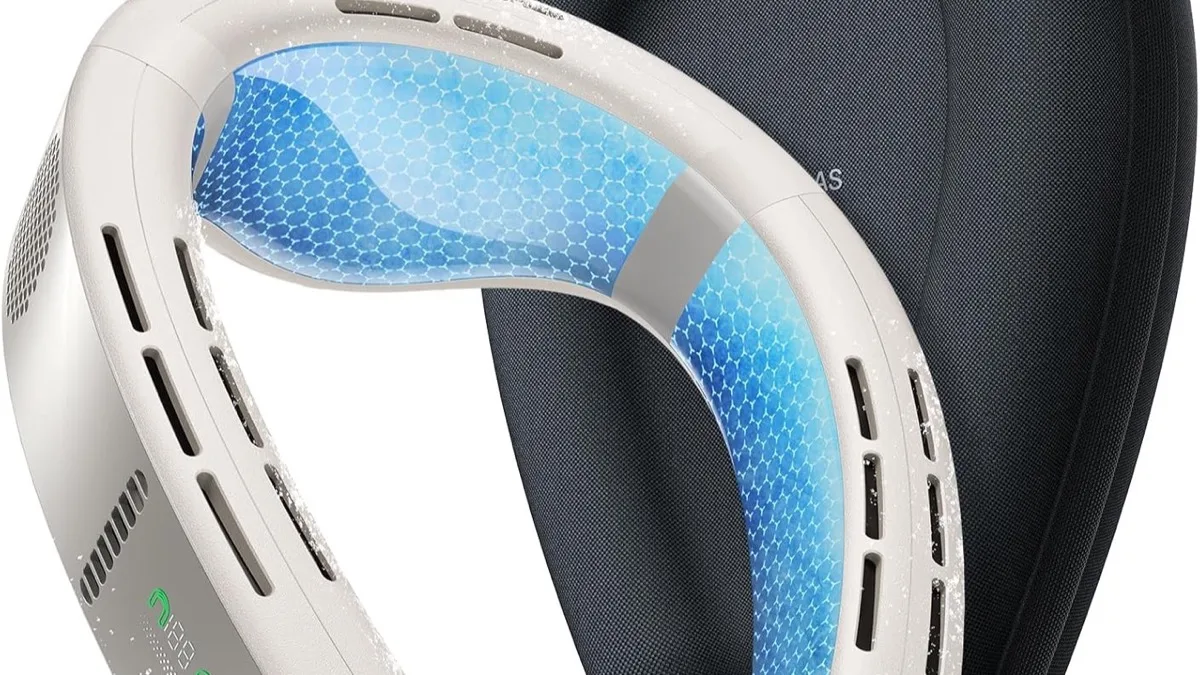
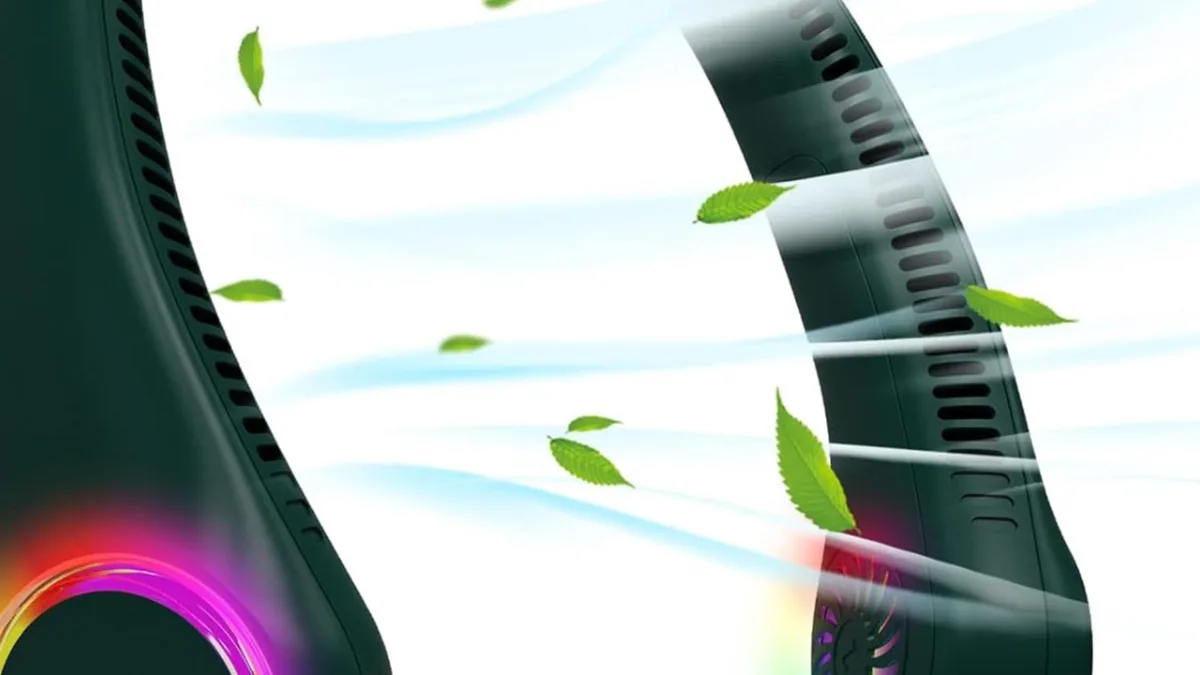
The TORRAS COOLIFY Cyber is a neck-worn air conditioner. That is the company’s term, and after three weeks I think it is fair. A U-shaped band rests on your shoulders, three thermoelectric plates press lightly against your neck, and fans push air up around your face. Three modes cover the year. Fan moves air. Cool chills the plates. Heat warms them.
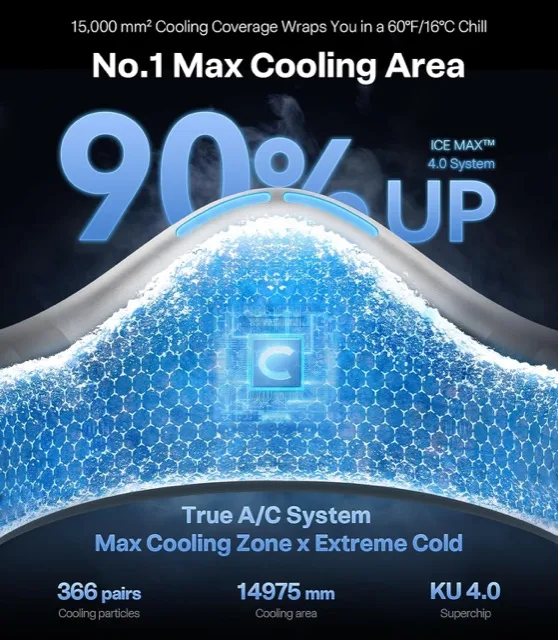
The 2025 Cyber sits at the top of the lineup. The headline specs are a 6000mAh battery, a 14,975 sq mm cooling area across the three plates, Fan plus Cool plus Heat modes, button and app control, and a 30-day trial with a 1-year warranty. Street price floated between $211 and $276 while I tested, moving with color and coupon. That puts it in a different universe from $25 airflow bands, which is exactly why this review exists.
One clarification that saves confusion. This is not the TORRAS 2S. The 2S is the older, cheaper sibling at roughly $170 to $190 with a smaller cooling zone. Same brand, same idea, less hardware. I compare the two directly later. And it is not a room cooler or a medical device. It cools the skin it touches and the air near your face. Nothing more, nothing less.

The box holds the band, a USB-C cable and a quick guide. No charger brick, no case, no spare anything. For $200-plus I wanted a travel case in there. Small gripe, noted early so I do not forget it later.
How It Works (My First Afternoon With It)
Thermoelectric plates sound fancy. The idea is simple. Run current through the plate and one side gets cold while the other dumps heat out the back vents. Press the cold side to your neck and it pulls warmth straight out of your skin. The fans handle the second job, pushing that tempered air up around your chin and cheeks so your face feels it too.
My first afternoon with it was a 97-degree Saturday. I charged the band to full, carried it to the sideline and pressed Cool before warmups. The plates went from room temp to noticeably cold in under half a minute. Not painful, not shocking, just a firm cold handshake on both sides of my neck. The fans kicked on a beat later and I felt cool air climbing toward my face. Honestly I laughed. I expected a gimmick and got a small appliance.
If the mechanics interest you, the moving-air half of the equation works like any bladeless neck fan. Intakes pull air in at the back, channels route it around the band, vents aim it upward. The Cyber just adds the cold plates and a heat exchanger to that loop, which is the entire difference between this and a $25 band.
You can feel the heat exchange working if you hold a hand behind the band on Cool mode. The exhaust runs warm while the plates run cold. That temperature split is the whole trick, heat pumped from one side to the other. It also explains the battery appetite. Moving heat takes real power, which is why max Cool drains the pack so much faster than Fan mode. Nothing about that surprised me once I felt the warm exhaust. Physics bills by the hour.
Heat mode reverses the trick. The plates warm instead of chill, which I tested on a 41-degree morning walk in week three. Warm neck within a minute, airflow low. It felt like a heated scarf that never loosens. More on that in the diary.
One thing I appreciated fast. The controls never made me feel dumb. One button cycles modes, plus and minus step the intensity, and everything confirms with a tone and a light. I ran the whole first week on buttons alone and never missed the app.
Why a Neck Cooler Exists (The Heat Science)
Your neck is prime cooling real estate. Big blood vessels run close to the skin there, so pulling heat off the neck feels disproportionately relieving compared to cooling, say, your forearm. Athletes have used ice towels on necks forever for exactly this reason. The Cyber just automates the towel.
The stakes are more than comfort. The CDC warns that outdoor workers face serious heat illness risk, and heat stroke can turn dangerous fast once the body stops coping. Cooling the skin does not replace water, shade and rest. I want that sentence on the record. But anything that keeps perceived strain lower during long exposure has a real job to do.
There is decent physiology behind spot cooling too. Cooling the neck and face lowers thermal discomfort quickly because those areas pack dense temperature sensors, which is why a cold drink and a breeze on your face rescue a hot afternoon faster than an ice pack on your knee. TORRAS leans on this logic in its marketing. The logic holds up. The specific numbers in the marketing, plate temps and cooling area, come from the company with no independent lab replication I could find. Keep those two ideas separate and you will read every claim in this category correctly.
What TORRAS Claims vs. What I Found
I tested the five big claims one by one across 21 days. Here is each claim and what actually happened.
Three TEC modules with a 14,975 sq mm cooling area. The hardware is plainly there. Three distinct cold zones sit against the neck and each one goes properly cold on Cool mode. I cannot verify the 14,975 sq mm figure. No caliper work by me would mean much, and no independent lab has published a teardown number. The area feels generous in use, full side-of-neck coverage on my medium frame. Verdict: hardware confirmed, exact number taken on trust.
Cold air that beats regular neck fans. Confirmed, and it is not close. My old airflow band moves warm air on a 97-degree day, which helps a little. The Cyber moves air plus chills the skin it touches, which helps a lot. On day 9, heat index 103, I ran Cool on high for a full 90-minute practice and never reached for the ice towel once. That had never happened in August before. Verdict: the core claim holds.
6000mAh battery for long cooling sessions. Half confirmed. The pack is big and Fan-only mode sips it. But max Cool with high fan ate the full pack in about 3.5 hours on day 14. Mixed Cool at medium speed gave me roughly 6 hours. So “long sessions” is true at moderate settings and false at max. If your use case is max everything all day, the battery is the bottleneck. Charging behaved as expected. A dead pack took about 3 hours on a standard USB-C brick, and a 45-minute sideline top-up between sessions added roughly a quarter pack. Verdict: capacity is real, max-mode runtime is the catch, midday charging is part of ownership.
App control with custom cooling. Confirmed and better than expected. The TORRAS app paired on the second try, showed battery percent, and let me set finer steps than the buttons allow. I built a custom curve for practice days, high Cool for the first 20 minutes, medium after. It held across sessions without reconnect drama. Verdict: works, genuinely useful, optional.
Heat mode for winter use. Mostly confirmed. On that 41-degree morning the plates warmed fast and my neck stayed comfortable with airflow low. It is a comfort feature, not a heater. Below freezing with wind, my jacket collar still did the heavy lifting. Verdict: nice bonus for mild cold, not a reason alone to buy.
The honest summary. Cooling: real. Battery: good, not endless. App: solid. Heat: pleasant bonus. Exact lab numbers: unverified, and I wish TORRAS would publish third-party data.

Design, Build and First Impressions
Out of the box the Cyber feels like $200-plus hardware. The band has a soft-touch shell with no sharp seams, the plates sit flush in smooth bezels, and the whole thing flexes just enough to slip on without feeling flimsy. Fit adjustment is slide-and-wear. No straps, no sizing parts to lose.
Weight is the first thing every buyer asks about. My kitchen scale is not lab gear, but the band lands just under a pound and the balance is what matters more. The mass sits across the shoulders, not on the neck front, so nothing presses on the throat. I wore it three hours straight on day 6 and forgot it twice. Taking it off felt stranger than putting it on.
Two design details earned my respect. The rear vents angle exhaust away from the neck so dumped heat does not wash back onto your skin. And the plate bezels have a slight lip, so sweat does not pool under the plates during long wears. I noticed the second one on day 11, a humid 93-degree practice where cheaper bands leave me with a sweat line. No line with the Cyber.
Gripes, because there are some. The band collects dust on the soft-touch shell and needs a wipe every few days. The USB-C port cover is fiddly with sweaty fingers. And as noted, no travel case at this price is cheap. The plates also show fingerprints, which sounds vain until you photograph the thing.
Setup and the Mistake I Made on Day One
Setup took eleven minutes, most of it charging. Plug in USB-C, download the app or skip it, hold power, pick your mode. The quick guide covers it in four pictures. My unit arrived at 62 percent, so I topped it to full while I read the manual.
Then I made the classic mistake. I wore it over my raised polo collar on day one and blocked the rear intakes. Airflow felt weak, cooling felt patchy, and for twenty minutes I thought the fan half was broken. I flipped the collar down during a water break and the whole device woke up. Full airflow, even cooling, completely different product. If your Cyber feels weak on day one, check what is covering the intakes before you blame the hardware. Collars, hoods, long hair and backpack straps all sit exactly where the band breathes.
Day 4 taught me the hair lesson through someone else’s ponytail. My assistant coach tried it with her hair down and a strand found an intake on high speed within a minute. No injury, just a yank and a laugh, but hair up is the rule from then on. Tie it back or route it outside the band.
App pairing deserves one paragraph. It failed on the first attempt, connected on the second, and stayed connected for the remaining three weeks. The app shows battery percent, which the on-device lights only approximate, and that number became my runtime planning tool. If you buy this, pair the app on day one just for the battery readout.
Keep collars down and hair up on day one. This single setup detail decides whether your first hour feels amazing or broken. Clear intakes, flat collar, hair tied back. Every weak-airflow complaint I could reproduce traced back to something covering the vents.
Three Weeks of Testing (My Diary)
Week 1: Practices and the Learning Curve (Days 1 to 7)
Days 1 to 3 were calibration. Once I fixed the collar mistake, I settled into medium Cool for 90-minute practices in 94 to 97-degree heat. Battery dropped about 25 percent per session, which math says is six hours of mixed use, and that math held all month. Neck comfort was immediate. Practice planning was not. I kept forgetting to charge it because 75 percent “felt like plenty” until day 5, when a double session day took it to 8 percent by 6.40 PM.
Day 2 deserves its own note because it nearly ended the test. I wore the band for a grocery run in 95-degree heat with Cool on low, expecting a miracle in the parking lot. The effect felt mild, and I walked out thinking the price was unjustifiable. In hindsight I had underpowered it. Low Cool in peak heat is like cracking a window during a fire. The lesson stuck. Match the mode to the moment, then judge.
Day 4 brought wind, 15 mph gusts across an open field, and a useful finding. Wind plus the Cyber’s upward airflow felt dramatically colder than either alone. The band does not fight wind. It stacks with it. I ran low Cool that whole practice and stayed comfortable on 40 percent less battery than still-air days. If your fields or job sites catch breeze, your runtime stretches meaningfully.
Day 6 was the first long wear, a Saturday tournament. Three hours on medium Cool with two short breaks. No pressure points, no skin irritation, plates still cold at hour three. I checked the mirror at lunch expecting a red band across my neck. Nothing. That sold me on the bezel design more than any spec.
Day 7 I ran Fan-only mode for a full commute and grocery run, about 2 hours, to isolate battery. It used roughly a quarter pack. Fan-only sips power. Good to know for mild days when plates are overkill.
Week 2: The Turning Point and the Heat Wave (Days 8 to 14)
Day 9 is the entry I keep rereading. Heat index hit 103, the air felt like soup, and we had a full 90-minute practice plus setup and teardown. I ran high Cool the entire time. I never touched the ice towel, never cut a drill short, and the plates were still cold when I took the band off at 7.05 PM. Battery went from 100 to 41 percent in about 2 hours of high Cool. That is the tradeoff in one line. Maximum relief, maximum drain.
Days 10 to 12 I tested the custom app curve. High Cool for the first 20 minutes, auto step-down to medium. Comfort stayed high and battery stretched about 25 percent further than locked high. The app earned its place that week. I stopped thinking of it as a bonus and started thinking of it as the battery manager.
Day 14 was the failure I promised. Yard work, 96 degrees, max Cool plus high fan from 12.30 PM. The band died at 4.10 PM, mid-mow, with the plates fading over the last twenty minutes. Total runtime on absolute max: about 3.5 hours. I finished the lawn the old way and felt every minute of it. Lesson priced in. Max mode is a sprinter. If your day needs a marathoner, medium is the setting and a midday top-up is the plan.
Day 11 gave me the sweat finding I mentioned earlier, and it deserves the full context. Humid 93 degrees, no breeze, two-hour practice. I expected the usual sweat line under any neckband. Nothing. The plate bezels really do stand the cold surface slightly off the skin, so sweat evaporates instead of pooling. My shirt was soaked. My neck was dry and cold. Weird combination, excellent outcome.
Week 3: Commutes, Cold Mornings and Real Life (Days 15 to 21)
Days 15 to 17 covered commuting. Train platform, parking lot walks, a stuffy car before the AC caught up. Medium Cool turned the worst ten minutes of the commute into nothing. Battery cost per commute day ran 20 to 30 percent. Office use stayed at low speed, quiet enough that nobody commented.
Day 18 brought the season’s first cold morning, 41 degrees at 6.50 AM. I ran Heat mode on my walk. Warm neck in about a minute, genuinely cozy with the fan low. By afternoon it was 68 and I was back on Fan. A neckband covering both seasons in one week is a strange pleasure.
Days 19 to 21 were routine, which is its own finding. The band lived by the door, got grabbed like keys, charged every second night. Nothing broke, nothing loosened, the app stayed paired. Day 21 ended at 34 percent after a normal practice day. That is the steady state. Charge every two to three days with mixed use, daily if you hammer max Cool.
Day 16 tested the attic, the single hottest place on my property. Roof-radiant heat, maybe 110 degrees up there, twenty minutes swapping a vent filter. The Cyber on high Cool made it bearable but not pleasant. Plates stayed cold, air stayed moving, and I still sweated through my shirt. Honest boundary found. This device stretches your heat tolerance. It does not grant immunity. Twenty minutes up there was my limit with it, and would have been ten without it.
What Worked and What Did Not
Cooling Power: 8 out of 10
The plates are the product and they deliver. Cold in under 30 seconds, sustained for hours, covering the full side of the neck. On high Cool the sensation is strong enough that I stepped it down after the first blast more than once. Two points off because extreme humidity dulls the perceived effect. Houston-style soup air narrows the gap between this and plain fans. In dry or moderate humidity it is superb.
Battery Life: 6 out of 10
A 6000mAh pack sounds endless and is not. Max Cool drains it in 3.5 hours. Mixed use stretches to 6. Fan-only goes 7-plus. The score reflects the flagship use case. If the headline mode cannot last a work shift, the battery is average for the price, saved from a lower score by honest app percent readouts and reasonably quick USB-C charging.
Comfort and Fit: 7 out of 10
Balanced, snag-free once hair is managed, wearable for 3 hours without pressure. It loses points for real mass. You feel just under a pound for the first 20 minutes of every wear, then you stop noticing. Smaller frames should try the fit early in the trial window. My medium frame fit perfectly. My assistant coach, a smaller build, found it slightly loose during sprints. One more fit note for glasses wearers. My sunglasses rode over the band arms with no new pressure behind the ears across a full tournament day. I expected a conflict and found none.
Noise Control: 6 out of 10
Low speed whispers. Medium hums. High announces itself. Outdoors the noise never mattered once, wind and activity swallow it. Indoors on high, people look up. I took calls on medium without complaint and switched to low when anyone else was on the call. By-ear judgment only, since I had no meter, but the pattern was consistent across three weeks. The tone itself is a smooth fan whoosh with no whine or rattle, which matters. Cheap bands often add a high whistle that fatigues faster than raw volume. The Cyber stays clean-sounding at every speed, just loud at the top.
Build Quality: 8 out of 10
Three weeks of sweat, drops onto grass twice, and daily bag tossing left no rattles, no loose plates, no flaky buttons. The soft-touch shell marks easily and the port cover annoys, but the structure feels engineered. This is the best-built neckband I have handled.
Value for Money: 6 out of 10
At $211 to $276, every flaw costs more. The battery limit and noise sting harder at flagship money than they would at $100. The score rises to an 8 for buyers who face serious heat daily, because cost per use collapses fast, and falls to a 4 for mild-climate buyers. I scored the middle buyer.
TORRAS COOLIFY Cyber vs. Competitors
I did not test the Cyber in a vacuum. Two cheaper bands passed through my house before it, and the sibling rivalry with the 2S matters at these prices.
The TORRAS 2S is the awkward conversation. A neighbor owns one, and I borrowed it for a full practice afternoon on day 12. It cools, genuinely. Smaller cold zone, fewer controls, no heat mode, and the app experience is thinner. At roughly $170 to $190 it keeps maybe 70 percent of the Cyber experience for 75 percent of the money. The gap showed in the second hour, when the smaller pack faded faster and the narrower plates left the edges of my neck warm. If your summers are hot but not brutal, the 2S is the rational pick and I say that as someone who likes the Cyber. The Cyber earns its premium in all-day battery management, max cooling headroom and winter heat.
The JISULIFE band was my gateway, the $25 airflow classic I kept in my coaching bag for a year. Big battery, light, silent-ish, and completely plateless. On sub-90 days it does the job. Above 95 it just relocates warm air. Side by side with the Cyber on day 10, same practice, I wore JISULIFE the first half and Cyber the second. The first half I toweled off twice. The second half I did not towel off at all. That is the whole comparison.
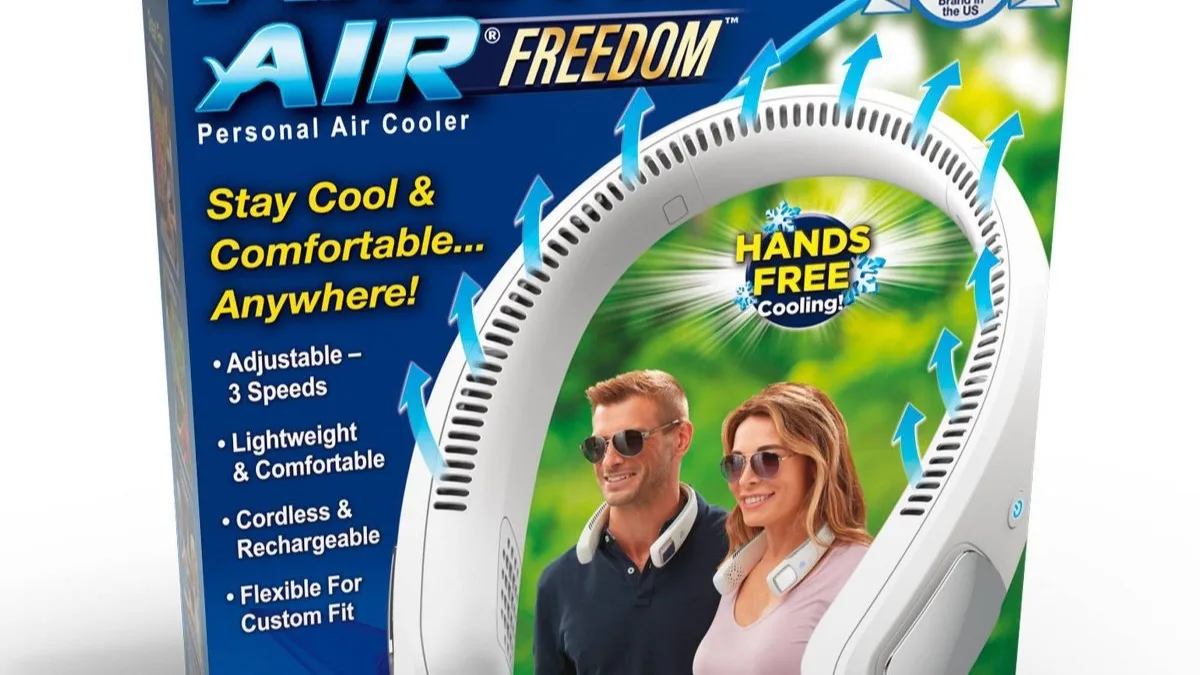
The Arctic Air Freedom at around $15 is the concept trial. I bought one for my kid before testing the Cyber. Light, simple, and honest about being a fan. For children, mild offices and “do I even like neckbands” experiments, start here. For real heat, it is a toy next to the Cyber. Our full Arctic Air neck fan review covers it in detail if someone in your house needs the budget path.
What I learned across all four. Plates beat airflow once temps cross the mid 90s, and nothing else in the comparison changes that. If you want the broader field mapped, our best portable neck fans roundup lines up the whole category by use case. My buying rule now: under $30 for mild days, 2S for hot summers on a budget, Cyber for people who work or train in heat.
Value Math: Is It Worth $211 Plus?
At a $240 midpoint, the Cyber needs to earn $240. Here is my accounting.
A summer of youth coaching runs me about 60 outdoor sessions. Add yard work and commutes and I land near 100 hot-day uses per summer. Year one cost per use sits around $2.40. Year two, with the same summers, drops under $1.20. Across two summers the Cyber costs roughly $1 per genuinely miserable afternoon it fixes. I paid more than that in drive-through iced drinks last August without thinking.
What it replaces matters too. My old kit was a $25 airflow band plus constant ice, towels and cold drinks. Call it $60 a summer in consumables and replacements. The Cyber does not erase that spending, I still drink water like a fish, but it cut my ice and impulse cooling purchases to near zero. Two summers of that offsets a third of the price.
Against alternatives the math splits by climate. Mild climate, under 85 most days: the $25 JISULIFE wins on value and it is not close. Hot summers on a budget: the 2S at $170 to $190 keeps most of the relief. Brutal heat plus daily exposure: the Cyber’s extra headroom and heat mode justify the gap. Skip it if your summers are short. Buy it if heat is a season, not a week.
Longevity changes the math further. Three weeks of daily sweat, two drops onto grass and constant bag tossing left my unit working like day one. If it survives three summers, year-three cost per use falls under 80 cents. Cheap bands rarely survive one full summer of daily outdoor use in my experience. My JISULIFE needed a charging-port wiggle by month four. Durability is a quiet discount on the Cyber’s price, and it only counts if you actually keep the thing that long.
One more honest line. At this price the missing travel case and 3.5-hour max runtime are value leaks. TORRAS charges flagship money and should ship flagship completeness.
Customer Reviews and Social Proof
The Cyber listing sits around 4.0 stars across roughly 5,000 ratings, with counts drifting by color variant. I read several hundred reviews across the variants and the patterns lined up with my 21 days almost eerily.
Praise pattern one: the cold is instant and real. Owners describe the first 30 seconds the way I did, surprise that a neckband can feel this cold. Coaching, warehouse and Disney-trip reviews repeat it most. That was my story too.
Praise pattern two: hot-flash and menopause relief. A large owner cluster, mostly women, calls it a purse-carried rescue for flashes. I cannot test that use case personally, but the volume and specificity of those reviews, timed use, purse fit, plate placement, read like real experience rather than planted praise.
Praise pattern three: the app actually works. Companion apps for gadgets are usually abandonware. Owners consistently say this one connects and the battery readout is accurate. Matched my experience exactly.
Complaint pattern one: price versus runtime. The most common 3-star theme is my day 14 in words. Love the cold, hate that max mode eats the day. Owners who live on medium rate it far higher than owners who live on max.
Complaint pattern two: weight and bulk. Smaller-framed owners call it heavy for all-day wear and some returned it for that reason alone. I felt the first-20-minutes heft every wear, so I believe them. Try the fit hard in week one of the trial.
Complaint pattern three: noise on high. Office and classroom owners report the same looks-up reaction I got. Outdoor owners never mention it. Context is everything with this complaint.
The 1-star cluster: wrong expectations, not broken units. I read the lowest reviews carefully because they predict regret. Almost none describe defects. They describe buyers who wanted all-day max cooling, silence and feather weight at once, which no neckband delivers. A few mention slow shipping or coupon regret after paying full price days before a sale. The lesson is practical. Buy on coupon, test max-mode runtime in week one, and return fast if your use case needs what physics will not give.
My take after cross-checking. The 4.0 average is honest, dragged down by price expectations rather than broken promises. People who bought max cooling for minimum money meet the battery wall. People who bought relief from real heat tend to love it.
Pricing, Discounts and Guarantee
Street price while I tested ran $211 to $276 depending on color and coupon. Black usually sat cheapest, limited colors carried the premium. Amazon coupons knocked $20 to $40 off at various points, so the price you see on a Tuesday may beat the price you saw Sunday. Patience pays here.
TORRAS backs it with a 30-day trial and a 1-year warranty, with 24-hour customer support claimed on the listing. I did not file a warranty claim, so I cannot grade the service from experience. The trial terms are the real safety net. Three weeks of my testing fits inside 30 days with room to spare, which means you can run nearly my whole protocol and still return it.
Buying advice in one paragraph. Watch for coupons before paying full price, pick black if you want the lowest number, and test max Cool battery life in your first week. If the runtime fits your days, keep it. If day 14 happens to you in week one, send it back inside the trial. That decision is worth more than any review score.
Drawbacks and Things to Know
Straight talk. Numbered, specific, no softening.
1. Max Cool lasts about 3.5 hours. The headline mode is a sprinter. Full-shift outdoor workers must plan a midday charge or live on medium. This is the drawback most likely to surprise buyers.
2. It is heavy for small frames. Just under a pound sounds fine until it sits on a smaller neck all afternoon. Two owners I know in person returned theirs for this. Bigger frames will shrug. Smaller buyers should stress-test fit in week one.
3. High speed is loud indoors. Quiet offices, classrooms and libraries will notice. This is an outdoor-first device that tolerates indoor use, not the reverse.
4. The price multiplies every flaw. A fiddly port cover at $25 is charming. At $240 it irritates. Same for the missing case and the 3-hour recharge.
5. No independent lab data. Every number that matters, plate temps, cooling area, runtime curves, comes from TORRAS. My testing confirms the direction, not the digits. If verified specs matter to you, this gap is real.
Heat safety note. The Cyber cools skin. It does not prevent heat illness on its own. Keep drinking water, take shade breaks, and get to cool air if you feel dizzy, nauseous or confused. Anyone with a heart condition, a pacemaker or another implant should ask their doctor before wearing a powered neckband.
Tips to Get the Best Results
Nine tips from 21 days, ordered by impact. None of these appear on the quick guide. All of them cost me at least one sweaty learning moment, starting with the collar fiasco on day one and ending with the dead battery on day 14. Read them in order and your first week will run smoother than mine did.
Clear the intakes before judging anything. Flat collar, hair tied back, no hood bunched behind the neck. Do this first on day one. Half of all weak-cooling impressions trace to blocked vents, including mine.
Start on high Cool, settle on medium. The first blast shows you the ceiling. Medium sustains it. I ran the opening 20 minutes of practices on high, then stepped down for the rest.
Build an app curve for your routine. High start, medium cruise, low finish. My custom curve stretched battery about 25 percent versus locked high with no comfort loss.
Charge every second night minimum. The app percent readout is your fuel gauge. Daily max users should charge nightly. A dead band at 4.10 PM teaches this once.
Pre-cool before peak heat. Put it on 15 minutes before the worst exposure, not during. My practices felt easier when the plates were already cold at warmup.
Pair plate mode to the thermometer. Over 90 means Cool. Mid 80s means Fan with occasional Cool bursts. Under 55 means Heat. Matching mode to air temp doubles perceived battery.
Wipe the plates after sweaty sessions. A quick damp cloth keeps the contact surfaces clean and the shell dust-free. Thirty seconds, big difference over weeks.
Store it open, not folded flat. The band keeps its curve better on a hook or shelf than crushed in a bag. Mine still slips on perfectly at day 21.
Give it a full week before judging. Day one is fitting and learning. Day nine was my turning point. The trial gives you 30 days, so use at least seven before deciding.
Who Should Buy and Who Should Skip
Buy it if any of these is you.
You work outdoors through summer. Landscaping, construction, delivery routes, warehouse docks. If heat is your work environment for months, the cost per use math wins fast and medium Cool lasts most of a shift with a top-up.
You coach or train in afternoon heat. Sidelines are the Cyber’s natural habitat. Setup, practice, teardown, all covered on one charge at mixed settings. Day 9 converted me and I have not looked back.
You commute through heat. Platform waits, parking lot walks, cars that bake. Twenty minutes of Cool twice a day barely dents the battery and erases the worst part of the trip.
You get hot flashes and need portable relief. The owner pattern here is loud and consistent. Cold plates on demand, purse-portable, no installation, no plumbing. If flashes disrupt your days, the trial makes this a low-risk experiment.
You run hot at night-free events. Outdoor weddings, festivals, theme parks, travel in hot cities. Intermittent use across a long day is exactly where the battery shines.
Skip it if any of these is you.
Your summers are mild. Under 85 most days, a $25 airflow band covers you. The Cyber’s plates would idle all season while the price stings.
You need silence. Open offices, libraries, exam halls. High mode draws attention and even medium hums in dead quiet. This is not your device.
You have a small frame and hate neck weight. Try it in week one and be ruthless. If the heft bothers you by day 3, it will bother you at day 90. Return inside the trial.
You want verified lab specs. No independent testing exists for the headline numbers. If that gap bothers you more than the cooling pleases you, wait for third-party data.
You need all-day max cooling. No current neckband does this. The Cyber gets closest and still taps out at 3.5 hours on max. Pair it with shade and water, or wait a generation.
Final Verdict
Three weeks ago I was cutting soccer drills short in 98-degree heat and feeling guilty about it. The TORRAS COOLIFY Cyber did not change the weather. It changed how much of the weather reaches me. Cold plates in 30 seconds, real relief on a 103 heat-index afternoon, and a winter heat mode I did not expect to like.
The tradeoff never moved. Maximum cooling drains the pack in an afternoon. The price sits at $211 to $276, which is serious money for a neckband. Noise on high keeps it outdoors. No lab verifies the headline digits. I weighed all of that against 21 days of genuinely easier heat, and I keep reaching for it.
Score Breakdown
| Category | Score | Notes |
|---|---|---|
| Cooling Performance | 8 out of 10 | Plates deliver fast, humidity dulls the edge |
| Battery Life | 6 out of 10 | Great on medium, short on max |
| Comfort and Fit | 7 out of 10 | Balanced, heavy first 20 minutes |
| Noise Control | 6 out of 10 | Fine outside, loud on high inside |
| Build Quality | 8 out of 10 | Solid, small trim gripes |
| Value for Money | 6 out of 10 | Great for heat people, steep otherwise |
Overall Rating: 6.8 out of 10
The torras coolify is the best neck cooler I have worn and the hardest to recommend blindly, both because of the price. If you live in heat, coach in it or work in it, the 30-day trial makes this a test you can run yourself. If your summers are gentle, keep your $240 and buy the cheap fan. Heat is the whole question, and you already know your answer.
Key Specifications
| Battery | 6000mAh rechargeable (USB-C) |
|---|---|
| Cooling Area | 14,975 sq mm across 3 TEC cooling plates |
| Modes | Fan, Cool and Heat with multiple speeds |
| Weight | Under 1 lb (balanced neckband fit) |
| Charge Time | About 3 hours from empty over USB-C |
| Control | On-device buttons plus TORRAS app |
| Warranty | 1-year warranty with 30-day trial |
TORRAS COOLIFY Cyber earns 6.8/10: decent — read the caveats first. Tested for 3 weeks across outdoor shifts, sideline coaching, yard work and commuting in 90-plus heat.
- Best part: Three TEC cooling plates drop neck skin temp fast, felt within 30 seconds on Cool mode
- Best part: Genuine heat mode for winter sidelines, rare in neck fans under $300
- Best part: App control with fine speed and temp steps beats button-only rivals
- Biggest catch: Max Cool drains the 6000mAh pack in about 3.5 hours, not a full workday
Common Questions & Answers
Q: Does the TORRAS Coolify really cool, or is it just a fan?
It really cools. The three TEC plates pull heat off your neck skin within about 30 seconds on Cool mode, which feels nothing like plain airflow. The fans add moving air on top. It will not chill a room or replace shade and water, and no independent lab has published plate temperature data, but the cold-plate sensation is real and immediate.
Q: How is the Coolify Cyber different from the TORRAS 2S?
The Cyber is the 2025 flagship with three cooling plates, a larger 14,975 sq mm cooling area, heat mode and app control, priced around $211 to $276. The 2S is the older sibling at roughly $170 to $190 with fewer plates and a smaller cooling zone. If you want max cooling and winter heat mode, pick the Cyber. If you want most of the relief for less money, the 2S is the sensible buy.
Q: How long does the TORRAS Coolify battery last?
TORRAS fits a 6000mAh pack. In my testing, max Cool with high fan ran about 3.5 hours, mixed Cool at medium speed stretched to roughly 6 hours, and Fan-only mode lasted longest at 7-plus hours. Heavy users should expect a midday recharge. A full recharge over USB-C takes about 3 hours, so plan around that if you work full shifts outdoors.
Q: Is the TORRAS Coolify worth over $200?
It depends on your heat load. For outdoor workers, coaches and commuters facing 90-plus days for months, the cold plates earn their keep at roughly $1 per use across one summer. For mild climates or mostly indoor use, a $25 airflow fan covers you and the Cyber is overkill. Read the value math section above and match the price to your actual summers.
Q: Is wearing a cooling plate on your neck safe?
For healthy adults, yes with common sense. The plates feel cold but not painfully so, and I had no skin irritation across 21 days. Do not wear it on sunburned or broken skin, give your skin breaks during all-day use, and keep expectations realistic. It cools skin, it does not treat heat stroke. If you feel dizzy or nauseous in heat, get to shade and cool down properly.
Q: Can you wear the Coolify with a pacemaker or medical implant?
I found no published safety data from TORRAS on implants, and the band contains motors and electronics that produce electromagnetic fields. If you use a pacemaker, defibrillator or similar device, ask your doctor before wearing any powered neckband. This is a comfort gadget, not medical equipment, and your cardiologist's answer beats any review.
Q: How loud is the TORRAS Coolify?
Low speed is a soft hum you forget outdoors. Medium is clearly audible in a quiet room. High speed sounds like a small desk fan on full and coworkers will notice it. I had no dB meter, so these are by-ear judgments across three weeks. For sidelines, yards and job sites the noise never bothered me. For quiet offices, stick to low or medium.
Q: Do I need the TORRAS app to use it?
No. Every core function works from the on-device buttons, including mode changes and speed steps. The app adds finer control, custom curves and firmware updates. I used buttons for the first week and only opened the app in week two. If you hate companion apps, you can ignore it entirely and lose almost nothing.
Q: Does the heat mode actually work in winter?
It takes the edge off. On a 41-degree morning walk the plates warmed my neck within a minute and felt like a warm scarf with airflow off. It will not replace a jacket or heat a cold car. Think comfort boost for mild cold, roughly 40 to 55 degrees, not a furnace. Owners in cold states report the same pattern.
Q: Can you wear it with long hair or glasses?
Yes to glasses, mostly yes to long hair. My sunglasses sat fine over the band with no new pressure points. Long hair needs a quick tie-back or the intakes pull strands on high speed, which I learned the hard way on day 4. Owners with long hair report the same fix. Keep hair up or routed outside the band and it runs clean.
More Wearable Tech Reviews
Related Guides & Articles
Browse all 15 Wearable Tech articles »

Wearable tech reviewer and fitness technology analyst. Tests smartwatches, fitness trackers, and audio gear daily. Background in sports science helps evaluate health features with expertise.