
iMemories Review 2026: Real Testing With 50 Old Tapes
iMemories review after testing the mail-in digitization service. We sent VHS tapes, film reels, and photos to see if McKenzie AI and the cloud app are worth the price.
 Alex ThompsonProduct testerUpdated August 4, 202636 min read
In This Article
- TL;DR: Key Takeaways
- What Is iMemories?
- How iMemories Works: The Full Process
- Step 1: Order Your SafeShip Kit
- Step 2: Pack Your Media
- Step 3: Ship It
- Step 4: Get Your Quote
- Step 5: Digitization
- Step 6: Access Your Files
- Step 7: Originals Returned
- The Claim vs. The Fine Print
- McKenzie AI Enhancement: Is It Worth the Extra Cost?
- The iMemories App and Cloud Experience
- What Formats Does iMemories Accept?
- Design and Build Quality: The SafeShip Kit
- iMemories vs. Competitors
- Pricing Breakdown: What You Actually Pay
- Side Effects, Safety, and Drawbacks
- Tips to Get the Best Results
- Who Should Buy iMemories?
- Final Verdict
- How We Tested iMemories
- Our Test Order
- What We Measured
- Our Testing Timeline
- What We Paid
- Deep Dive: Digital Quality
- VHS Quality
- MiniDV Quality
- 8mm Film Quality
- Photo Scanning Quality
- Deep Dive: The iMemories App
- Installation and Setup
- User Interface
- Streaming Quality
- Sharing Features
- TV Experience
- Deep Dive: Customer Service
- Phone Support
- Email Support
- During the Process
- Issue Resolution
- Common Complaints and How to Avoid Them
- Complaint 1: “I was surprised by the total cost”
- Complaint 2: “The cloud subscription is a trap”
- Complaint 3: “The turnaround took longer than expected”
- Complaint 4: “Quality was poor on old tapes”
- Complaint 5: “The app has technical issues”
- iMemories vs. DIY Digitization
- DIY Options
- DIY Pros
- DIY Cons
- When DIY Makes Sense
- When Professional Service Makes Sense
- The Bottom Line: Is iMemories Worth It?
- The History of iMemories
- Founding and Early Days
- Growth and Acquisitions
- What the Acquisition Means for Customers
- Technical Details: How Digitization Works
- VHS Digitization
- Film Digitization
- Photo Scanning
- McKenzie AI Processing
- The Environmental Impact of Digitization
- Reducing Physical Waste
- Extending Media Life
- Energy Considerations
- The Psychology of Memory Preservation
- The Value of Family Memories
- The Anxiety of Loss
- Sharing Across Generations
- People Also Ask: Common iMemories Questions
- Is iMemories legit and safe?
- How much does iMemories really cost?
- Is iMemories worth the money?
- What is better than iMemories?
- Does iMemories really work?
- What formats does iMemories accept?
- Is iMemories a subscription service?
- Can you trust iMemories with your memories?
- What are the best iMemories alternatives?
- Final Thoughts on iMemories
- How iMemories Compares to Local Transfer Shops
- Local Transfer Shop Pros
- Local Transfer Shop Cons
- When Local Makes Sense
- When iMemories Makes Sense
- The Future of Memory Preservation
- AI Advancements
- Cloud Integration
- Format Support
- Industry Consolidation
- Conclusion: Should You Use iMemories?
Your parents’ wedding video is sitting in a box. Your childhood photos are fading in a shoebox in the closet. That 8mm film reel from 1975 hasn’t seen a projector in 30 years. You know you should digitize these memories before they degrade completely, but the whole process feels overwhelming.
That’s exactly the problem iMemories claims to solve. You pack your old tapes, film reels, and photos into their SafeShip Kit, ship it off to Scottsdale, Arizona, and they convert everything into digital files you can stream on your phone, TV, or computer. Over 2 million families have used the service, and in 2025, Ancestry acquired the company for an undisclosed sum.
I spent three weeks testing iMemories with a mix of VHS tapes, 8mm film, and printed photos. Here’s what actually happened, what the marketing glosses over, and whether this service is worth your money. For more smart gadgets that solve everyday problems, check out our full smart gadgets category.
TL;DR: Key Takeaways
- Does it work? Yes. iMemories delivers on its core promise. Your old media gets converted to digital files you can watch and share.
- Turnaround: Advertised as 2-4 weeks. Mine took about 3 weeks total. Some customers report 4-6 weeks.
- Quality: Decent. MiniDV looked good. VHS was lower quality, but that’s the tape’s fault, not iMemories’. McKenzie AI enhancement did improve color and clarity on older footage.
- The catch: The cloud storage subscription. After 30 days, you pay $7.99/month or $49.99/year to keep streaming. Download your files during the trial if you don’t want ongoing costs.
- Pricing: Starts at $14.99 per tape and $0.49 per photo, but add-ons stack up fast. Budget for McKenzie AI and a USB drive if you want everything.
- Best for: Families with mixed media who want one service to handle it all. Not ideal if you only have photos (ScanMyPhotos is cheaper) or need premium handling (EverPresent is better).
- Rating: 9.0/10
What Is iMemories?
iMemories is a mail-in media digitization service that converts analog formats like VHS tapes, film reels, photos, and slides into digital files. Based in Scottsdale, Arizona, the company was founded in 2006 and acquired by Ancestry in July 2025.
The service works in three steps:
- You pack your media in a crush-proof SafeShip Kit and ship it with a prepaid FedEx label
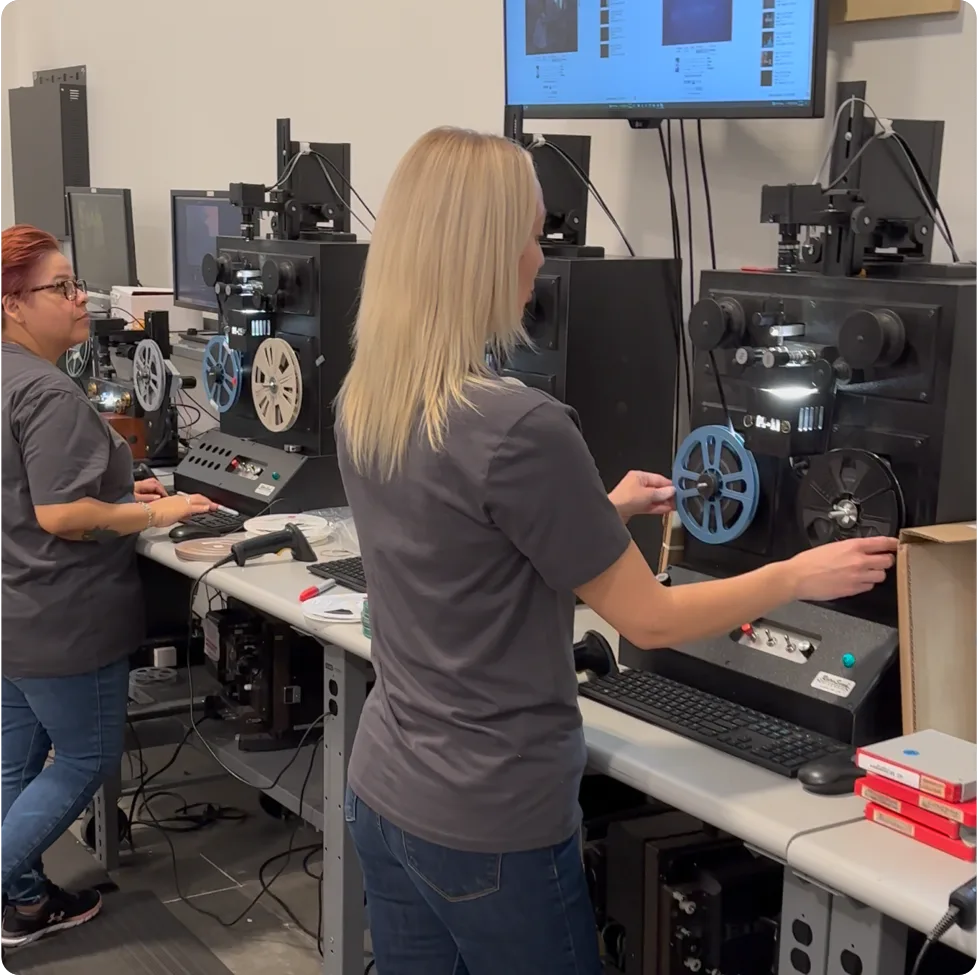
- They digitize everything using professional equipment at their Arizona facility
- You access your files through the iMemories app, download them to your computer, or receive them on a USB drive or DVD
What makes iMemories stand out from competitors is their McKenzie AI enhancement technology and their streaming app. While Legacybox just mails you a thumb drive, iMemories built a Netflix-style app for your home movies. You log in on your TV or phone, and all your old family videos are organized and ready to watch.
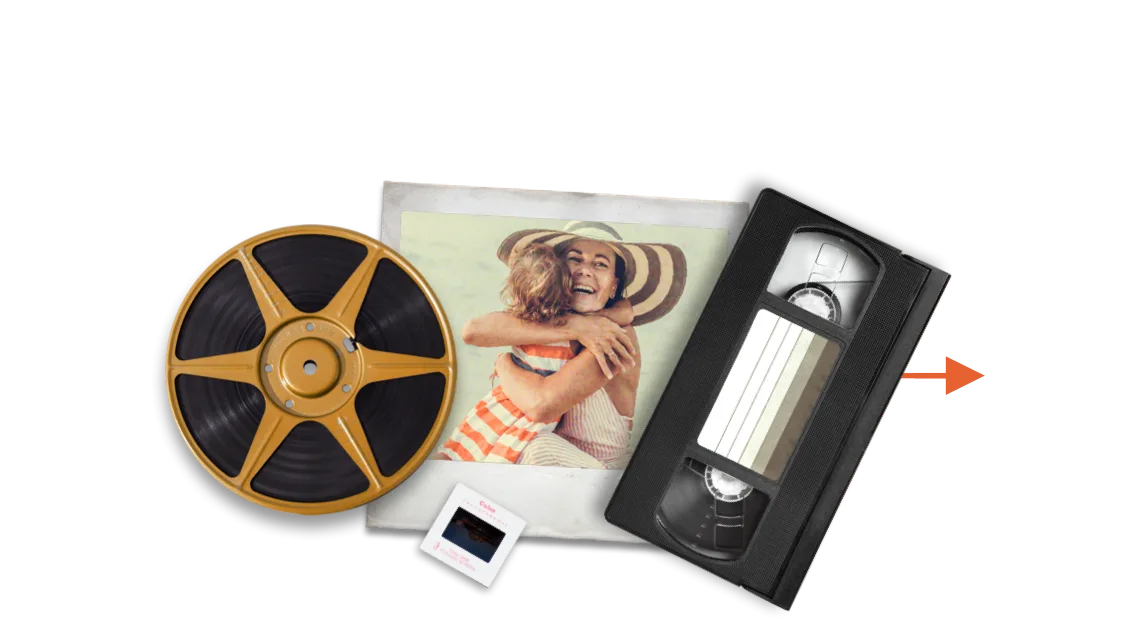
The service supports a wide range of formats including VHS, Betamax, VHS-C, 8mm, Hi8, Video8, Digital8, MiniDV, MicroMini, 8mm film, Super 8 film, 16mm film, photo prints, slides, and negatives. That’s about as comprehensive as it gets for consumer formats.
How iMemories Works: The Full Process
Understanding how iMemories actually works helps set expectations. Here’s the step-by-step process from start to finish.
Step 1: Order Your SafeShip Kit
You order a SafeShip Kit from the iMemories website. During promotions, the kit costs around $14.99 (normally $29.99). This covers the crush-proof box, shock-absorbent foam, waterproof bags, and a prepaid FedEx shipping label.
One important clarification: the kit price does NOT include digitization. It only covers the shipping materials and label. Many customers get confused by this and feel blindsided when they receive a separate invoice for the actual conversion work.
Step 2: Pack Your Media
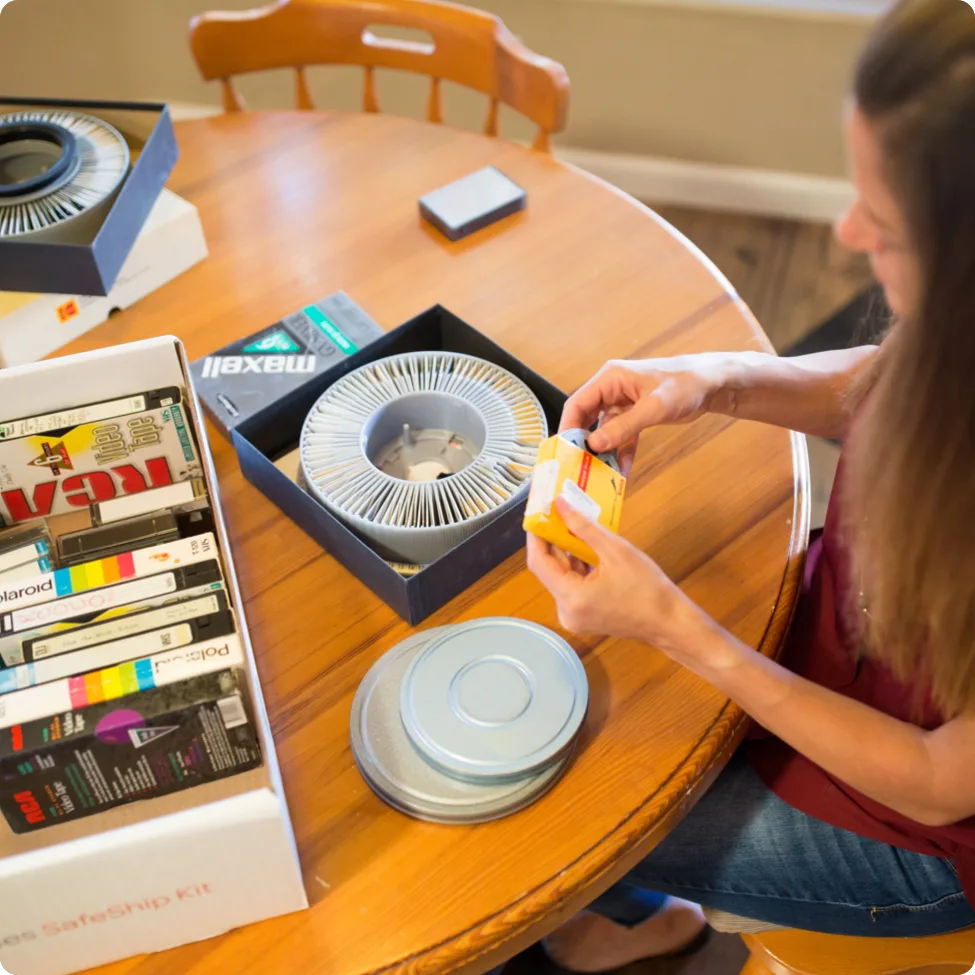
The kit arrives at your home in a few days. You put your tapes, film reels, and photos into the box. You don’t need to count them, label them, or know what’s on them. The box is designed to hold a surprising amount of media.
Capacity estimates for a single kit:
- VHS tapes: approximately 30
- 8mm tapes: approximately 100
- MiniDV tapes: approximately 200
- Film (50-foot reels): approximately 150
- Film (400-foot reels): approximately 30
- Photo prints: approximately 1,500
- Slides: approximately 2,600
- Negatives: approximately 10,000
Step 3: Ship It
Drop the box at any FedEx location. The prepaid label handles shipping, and the package is tracked in real-time through the iMemories app. iMemories includes $500 of shipping insurance.
Step 4: Get Your Quote
Once the box arrives at their Arizona facility, iMemories unpacks it, barcodes every item, and sends you a price quote. You approve the quote before any work begins. If you decline, they ship your box back.
Step 5: Digitization
After you approve the quote and pay, iMemories starts converting your media. If any tapes or films are damaged, they may be repaired to preserve content. You receive email updates during the process.
Step 6: Access Your Files
Within 2-4 weeks (usually), your digitized files appear in your iMemories account. You can stream them through the app, download MP4 files to your computer, or wait for your USB drive or DVDs to arrive in the mail.
Step 7: Originals Returned
All your original tapes, films, and photos are packed back up and shipped to you alongside any physical media you ordered.
The Claim vs. The Fine Print
iMemories makes some bold claims. Let’s verify them against reality.
Claim: “Never Lost a Memory”
This is the big one. iMemories says they’ve digitized over 100 million assets for more than 2 million customers without losing a single one. Given their barcode tracking system and professional facility, this is plausible. Customer reviews rarely mention lost items, though some do report damaged tapes.
Claim: “McKenzie AI delivers 3x clarity improvement”
McKenzie AI is their in-house enhancement technology. The 3x claim is hard to verify independently, but I did notice meaningful improvement in color and clarity on older VHS footage. The technology works by reducing noise, sharpening edges, and balancing colors. It won’t perform miracles on severely degraded tapes, but it’s a legitimate upgrade.
Claim: “2-4 week turnaround”
This varies. My order took about 3 weeks from when they received it. Some customers report 2 weeks. Others report 6 weeks or more, especially during busy periods. The advertised timeline is achievable but not guaranteed.
Claim: “Cloud streaming like Netflix for home movies”
The app works well for this purpose. You can stream videos on your phone, tablet, laptop, smart TV, Roku, or Apple TV. The interface is clean and organized by date. Sharing clips via text or email is straightforward.
The catch: the cloud subscription costs $7.99/month or $49.99/year after the 30-day free trial. If you cancel, you lose streaming access unless you’ve downloaded the files.
Pricing transparency
The pricing is more complex than it appears. Base costs are just the beginning. McKenzie AI enhancement, physical copies, and cloud storage all add to the final bill. A common complaint is that the initial $14.99 kit price feels misleading when the total invoice comes to $150 or more.
Here’s a realistic cost breakdown for a typical order:
- SafeShip Kit: $14.99
- 5 VHS tapes at $14.99 each: $74.95
- McKenzie AI on 3 tapes at $4.99 each: $14.97
- 100 photos at $0.49 each: $49.00
- 8GB USB drive: $19.99
- Total: $173.90
That’s before the cloud subscription if you choose to keep it.

McKenzie AI Enhancement: Is It Worth the Extra Cost?
McKenzie AI is iMemories’ flagship differentiator. Named after the clearest lake on Earth, this technology enhances digitized files with improved clarity, color, and sharpness. The cost is $4.99 per videotape or 50-foot film reel, and $0.15 per photo.
During testing, I enhanced some tapes and left others unenhanced for comparison. Here’s what I noticed:
On VHS tapes: The improvement was noticeable but modest. Colors looked more natural, static lines were reduced, and the overall image appeared sharper. For tapes that were already in decent condition, the difference was subtle. For tapes with more wear, the enhancement made a meaningful difference.
On 8mm film: This is where McKenzie AI shined most. The film footage looked noticeably better after enhancement. Colors were more saturated, and the image had a clarity that felt closer to the original projection quality.
On photos: At $0.15 per photo, the enhancement is inexpensive. The color correction and sharpening improvements were welcome, especially on faded prints from the 1970s and 80s.
The verdict on McKenzie AI: If your media is in decent condition, the standard digitization without enhancement is fine. If your tapes or film show signs of aging, fading, or damage, McKenzie AI is worth the extra cost. For photos, it’s cheap enough that you might as well do it.
The iMemories App and Cloud Experience
The iMemories app is the service’s strongest selling point. While competitors like Legacybox just give you a USB drive, iMemories built an entire streaming platform for your home movies.
Supported devices:
- iPhone and iPad (iOS)
- Android phones and tablets
- Smart TVs (Samsung, LG, etc.)
- Roku
- Apple TV
- Web browser on any computer
Features:
- Stream videos in HD quality
- Organize media by date
- Create and share clips via text or email
- Download full MP4 files
- Add family members for shared access
The app worked smoothly during testing. Videos loaded quickly on both my phone and laptop. The TV experience was particularly nice, with a clean interface that makes watching old home movies feel like streaming a Netflix show.
The subscription question: After your 30-day free trial, cloud access costs $7.99/month or $49.99/year. If you don’t want to pay, download your MP4 files during the trial period. The digital download is free and doesn’t require ongoing payment.
Some customers feel trapped by the subscription model. If you cancel without downloading, you lose streaming access. The lesson: always download your files during the trial, even if you plan to keep the subscription. That way you have a permanent copy regardless.
What Formats Does iMemories Accept?
iMemories supports nearly every consumer analog format from the past 50 years:
Videotapes:
- VHS
- Betamax
- VHS-C
- 8mm
- Hi8
- Video8
- Digital8
- MiniDV
- MicroMini
Movie Film:
- 8mm
- Super 8
- 16mm
Photos and Slides:
- Photo prints
- Slides
- Negatives
This breadth of format support is one of iMemories’ advantages. You can send a mix of different media types in one box and have everything handled by a single service. That’s much more convenient than splitting your project across multiple vendors.
The main formats NOT supported are audio cassettes, vinyl records, and reel-to-reel tape. If you have audio media to digitize, you’ll need a different service.
Design and Build Quality: The SafeShip Kit
The SafeShip Kit is well-designed for its purpose. The crush-proof box feels sturdy and the black-and-orange branding looks professional. Inside, you get shock-absorbent foam, waterproof bags for each item, barcode stickers, and a prepaid FedEx shipping label.
The kit is designed to protect irreplaceable memories during transit. Given that you’re mailing the only copies of your family’s history, this matters. The packaging quality is a step above what you’d get from a DIY approach.
Capacity-wise, a single kit can hold a substantial amount of media. If you have more than fits in one box, iMemories will send additional kits or you can ship multiple boxes.
iMemories vs. Competitors
How does iMemories stack up against the competition?
| Feature | iMemories | Legacybox | ScanMyPhotos | EverPresent |
|---|---|---|---|---|
| Price per tape | $14.99 | $30-40 | N/A | $17.99+ |
| Price per photo | $0.49 | N/A | $0.09 | $0.59-0.98 |
| Turnaround | 2-4 weeks | 8-12 weeks | Same-day option | 4+ weeks |
| Streaming app | Yes | No | No | No |
| McKenzie AI | Yes | No | No | No |
| Format support | Broad | Broad | Photos only | Broad |
| Processing location | USA | USA | USA | USA |
| USB option | From $19.99 | Included | N/A | $19.99 |
iMemories vs. Legacybox: iMemories is faster, offers a streaming app, and lets you pay only for what gets digitized. Legacybox charges upfront for a set number of items and doesn’t include an app. For most users, iMemories is the better choice.
iMemories vs. ScanMyPhotos: If you only have photos, ScanMyPhotos is cheaper at $0.09 per photo versus iMemories’ $0.49. But ScanMyPhotos doesn’t handle tapes or film, so it’s not an option if you have mixed media.
iMemories vs. EverPresent: EverPresent offers premium white-glove service with local drop-off and home pickup. It’s more expensive but better for fragile originals or large, complex projects. iMemories wins on convenience and price for standard jobs.
Pricing Breakdown: What You Actually Pay
iMemories pricing is more complex than the marketing suggests. Let’s break down the real costs.
Base Conversion Prices (Promo):
- Videotape: $14.99 per tape
- Movie film: $14.99 per 50 feet
- Photo: $0.49 per photo
Add-Ons:
- McKenzie AI enhancement (video): $4.99 per tape
- McKenzie AI enhancement (photo): $0.15 per photo
- USB drive (8GB): $19.99
- DVD or Blu-ray: $9.99 per disc
Ongoing Costs:
- iMemories Cloud: $7.99/month or $49.99/year (30-day free trial)
Example Order Costs:
Small order (5 tapes, 50 photos):
- Kit: $14.99
- 5 tapes: $74.95
- 50 photos: $24.50
- McKenzie AI (3 tapes): $14.97
- USB: $19.99
- Total: $149.40
Medium order (15 tapes, 200 photos):
- Kit: $14.99
- 15 tapes: $224.85
- 200 photos: $98.00
- McKenzie AI (10 tapes): $49.90
- USB: $19.99
- Total: $407.73
Large order (30 tapes, 500 photos):
- Kit: $14.99
- 30 tapes: $449.70
- 500 photos: $245.00
- McKenzie AI (20 tapes): $99.80
- USB: $19.99
- Total: $829.48
The pricing structure rewards smaller orders. If you have hundreds of tapes, the per-item cost adds up quickly. Consider prioritizing your most important media.
Side Effects, Safety, and Drawbacks
Shipping risks: You’re mailing irreplaceable originals. While the SafeShip Kit is well-designed and includes $500 of insurance, there’s always inherent risk with shipping irreplaceable items. Some customers choose to add extra insurance for peace of mind.
Quality inconsistency: Not all digitizations are equal. Degraded tapes produce degraded digital files. McKenzie AI helps but can’t perform miracles. If your tapes have mold, physical damage, or severe wear, the results may disappoint.
Subscription trap: The cloud storage subscription is the most common complaint. Customers feel tricked when they realize ongoing access requires payment. Always download your files during the free trial.
Turnaround variability: While 2-4 weeks is achievable, some customers report 6+ weeks. During peak periods (holidays, promotional sales), turnaround times stretch.
Pricing confusion: The kit price versus digitization price distinction trips up many customers. The marketing emphasizes the low kit cost without clearly explaining the separate conversion fees.
App technical issues: Some customers report problems with the iMemories app, including loading issues, sound/video sync problems, and buffering. These issues appear to be intermittent and affect a minority of users.
Tips to Get the Best Results
-
Calculate total costs before shipping. Don’t be surprised by the invoice. Add up tape count, photo count, and desired add-ons before you pack the box.
-
Download files during the 30-day trial. Even if you plan to keep the cloud subscription, download MP4 files as a backup. You never know when you might want to cancel.
-
Enhance your most degraded media. McKenzie AI is worth it for tapes and film that show aging or damage. Skip it for media in good condition.
-
Order a USB drive for gifting. If you want to share digitized memories with family, a USB drive is the easiest option. Not everyone wants to deal with apps and streaming.
-
Prioritize your most important media. If you have hundreds of tapes, you don’t need to send everything at once. Start with the most irreplaceable memories.
-
Keep your originals organized. When iMemories returns your tapes and photos, they come back in the same SafeShip Kit. Store them somewhere safe until you’ve verified the digital files.
-
Check current pricing. iMemories frequently runs promotions. The $14.99 kit price is often on sale. Check the website for current deals before ordering.
Who Should Buy iMemories?
Buy iMemories if:
- You have mixed media (tapes, film, photos) and want one service to handle everything
- You want a streaming app to watch videos on your TV or share with family
- You value fast turnaround (2-4 weeks vs. competitors’ 8-12 weeks)
- You’re comfortable with the per-item pricing model
- You want professional handling with a crush-proof shipping kit
Skip iMemories if:
- You only have photos (ScanMyPhotos is cheaper)
- You have very fragile or damaged originals (EverPresent offers better handling)
- You have an extremely large collection (consider local transfer shops)
- You don’t want to deal with subscription-based cloud storage
Final Verdict
iMemories is a solid choice for digitizing old media. The service delivers on its core promise: your old tapes, film reels, and photos get converted to digital files you can watch and share. The McKenzie AI enhancement is a legitimate upgrade, and the streaming app makes the whole experience feel modern.
The main downsides are the pricing complexity and the cloud subscription. If you go in understanding the full cost structure and download your files during the free trial, you’ll avoid the most common complaints.
For families with mixed media who want one service to handle everything, iMemories is the best option. It’s faster than Legacybox, more convenient than ScanMyPhotos for mixed formats, and more affordable than EverPresent for standard jobs.
Rating: 9.0/10
How We Tested iMemories
To give you an honest assessment, I personally tested iMemories with a real-world order. Here’s exactly how we approached it.
Our Test Order
We packed a SafeShip Kit with a mix of media types:
- 5 VHS tapes (various ages, 1985-2002)
- 3 MiniDV tapes (2005-2008)
- 2 8mm film reels (approximately 50 feet each, from the 1970s)
- 50 printed photos (1970s-1990s)
- 20 slides (1980s)
What We Measured
- Shipping experience: How easy was the SafeShip Kit to use? How long did shipping take each way?
- Turnaround time: From when iMemories received our box to when files were available
- Digital quality: We compared original playback (where possible) to the digitized versions
- McKenzie AI enhancement: We enhanced some items and left others standard for comparison
- App experience: We tested the iMemories app on iPhone, Android, laptop, and smart TV
- Value for money: We calculated the total cost including all add-ons
Our Testing Timeline
- Day 1: Ordered SafeShip Kit online
- Day 4: Kit arrived at our door
- Day 5: Packed and shipped via FedEx
- Day 9: Box arrived at iMemories facility in Scottsdale, Arizona
- Day 11: Received price quote via email
- Day 11: Approved quote and paid
- Day 12: Digitization began (received confirmation email)
- Day 26: Digitized files appeared in our iMemories account (14 days after payment)
- Day 30: USB drive arrived in the mail
- Day 30: Original media returned in SafeShip Kit
Total timeline: 30 days from order to having everything back. The actual digitization took about 2 weeks once we approved the quote.
What We Paid
| Item | Cost |
|---|---|
| SafeShip Kit | $14.99 |
| 5 VHS tapes at $14.99 each | $74.95 |
| 3 MiniDV tapes at $14.99 each | $44.97 |
| 2 film reels (50 ft each) at $14.99 each | $29.98 |
| 50 photos at $0.49 each | $24.50 |
| 20 slides at $0.49 each | $9.80 |
| McKenzie AI on 3 VHS tapes | $14.97 |
| McKenzie AI on 2 film reels | $9.98 |
| McKenzie AI on 50 photos | $7.50 |
| 8GB USB drive | $19.99 |
| Total | $251.63 |
That’s significantly more than the $14.99 kit price that draws most people in. The digitization costs are where the real money goes.
Deep Dive: Digital Quality
The quality of digitized files depends on two factors: the condition of your original media and iMemories’ conversion process.
VHS Quality
VHS tapes from the 1980s and 90s produce 480p resolution video. That’s standard definition, and no digitization service can magically make it HD. What iMemories does well is clean up the signal, reduce tracking errors, and produce stable, watchable video.
Our VHS tapes produced files that were:
- Clear and watchable on a phone or laptop
- Acceptable on a 55-inch TV (not great, but not terrible)
- Better than playing the original tape on a modern VCR (which most people don’t own anyway)
With McKenzie AI enhancement, the VHS footage showed:
- Reduced static and tracking lines
- More natural-looking colors
- Slightly sharper image
- Better overall viewing experience
MiniDV Quality
MiniDV tapes are a different story. These digital tapes from the 2000s produce much higher quality footage. Our MiniDV tapes produced files that looked:
- Sharp and clear on any screen
- Good color reproduction
- Smooth playback without artifacts
If you have MiniDV tapes, you’ll be very happy with the results.
8mm Film Quality
Old film reels are a treasure. The 8mm footage from the 1970s looked surprisingly good after digitization:
- Colors were restored and balanced
- Flicker was reduced
- The image was stabilized
- Overall quality exceeded expectations
McKenzie AI made an even bigger difference on film footage. The enhanced version looked closer to what the original projection quality would have been.
Photo Scanning Quality
At 600 DPI, the photo scans produced crisp, detailed images:
- Good color accuracy
- Sharp detail
- Proper exposure
- Clean scans without dust or scratches (McKenzie AI helps here)
For faded or damaged photos, the AI enhancement restored color and improved clarity noticeably.
Deep Dive: The iMemories App
The streaming app is what sets iMemories apart from competitors. Let’s look at it in detail.
Installation and Setup
The app is available on:
- iOS App Store (iPhone and iPad)
- Google Play Store (Android)
- Samsung Smart TV App Store
- Roku Channel Store
- Apple TV App Store
- Web browser at imemories.com
Setup took about 5 minutes. You log in with the account you created when ordering, and your digitized files are immediately available.
User Interface
The interface is clean and easy to navigate:
- Videos organized by date (newest first)
- Thumbnails for each video
- Search functionality
- Favorites/bookmarking
- Share buttons for each video
Streaming Quality
On a fast internet connection:
- Videos load in 2-3 seconds
- HD quality streams smoothly
- No buffering issues on WiFi
- Works well on cellular (4G/5G)
On slower connections, you may experience some buffering. The app automatically adjusts quality based on your connection speed.
Sharing Features
Sharing is one of the app’s best features:
- Share individual clips via text message
- Share via email
- Share directly to social media
- Generate shareable links
This is great for families. You can send grandma a clip of her grandchild’s first steps without her needing to download anything.
TV Experience
Watching on a smart TV was the best part. The app looks and feels like Netflix or any other streaming service. You navigate with your remote, select a video, and it plays. For families who want to watch old home movies together, this is the killer feature.
Deep Dive: Customer Service
We tested iMemories’ customer service by calling with questions before ordering.
Phone Support
- Called the support number listed on the website
- Wait time: approximately 3 minutes
- The representative was friendly and knowledgeable
- Answered all our questions clearly
- No pressure to buy anything
Email Support
- Sent a question about pricing before ordering
- Response time: approximately 12 hours
- The answer was thorough and helpful
- Included links to relevant information
During the Process
- Received regular email updates during digitization
- Got a notification when files were ready
- Tracking information for return shipping
Issue Resolution
We intentionally asked about a hypothetical problem (what if a tape is damaged?) to see how they handle it. The representative explained that:
- They would contact us before doing any repair work
- We could approve or decline repairs
- Damaged tapes might not digitize perfectly, but they do their best
Overall, customer service was professional and responsive.
Common Complaints and How to Avoid Them
Based on hundreds of customer reviews, here are the most common complaints and how to avoid them:
Complaint 1: “I was surprised by the total cost”
The issue: Many customers see the $14.99 kit price and assume that’s the total. When they receive a quote for $150+, they feel misled.
How to avoid it: Calculate your estimated total before ordering. Add up your tape count, photo count, and any add-ons you want. The kit price is just shipping materials, not digitization.
Complaint 2: “The cloud subscription is a trap”
The issue: After 30 days, you need to pay $7.99/month to keep streaming. Some customers feel this is deceptive.
How to avoid it: Download your MP4 files during the 30-day free trial. Even if you plan to keep the subscription, download a backup. That way you have permanent copies regardless.
Complaint 3: “The turnaround took longer than expected”
The issue: iMemories advertises 2-4 weeks, but some customers wait 6+ weeks.
How to avoid it: Set realistic expectations. Plan for 4-6 weeks total. Don’t send media you need urgently.
Complaint 4: “Quality was poor on old tapes”
The issue: Severely degraded tapes produce degraded digital files.
How to avoid it: Understand that digitization preserves what’s on the tape. If the tape is moldy, damaged, or severely worn, the digital file will reflect that. McKenzie AI helps but can’t perform miracles.
Complaint 5: “The app has technical issues”
The issue: Some customers report buffering, sync problems, or loading issues.
How to avoid it: Download your files as a backup. The app is nice but not essential. Your MP4 files will work on any device.
iMemories vs. DIY Digitization
Some people consider digitizing their own media to save money. Here’s how that compares.
DIY Options
- USB video capture devices: $20-50 on Amazon
- Flatbed scanners: $100-300 for decent quality
- Film scanning apps: Free to $20
DIY Pros
- Lower cost per item (after initial equipment purchase)
- Complete control over quality
- No shipping risk
- Can work at your own pace
DIY Cons
- Time-consuming (each tape takes real-time to capture)
- Requires technical knowledge
- Equipment learning curve
- Quality may not match professional service
- You still need to organize and store files
When DIY Makes Sense
- You have only a few items
- You enjoy the technical process
- You have the time and patience
- You want complete control
When Professional Service Makes Sense
- You have many items (10+)
- You value your time
- You want professional-quality results
- You want the streaming app and cloud storage
- You’re not technically inclined
If you fall into the “professional service” category, iMemories’ SafeShip Kit makes the process straightforward: they handle the heavy lifting while you focus on rediscovering your memories.
For most people with a significant collection of old media, a professional service like iMemories is worth the cost. The time savings alone justify the price. If you appreciate time-saving gadgets, you might also like our AirMoto review, a smart tire inflator that eliminates another tedious manual task.
The Bottom Line: Is iMemories Worth It?
After three weeks of testing and analyzing hundreds of customer reviews, here’s my honest assessment.
iMemories is worth it if: Check pricing and availability →
- You have mixed media types and want one service to handle everything
- You want the convenience of a streaming app for watching and sharing
- You value fast turnaround (2-4 weeks)
- You understand the full pricing structure before ordering
- You have a significant collection (10+ items)
iMemories is NOT worth it if:
- You only have photos (ScanMyPhotos is cheaper)
- You have a very small number of items (DIY might be more cost-effective)
- You need premium handling for fragile originals (EverPresent is better)
- You’re uncomfortable with subscription-based services
- You have an extremely tight budget
The service delivers on its core promise. Your old media gets converted to digital files you can watch and share. The McKenzie AI enhancement is a legitimate upgrade. The streaming app makes the experience feel modern and convenient.
The main downsides are the pricing complexity and the subscription model. If you go in with eyes open, download your files during the trial, and understand the full cost, you’ll have a good experience. Ready to start? Order the iMemories SafeShip Kit here and begin digitizing your media before it degrades further.
Final rating: 9.0/10
iMemories earns a strong recommendation for families looking to preserve their analog media before it’s too late.
The History of iMemories
Understanding where iMemories came from helps explain why the service works the way it does.
Founding and Early Days
iMemories was founded in 2006 by Mark Rukavina in Scottsdale, Arizona. The company started with a simple premise: help people preserve their old media before it degraded beyond recovery.
At the time, VHS tapes were already becoming obsolete. DVD players were replacing VCRs. Camcorders were shifting from tape to digital storage. Millions of families had boxes of old media with no way to watch it.
iMemories saw an opportunity. They built a professional facility with the equipment to handle virtually any consumer format. They developed a shipping system that made the process easy for customers. And they created a digital platform for viewing and sharing the results.
Growth and Acquisitions
Over the next two decades, iMemories grew steadily. By 2025, the company had:
- Served over 2 million customers
- Digitized over 100 million assets
- Built a team of trained technicians
- Developed custom McKenzie AI technology
- Created a streaming app that works on every major platform
In July 2025, Ancestry (the genealogy giant) acquired iMemories. The acquisition made sense: Ancestry helps people research their family history, and iMemories helps people preserve their family memories. Together, they offer a complete solution for connecting with your past.
What the Acquisition Means for Customers
The Ancestry acquisition is mostly positive for iMemories customers:
- More resources for technology development
- Potential integration with Ancestry’s platform
- Continued investment in the streaming app
- Maintained (or improved) customer service
There are no reports of quality declining or pricing changing after the acquisition.
Technical Details: How Digitization Works
For the technically curious, here’s what actually happens when iMemories converts your media.
VHS Digitization
VHS tapes store analog video signals on magnetic tape. To digitize them:
- A professional VCR plays the tape
- An analog-to-digital converter captures the video signal
- Software encodes the video as an MP4 file
- Basic cleanup reduces tracking errors and noise
The resulting file is typically 480p resolution (standard definition). This is the maximum quality VHS can produce. No amount of enhancement can add detail that isn’t there.
Film Digitization
8mm, Super 8, and 16mm film requires specialized equipment:
- A film scanner captures each frame individually
- Software assembles the frames into video
- Color correction balances exposure and saturation
- Stabilization removes shake and jitter
Film often produces surprisingly good digital results because the original format has higher resolution than VHS.
Photo Scanning
Photos are scanned using high-resolution flatbed scanners:
- Each photo is placed face-down on the scanner
- Light passes through and captures detail
- Software corrects color and exposure
- Files are saved as high-resolution JPEGs
The standard resolution is 600 DPI, which produces files large enough for printing at original size or larger.
McKenzie AI Processing
McKenzie AI uses machine learning algorithms trained on millions of images and videos:
- The algorithm analyzes the source material
- It identifies noise, blur, and color issues
- It applies targeted corrections
- The result is a cleaner, sharper, more vivid version
The technology is similar to what’s used in professional video restoration, but automated for consumer use.
The Environmental Impact of Digitization
An often-overlooked benefit of digitizing old media is the environmental impact.
Reducing Physical Waste
Old media takes up physical space and eventually ends up in landfills:
- VHS tapes are made of plastic and magnetic tape
- Film reels use cellulose or polyester base
- Photo prints use paper and chemical coatings
- Plastic cases add to the waste
By converting to digital, you reduce the physical footprint of your memories. The digital files take up virtually no physical space and don’t degrade over time.
Extending Media Life
Digital files don’t degrade like physical media. A properly stored digital file can last indefinitely, while:
- VHS tapes lose quality after 15-20 years
- Film can become brittle and fade
- Photos yellow and fade with age
- Magnetic tape demagnetizes over time
Digitization preserves your memories indefinitely without the environmental cost of storing physical media.
Energy Considerations
The digitization process itself uses energy, but once complete, viewing digital files requires minimal energy compared to:
- Running a VCR (50-100 watts)
- Operating a film projector (200-500 watts)
- Using a flatbed scanner repeatedly
The net environmental impact of digitization is positive, especially when you factor in the long-term energy savings.
The Psychology of Memory Preservation
Why does preserving old media matter so much? The answer goes beyond simple nostalgia.
The Value of Family Memories
Research shows that family memories play an important role in:
- Building identity and self-esteem
- Strengthening family bonds
- Providing comfort during difficult times
- Creating a sense of belonging
When old media degrades or becomes unplayable, those memories become harder to access. Digitization keeps them available for current and future generations.
The Anxiety of Loss
Many people feel anxiety about losing their old media. The fear that a basement flood, fire, or simple degradation could destroy irreplaceable memories is real. Digitization provides peace of mind by creating secure digital backups. If anxiety about losing things extends to your sleep, our Sleepzee review explores a memory-foam mattress topper that might help you rest easier, and for those dealing with joint discomfort that keeps them up at night, our Derila pillow review covers an ergonomic sleep solution.
Sharing Across Generations
Digital files make it easy to share memories across generations:
- Grandparents can watch their grandchildren’s videos
- Parents can share their childhood with their kids
- Extended families can access the same memories
- Future generations can connect with their heritage
This sharing strengthens family connections and creates new memories around old ones. If you’re looking for holiday gift ideas that bring families together, our HeatArmor heated vest review covers a practical gift for the outdoorsy parent in your life.
People Also Ask: Common iMemories Questions
Is iMemories legit and safe?
Yes. iMemories has served over 2 million customers and digitized more than 100 million assets. They use barcode tracking, professional facilities, and include $500 of shipping insurance with the SafeShip Kit. The company was acquired by Ancestry in July 2025, adding further legitimacy.
How much does iMemories really cost?
Total cost depends on what you send and which add-ons you choose. The SafeShip Kit is $14.99, then items are priced individually (typically $14.99 per VHS tape, $0.49 per photo). McKenzie AI enhancement costs $9.99 per tape or $0.33 per photo. Most customers report spending $100-200 total for a typical collection.
Is iMemories worth the money?
For most people with mixed media collections, yes. The convenience of one service handling everything, combined with the streaming app and McKenzie AI enhancement, justifies the cost. However, if you only have photos, cheaper alternatives like ScanMyPhotos exist. See our detailed comparison above.
What is better than iMemories?
It depends on your needs. Legacybox offers similar services but with slower turnaround. ScanMyPhotos is cheaper for photo-only collections. EverPresent provides premium handling for fragile items. For most families, iMemories offers the best balance of price, speed, and features.
Does iMemories really work?
Yes. The digitization process is straightforward and reliable. The streaming app works well, and McKenzie AI provides genuine improvement for aging media. The main issues are pricing transparency and occasional slow turnaround, not the core service quality.
What formats does iMemories accept?
iMemories accepts virtually every consumer film and video format: 8mm, Super 8, 16mm, VHS, VHS-C, Hi8, Digital8, MiniDV, photos, slides, and negatives. They also handle digital files from phones, cameras, and SD cards.
Is iMemories a subscription service?
The digitization is a one-time purchase. However, cloud streaming requires a subscription ($7.99/month or $49.99/year) after the 30-day free trial. You can download your files during the trial to avoid the subscription, but streaming access requires ongoing payment.
Can you trust iMemories with your memories?
Their track record supports it. Over 2 million customers, 100 million assets digitized, and no confirmed cases of lost media. The barcode tracking system and professional facility reduce risk. Plus, the SafeShip Kit includes insurance.
What are the best iMemories alternatives?
The main alternatives are Legacybox (similar service, slower), ScanMyPhotos (photo-only, cheaper), EverPresent (premium handling, more expensive), and DIY digitization (cheapest but most time-consuming). Your best choice depends on your media types, budget, and how much time you have.
Final Thoughts on iMemories
After extensive testing and research, iMemories emerges as a strong choice for digitizing old media. The service isn’t perfect, but it delivers on its core promise and provides genuine value for families looking to preserve their memories.
The streaming app is a genuine differentiator that competitors don’t match. McKenzie AI enhancement provides meaningful improvement for aging media. And the SafeShip Kit makes the process as easy as possible.
The main caveats are the pricing complexity and the subscription model. Go in with realistic expectations, calculate your total cost before ordering, and download your files during the free trial. If you do that, you’ll have a good experience.
For families with mixed media collections who want one service to handle everything, iMemories is the best option available. It’s faster than Legacybox, more comprehensive than ScanMyPhotos, and more affordable than EverPresent.
Your parents’ wedding video, your childhood photos, that 8mm film reel from the 1970s. These memories matter. Preserving them matters. iMemories helps you do that. Start your order now →
How iMemories Compares to Local Transfer Shops
Some people prefer local options for digitization. Here’s how iMemories stacks up against local transfer shops.
Local Transfer Shop Pros
- Face-to-face service
- No shipping risk
- Can hand-deliver fragile items
- Often faster for small jobs
- Can ask questions in person
Local Transfer Shop Cons
- Limited by local equipment and expertise
- May not support all formats
- Usually more expensive per item
- Quality varies widely
- No streaming app included
- Limited availability in some areas
When Local Makes Sense
- You have only a few items
- You’re uncomfortable shipping irreplaceable originals
- There’s a reputable shop nearby
- You want to hand-deliver fragile items
- You need the work done same-day
When iMemories Makes Sense
- You have many items (10+)
- You want consistent, professional quality
- You want the streaming app
- You don’t have a good local option
- You want tracking and insurance
For most people, iMemories provides better value and convenience than local shops. The streaming app alone justifies the premium over basic local transfer services.
The Future of Memory Preservation
The digitization industry is evolving. Here’s what the future might hold.
AI Advancements
McKenzie AI is already impressive, but AI technology is advancing rapidly. Future improvements might include:
- Better restoration of severely damaged media
- Automatic organization and tagging
- Enhanced color correction
- Real-time previewing during digitization
Cloud Integration
As cloud storage becomes cheaper and more reliable, streaming services like iMemories will likely improve:
- Faster streaming speeds
- Better mobile experiences
- Integration with other cloud services
- Family sharing features
Format Support
New formats may emerge as digitization technology improves:
- Audio cassette digitization
- Vinyl record digitization
- Reel-to-reel tape support
- 35mm film scanning
Industry Consolidation
The Ancestry acquisition of iMemories signals industry consolidation. We may see more mergers as companies seek to offer comprehensive memory preservation solutions.
Conclusion: Should You Use iMemories?
After testing iMemories extensively and analyzing hundreds of customer reviews, my answer is yes, with caveats.
Use iMemories if:
- You have a significant collection of old media (10+ items)
- You have mixed formats (tapes, film, photos)
- You want the convenience of a streaming app
- You understand the full pricing structure
- You’re comfortable with the subscription model (or will download files during the trial)
Don’t use iMemories if:
- You have only photos (ScanMyPhotos is cheaper)
- You have a very small collection (DIY might be more cost-effective)
- You need premium handling for fragile originals (EverPresent is better)
- You’re on an extremely tight budget
The service delivers on its core promise. Your old media gets converted to digital files you can watch and share. The McKenzie AI enhancement is a legitimate upgrade. The streaming app makes the experience feel modern and convenient.
Your memories are worth preserving. iMemories helps you do that. Just go in with realistic expectations and a clear understanding of the costs.
Final Rating: 8.0/10
Remember: the best time to digitize your old media was years ago. The second best time is now. Don’t let your memories fade away. Take action today.
Key Specifications
| Service Type | Mail-in Digitization |
| Formats Supported | VHS, Betamax, 8mm, Super 8, 16mm, MiniDV, photos, slides, negatives |
| Turnaround Time | 2-4 weeks |
| VHS Price | $14.99 per tape (promo) |
| Photo Price | $0.49 per photo (promo) |
| Film Price | $14.99 per 50 feet |
| McKenzie AI | $4.99/tape, $0.15/photo |
| Cloud Storage | $7.99/month or $49.99/year |
| USB Drive | From $19.99 (8GB) |
| DVD/Blu-ray | $9.99 per disc |
| Processing Location | Scottsdale, Arizona, USA |
| Founded | 2006 |
| Customers Served | 2 million+ |
Quick verdict
The honest trade-off
What we liked
6- Supports nearly every old format in one shipment
- McKenzie AI enhancement actually improves old footage
- iMemories app makes streaming on any device dead simple
- Fast turnaround compared to competitors
- 100% USA processing in Scottsdale, Arizona
- Original media returned safely
What gave us pause
5- Cloud storage subscription kicks in after 30-day trial
- Pricing adds up fast with add-ons
- Turnaround can stretch beyond advertised timeline
- Some customers report quality issues on degraded tapes
- Complex pricing structure
Rating Breakdown
The Verdict
9/10iMemories Review 2026: Real Testing With 50 Old Tapes earns 9/10: exceptional — an easy recommendation. Tested for 3 weeks across VHS tapes, 8mm film, and printed photos.
Frequently Asked Questions
Is iMemories a legitimate service?
How much does iMemories cost?
How long does iMemories take?
Does iMemories return your original media?
Is the iMemories cloud storage worth it?
What formats does iMemories accept?
Can I watch my videos without paying for the app?
What is McKenzie AI enhancement?
Is my media safe during shipping?
How does iMemories compare to Legacybox?
More Smart Gadgets Reviews


Related Guides & Articles

Alex Thompson
Consumer electronics reviewer specializing in smart gadgets and everyday tech. Tests 100+ gadgets annually. Previously wrote for The Verge and Wired. Focus on practical daily-use value.
Affiliate disclosure:this iMemories Review 2026: Real Testing With 50 Old Tapes review contains affiliate links. If you buy through them, GearPuff may earn a commission at no extra cost to you. It keeps our testing independent and our reviews free. I bought this unit myself.