
In This Article
- TL;DR
- eSIM vs Pocket WiFi vs Own Hotspot Compared
- The Family Sharing Rule
- Pickup vs Bring Your Own Math
- 1. Airalo Japan eSIM, Around $5 to $20
- 2. Rental Pocket WiFi, Around $40 to $80 for Two Weeks
- 3. Solis Go Hotspot, Around $180
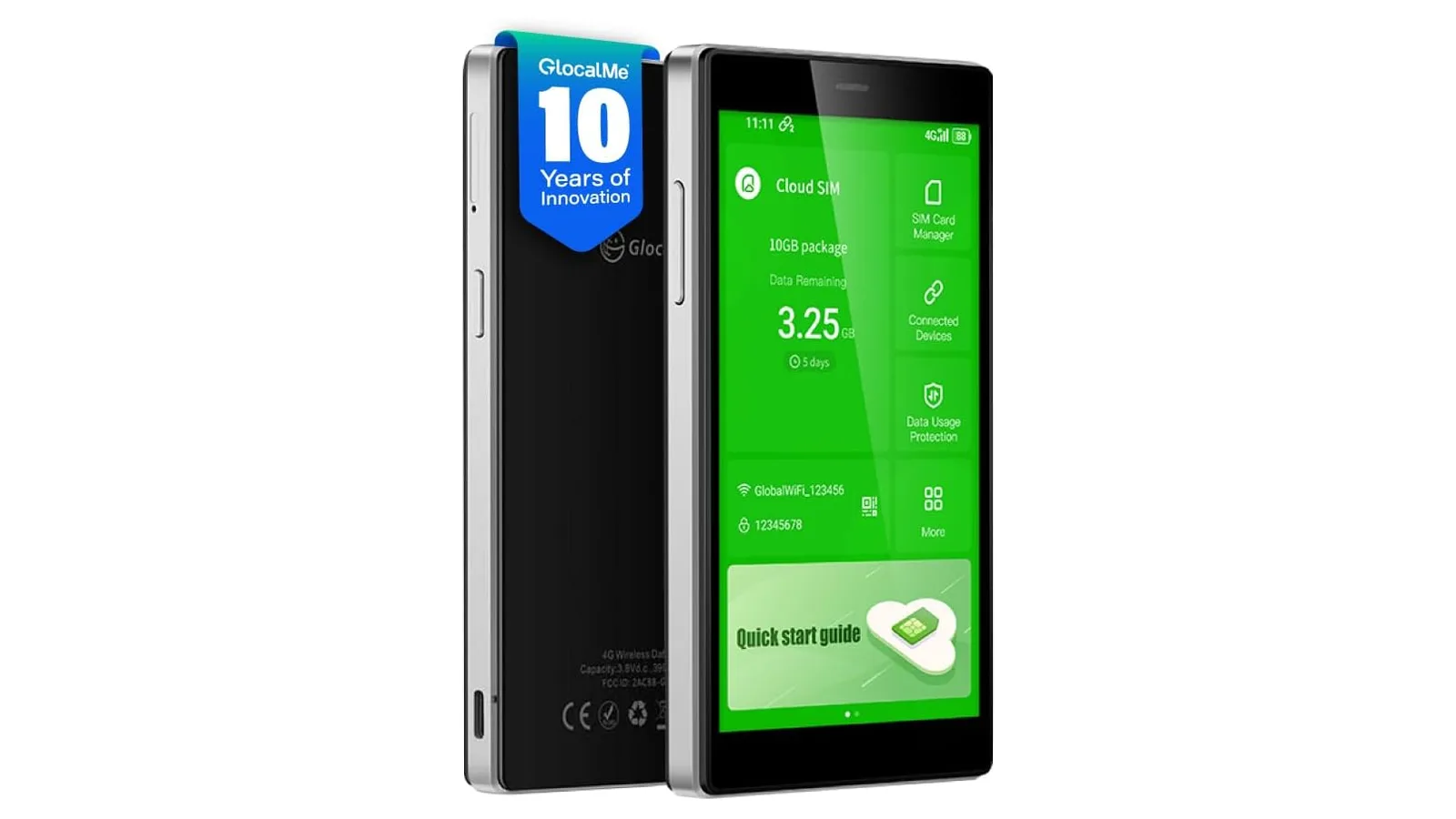
- 4. GlocalMe G4 Pro, Around $149 to $169
- Arrival Day Playbook: Narita to Hotel, Still Connected
- How to Choose for Your Party
- Verdict
“My kid says pocket WiFi is better but I planned on an eSIM.” That sentence, in endless variations, is the most reposted Japan travel question on Reddit. Families split down the middle every time, both sides half right. I have tested portable hotspots across five countries including Japan for my Ryoko review, and the answer fits one rule: count heads and devices first, then the choice makes itself. This guide gives you that rule, the pickup math, the mountain truth, and exact picks for every party size.
TL;DR
- Solo with SIM-free eSIM phone? eSIM wins on price and simplicity. Nothing to carry or return.
- Three or more people sharing? One pocket WiFi rental wins on price and battery life.
- Locked phone or no eSIM support? Pocket WiFi or a hotspot you own. No debate.
- Mountains and trails drop all connections equally. Download offline maps regardless.
- Kids share the family brick. No separate data plans for children.
eSIM vs Pocket WiFi vs Own Hotspot Compared
| Factor | Travel eSIM | Rental pocket WiFi | Hotspot you own |
|---|---|---|---|
| Best party | Solo, couples | Groups of 3 plus | Frequent travelers |
| Typical 2 week cost | $10 to $25 per person | $40 to $80 total | Device plus data packs |
| Setup | Install before flight | Airport counter pickup | Own device, top up data |
| Return hassle | None | Mailbox envelope | None |
| Battery impact | Phone drains faster | Phone lasts longer | Phone lasts longer |
| Range limit | None, per phone | Stay near the brick holder | Stay near the brick holder |
| Fails when | Phone locked, no eSIM | Brick dies, rural gaps | Data runs out, rural gaps |
The table answers most trips in one row scan. Solo rows point at eSIM. Group rows point at shared hardware. Frequent traveler rows point at owning, where per-trip rental fees finally exceed a device purchase.
The Family Sharing Rule
Here is the decision in one paragraph. Add up people plus laptops. If the total is three or fewer devices and every phone is SIM-free with eSIM, buy eSIMs and enjoy traveling light. If the total is four or more, or any phone is locked, or kids are involved, rent one pocket WiFi or bring a hotspot you own. The shared brick keeps every phone’s battery alive, since signal hunting is what drains phones abroad, and one data pool costs less than four.
Couples with two SIM-free phones are the genuine toss-up. Two eSIMs at roughly $15 each often beat a $60 rental on price while freeing you to split up across the city. Choose togetherness and battery life, meaning pocket WiFi, or independence and price, meaning eSIMs. There is no wrong answer, only a preference.
Japan’s trains, stations, and cities have excellent coverage on every option, while mountain trails drop all connections equally. Connectivity choice changes city convenience, never mountain physics. Offline maps decide hiking days.
Pickup vs Bring Your Own Math
Renting in Japan means an airport counter at Narita, Haneda, or Kansai, a charged brick, and a return envelope you drop in any mailbox. Prebooked pickups take minutes. Total for two weeks usually lands between $40 and $80 with generous data. Walk-up rates cost more and sell out during sakura and foliage peaks, so book before departure.
Bringing your own hotspot skips counters and return envelopes forever. The math favors owning from roughly the third Japan trip onward, or immediately if you travel internationally several times a year. First-timers doing one trip should rent. Repeat visitors should own. My hotspot versus eSIM breakdown runs the same math globally with per-trip cost tables.
1. Airalo Japan eSIM, Around $5 to $20
Why it earns the solo pick spot: instant delivery, no hardware, and trip data cheaper than any rental for one person with a compatible phone.
Install on home WiFi before departure, enable data roaming on arrival, and you are online before the plane reaches the gate. The failure mode is real: botched installs strand travelers phoneless, so follow an eSIM fix checklist and screenshot every step. Verify your phone is SIM-free and eSIM compatible first, since locked phones reject foreign profiles outright. My eSIM roundup prices current Japan packages.
2. Rental Pocket WiFi, Around $40 to $80 for Two Weeks
Why it earns the group pick spot: one brick serves five to ten devices, keeping four phones and two laptops online for less than four eSIMs.
Book from a major vendor before departure, pick up at the airport counter, and return via mailbox envelope. Battery lasts a sightseeing day with moderate use, while heavy maps-plus-translate days need a power bank backup. The range leash is the real limitation: split up across Shibuya and someone loses signal. Families that move as a unit never notice. Teens that roam do.
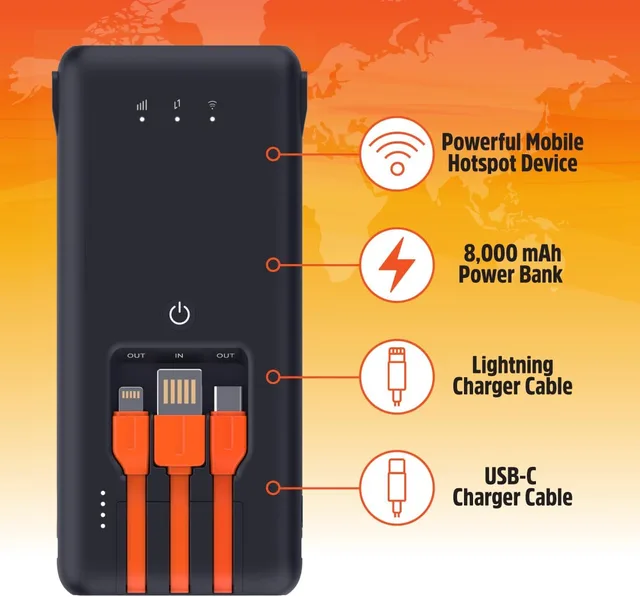
3. Solis Go Hotspot, Around $180
Why it earns the own-it backup spot: lifetime bundled data means a connection waiting in your bag on every trip, Japan included, with no rental errands.
The Solis Go suits repeat Japan visitors who want landing-day internet without counter queues. Its power bank body charges the phone while connecting it, which solves the dead brick problem elegantly. Ratings sit at 4.0 across 3,300 plus reviews at last check: convenient and reliable as backup, not the fastest link in Tokyo. Pair it with a cheap eSIM as primary and you have belt and suspenders for under $200 total.
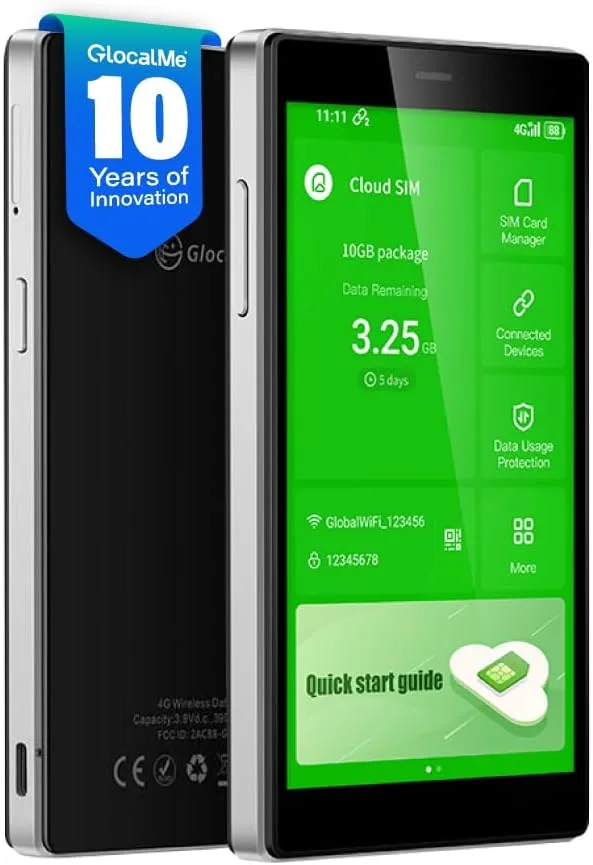
4. GlocalMe G4 Pro, Around $149 to $169
Why it earns the touchscreen convenience spot: the 5 inch display shows data balance and tops up without touching your phone, with CloudSIM covering 200 plus countries.
The G4 Pro suits travelers who want the shared brick experience with less fumbling. Ten devices share one connection, and the screen removes app confusion for non-technical family members. Ratings near 3.9 across 1,800 plus reviews at last check flag the familiar weakness: data costs per gigabyte run high. Choose it for interface and brand history over Ryoko, not for cheaper data.
Arrival Day Playbook: Narita to Hotel, Still Connected
The first two hours decide whether your connectivity choice feels brilliant or broken. Here is the sequence that works.
On the plane, switch the travel eSIM to the data default line if you chose eSIM, or power on the hotspot if you brought one. Landing with settings already correct beats configuring while jet-lagged. If you rented pocket WiFi, follow signs to the telecom counters in the arrivals hall before customs exit. Counters stay open late, but midnight arrivals should confirm hours when booking.
On the Narita Express or limousine bus, connect and test: load maps, message home, confirm the hotel booking. Finding failure here, with airport WiFi still in range, beats finding it at midnight in Asakusa. Screenshot your data balance at the start so mid-trip math has a baseline. This ten-minute routine is the difference between travelers who rave about their setup and travelers who write angry forum posts.
How to Choose for Your Party
- Solo, SIM-free, eSIM-ready? eSIM. Done in ten minutes before departure.
- Couple, both SIM-free? Price two eSIMs against one rental and pick your priority.
- Family with kids? One pocket WiFi rental or a hotspot you own. No contest.
- Locked phone anywhere in the group? Shared hardware. eSIM cannot help that phone.
- Third Japan trip or frequent global travel? Own a hotspot and stop renting.
Verdict
Count heads, count devices, check locks. That thirty-second exercise picks correctly more often than any brand debate. Solo and compatible means eSIM. Group or locked means shared brick. Frequent means own. Japan rewards the prepared with flawless city internet either way, and punishes everyone equally in the mountains. My Ryoko versus GlocalMe comparison settles the hardware half with trip math when you are ready.
The family argument ends here. Show them the sharing rule and book whatever it points to.
Common Questions & Answers
Q: Is eSIM or pocket WiFi better for Japan?
Solo travelers with SIM-free eSIM-compatible phones win with eSIM: cheaper, instant, nothing to carry or return. Groups of three or more sharing one connection usually win with pocket WiFi, since one rental serves every phone and laptop. Couples sit in the middle and should price both. The deciding variables are headcount, device count, and whether anyone's phone is locked or lacks eSIM.
Q: How much does pocket WiFi cost in Japan?
Rental pocket WiFi typically runs a few dollars per day, with a two week total often landing between $40 and $80 with generous data. Airport pickup at Narita or Haneda is free with most vendors, and return by mailbox envelope avoids counter queues. Book before departure since walk-up prices run higher and units sell out during cherry blossom and autumn peaks.
Q: Can I pick up pocket WiFi at Narita airport?
Yes, Narita, Haneda, and Kansai airports all host multiple pocket WiFi counters with long hours. Prebooked reservations take minutes: show your confirmation, grab the charged unit with its return envelope, and connect on the train into Tokyo. Same-day walk-ups work but cost more and risk sellouts during peak seasons.
Q: Does pocket WiFi work on mountain trails in Japan?
Imperfectly. Pocket WiFi rides the same cellular networks as phones, so deep valleys and remote trail sections drop whatever device you carry. No brand fixes physics. Download offline maps for hiking days regardless of your connectivity choice, and expect cities and the Shinkansen corridor to work flawlessly while mountain stretches go quiet.
Q: Can multiple people share one pocket WiFi in Japan?
Yes, typically five to ten devices per unit, which is the entire economic argument for groups. One rental split four ways beats four eSIMs on price while keeping everyone's battery alive, since phones stop burning power hunting for signal. The tradeoff is range: wander more than a few dozen meters apart and someone disconnects.
Q: Do I need an SIM-free phone for Japan eSIM?
Yes for eSIM, no for pocket WiFi. Carrier-locked phones reject foreign eSIMs but connect to pocket WiFi like any hotspot. Check lock status before departure in your phone settings or with your carrier. A locked phone plus a Japan trip equals pocket WiFi or a portable hotspot you own, full stop.
Q: What happens if my pocket WiFi battery dies mid-day?
Carry a power bank, full stop. Rental units last a full sightseeing day with moderate use but die by evening under heavy maps-plus-translate loads. Units with built-in power banks solve this elegantly. Whatever you carry, top it up overnight and pack the cable. A dead brick in Shinjuku teaches this lesson once.
Q: Should kids get eSIMs or share pocket WiFi?
Share. Kids burn through video gigabytes and complicate every install step. One family pocket WiFi with the parent holding the brick keeps costs predictable and arguments contained. Give teens an eSIM only if they travel semi-independently and their phone supports it.
More Smart Gadgets Articles

Related Product Reviews


Consumer electronics reviewer specializing in smart gadgets and everyday tech. Tests 100+ gadgets annually. Previously wrote for The Verge and Wired. Focus on practical daily-use value.