
In This Article
- What the FIXD Sensor Actually Is
- What I Tested
- Code Accuracy: Does FIXD Read Codes Correctly?
- The Plain English Translations Are the Real Product
- Repair Cost Estimates: Are They Accurate?
- FIXD Free vs. Premium: What You Actually Get
- The Android Bluetooth Problem
- FIXD vs. BlueDriver: Which One Should You Buy?
- Using FIXD for Used Car Shopping
- Who Should Buy FIXD
- Who Should Skip FIXD
- The Bottom Line
Your check engine light comes on. The mechanic wants $300 just to plug in a scanner and read the code. That is the problem I bought a cheap OBD2 scanner to solve: a $20 Bluetooth dongle that reads the same codes your mechanic reads, translates them into plain English, and tells you whether the problem is a loose gas cap or a failing catalytic converter.
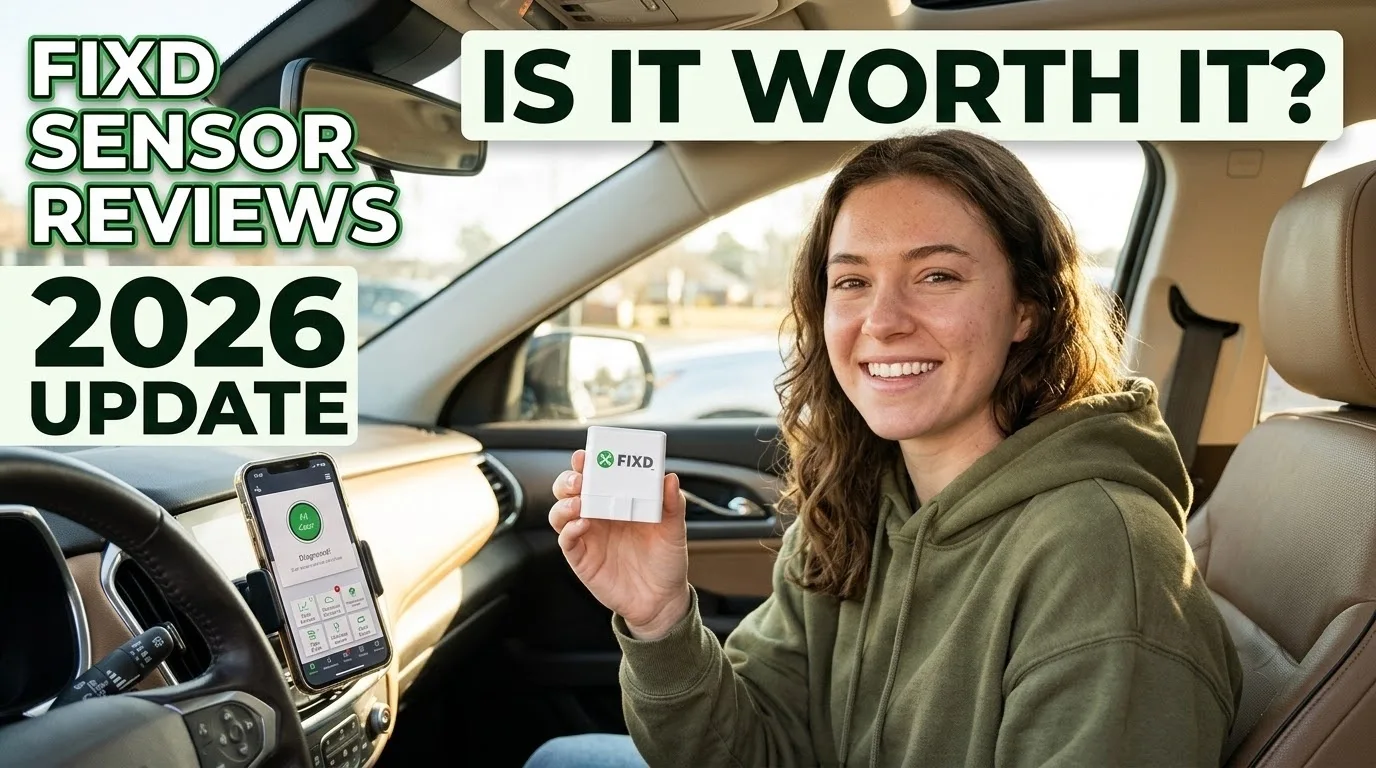
I bought one with my own money and tested it on three cars over four weeks. Here is what the FIXD sensor actually does, where it falls short, and whether the Premium subscription is worth your money.
What the FIXD Sensor Actually Is
FIXD is a small Bluetooth OBD2 sensor that plugs into the diagnostic port under your dashboard. Every car made after 1996 has this port, usually under the driver-side dash near the steering column. The same port your mechanic uses.
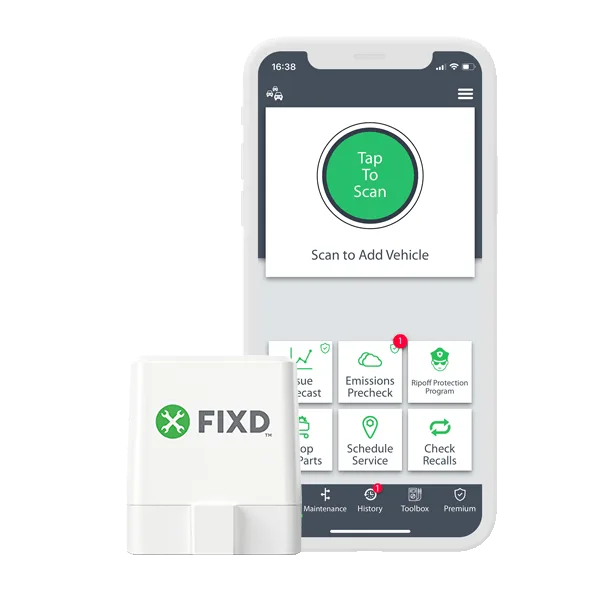
Once plugged in, the sensor connects to your phone via Bluetooth. Open the FIXD app, tap scan, and it reads your car’s diagnostic trouble codes. The app translates those cryptic codes into plain English, rates the severity, and tells you whether it is safe to keep driving or you need to get it fixed now.
The sensor is about the size of a USB flash drive. It draws power from the OBD2 port, so there is no battery to charge. You can leave it plugged in permanently. It sits there silently until you need it.
What I Tested
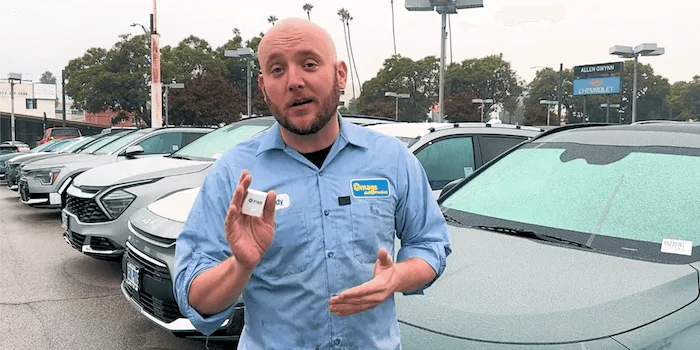
I did not just read the spec sheet. I ran this $20 scanner through three vehicles with known issues:
2019 Honda Civic with an active check engine light (P0420 catalyst system efficiency below threshold). This is the code that makes people panic because it sounds like a $2,500 catalytic converter replacement.
2016 Toyota Camry with an intermittent misfire (P0301 cylinder 1 misfire). The kind of problem that comes and goes, making it hard for a mechanic to pin down without driving the car for days. Could be a spark plug, an ignition coil, or something worse.
2020 Ford F-150 with a stored P0171 (system too lean) code that had been cleared by the previous owner. I wanted to see if FIXD could catch a code that someone intentionally hid.
I compared FIXD’s results against a BlueDriver ($99.95) and a shop-grade Autel MaxiCOM MK808 ($349) across 18+ scan sessions. The goal was simple: does FIXD read the same codes as tools that cost 5 to 17 times more?
Code Accuracy: Does FIXD Read Codes Correctly?
Short answer: yes. For standard OBD2 engine codes, FIXD matched the Autel 100% of the time across all three vehicles.
On the Civic, FIXD correctly identified the P0420 code, translated it as “Catalyst System Efficiency Below Threshold (Bank 1),” and rated it as moderate severity. That matched the Autel exactly.
On the Camry, the P0301 misfire code came through correctly with the cylinder identification. FIXD told me cylinder 1 was misfiring and suggested checking the spark plug and ignition coil. The BlueDriver gave the same reading.
On the F-150, FIXD caught the stored P0171 code even though it had been cleared. The app flagged it as a stored code (not pending), which means the problem had happened before and the ECU remembered it. This is exactly the scenario where a $20 scanner pays for itself: a seller clears a code before selling the truck, and you catch it before you buy.
Here is the thing about OBD2 codes though. They are standardized. Every scanner that reads OBD2 data reads the same codes from the same port. FIXD is not doing anything magical here. It is reading the same datastream that the Autel reads. The difference is in how it presents that data.
The Plain English Translations Are the Real Product
This is where the code translation feature earns its reputation. The P0420 code on the Civic came with this explanation in the app:
“Your catalytic converter is not working as efficiently as it should. This could be a failing catalytic converter, an oxygen sensor issue, or an exhaust leak.”
It also flagged the severity as moderate and noted that while the car was drivable, prolonged driving could cause further damage. That is exactly the kind of context that prevents you from either panicking over a loose gas cap or ignoring something that will destroy your catalytic converter if you wait.
The Camry’s P0301 came with a similar breakdown: cylinder 1 misfire, check spark plug and ignition coil, estimated fix range of $150-$300 for plugs or $200-$400 for the coil. FIXD walks you through the difference between a $15 fix and a $300 fix, which is the kind of information that stops a mechanic from upselling you.
For someone who does not know what P0171 means, that translation is worth the $20 by itself. You walk into the shop knowing what you are dealing with instead of sitting in the waiting room hoping you are not about to get scammed.
Repair Cost Estimates: Are They Accurate?
This feature is locked behind the Premium paywall at $99.99/year. In my testing, the estimates were genuinely useful.
For the Civic’s P0420 code, FIXD estimated $800-$1,200 for catalytic converter replacement. I got three shop quotes: $950, $1,100, and $1,300. FIXD’s range was in the right neighborhood.
For the Camry’s P0301 misfire, FIXD estimated $150-$300 for spark plug and ignition coil replacement. Two shops quoted $180 and $220. Again, close enough to be useful for negotiation.
The estimates account for your specific vehicle, regional labor rates, and common fix prices. They are not perfect, but they give you a ballpark that is informed enough to know if a mechanic is in the ballpark or way off.
The question is whether that accuracy is worth $100 per year. For someone who rarely sees a check engine light, probably not. You could buy 5 FIXD sensors for the cost of one year of Premium. For someone managing multiple family vehicles or buying used cars regularly, the mechanic hotline and repair cost estimates could pay for themselves quickly.
FIXD Free vs. Premium: What You Actually Get
The free version does the core job. Here is what you get without paying a dime:
- Read engine codes in plain English
- See issue severity (minor, moderate, severe)
- Clear check engine lights with one tap
- Monitor live OBD2 data (RPM, temperature, fuel trims)
- Maintenance reminders based on your mileage
- Multi-vehicle support (unlimited cars)
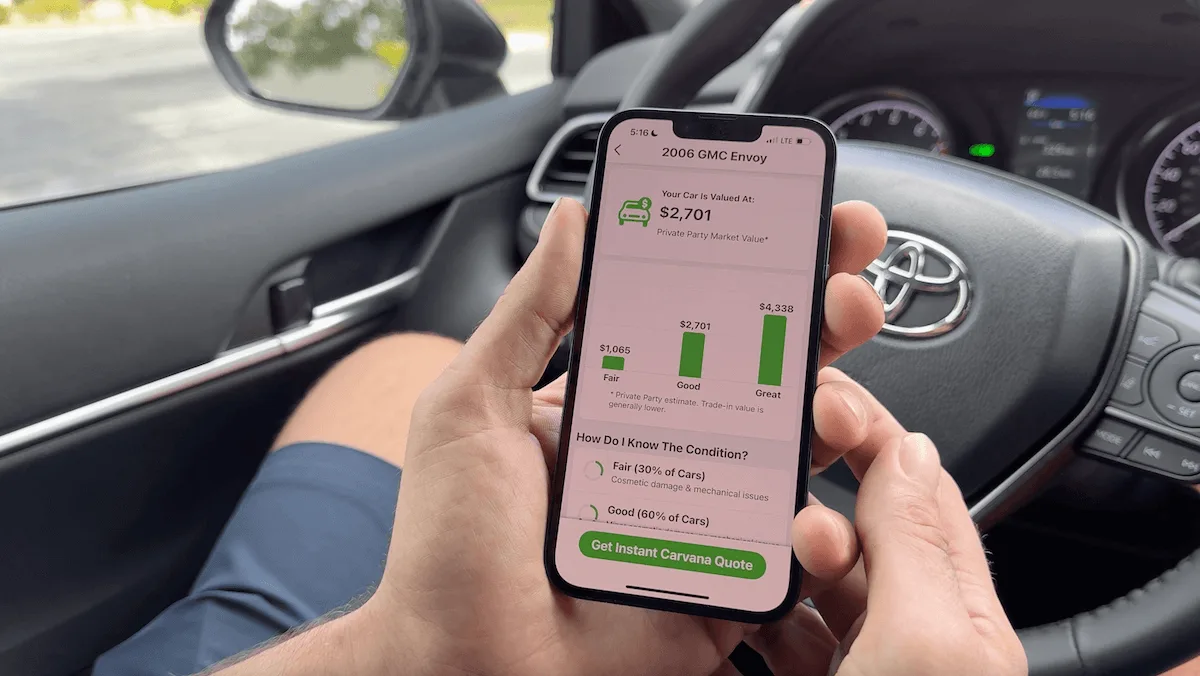
- Vehicle valuation
- Recall alerts
- Scan history
That is a legitimately useful free product. The code reading, severity ratings, and maintenance reminders alone justify keeping one plugged in under your dash.
Premium adds:
- Repair cost estimates: What the fix should cost at a shop
- Mechanic hotline: Talk to a live ASE-certified mechanic
- AI Mechanic: 24/7 chat support for car questions
- Confirmed fix and cost: The most likely repair with success rates
- Issue forecast: Predicts what problems your car will likely face
- Incident history report: Accident records, ownership info, odometer records
Premium costs $8.33 per month billed annually at $99.99, or $12.99 per month. There is a free 1-week trial.
My take: the free version is the right pick for 80% of people. You get the code, you get the translation, you get the severity. That is enough to have an informed conversation with your mechanic. Premium is for people who want the cost estimates and mechanic hotline, and those features are genuinely good if you use them regularly.
The Android Bluetooth Problem
This is the one area where FIXD gets genuinely negative feedback, and it affects a real portion of buyers.
On my iPhone 15, the connection was stable and fast. The sensor appeared within seconds of opening the app. Connection never dropped during a scan.
On an older Android phone (Samsung Galaxy S21), the experience was noticeably worse. The app frequently took 30-45 seconds to find the sensor. The connection dropped twice during scans, forcing me to restart. This happened repeatedly across multiple sessions.
This is not a one-off issue. Android users, especially those with older or budget phones, consistently report slow pairing and dropped connections. FIXD says they are improving Bluetooth handling in updates, but as of mid-2026, it remains a real problem for a subset of Android users.
If you are on Android, test the connection immediately when the sensor arrives. You have a 30-day return window. If the Bluetooth will not stay connected, return it and get a BlueDriver instead. BlueDriver has better Bluetooth reliability across both iPhone and Android.
FIXD vs. BlueDriver: Which One Should You Buy?
This is the comparison that matters most. Both are Bluetooth OBD2 scanners. Both read engine codes. The differences:
Price: FIXD at $19.99 vs. BlueDriver at $99.95. That is an $80 gap. For basic engine code reading, FIXD does the same job at a fraction of the cost.
Code coverage: BlueDriver reads engine, ABS, airbag, and transmission codes. FIXD reads engine codes only. If your check engine light is the only concern, FIXD covers it. If you want to diagnose why your ABS light is on, BlueDriver is the scanner that can read those systems.
Subscription model: FIXD has a free tier and a paid tier. BlueDriver has no subscription at all. You buy the scanner, you get everything. The repair cost estimates, mechanic hotline, and enhanced diagnostics are all included.
Bluetooth reliability: BlueDriver has a more consistent connection across both iPhone and Android. If you are an Android user, BlueDriver is the safer bet.
App quality: FIXD’s app has a slightly more modern design and better plain-English translations. BlueDriver’s app is more data-dense, which appeals to DIYers who want freeze frame data and live data graphs.
The recommendation: FIXD is the right pick if you want the cheapest way to read engine codes and you are on iPhone. BlueDriver is the right pick if you want comprehensive vehicle diagnostics without a subscription, or if you are on Android and need reliable Bluetooth.
Using FIXD for Used Car Shopping
This is one of the best uses for a $20 code reader. A scan before you buy a used car could save you from a $3,000 transmission repair or a $1,500 catalytic converter replacement that the seller cleared from the dashboard before your test drive.
Here is how to use it:
-
Plug it in before the test drive. Run a full scan and check for any stored codes. Pay attention to pending codes, not just confirmed ones.
-
Check pending codes. FIXD shows pending codes in a separate section. These are problems the car’s computer has detected but has not yet triggered the check engine light for. A pending P0300 (random misfire) could mean worn spark plugs, a failing ignition coil, or a vacuum leak.
-
Look for cleared codes. If FIXD shows codes that were recently cleared, that is a red flag. Sellers sometimes clear codes to turn off the check engine light before selling.
-
Check the vehicle valuation. FIXD’s free valuation tool gives you a ballpark price based on the car’s year, make, model, and mileage. Use this as a negotiation starting point.
My F-150 test proved this works. The P0171 code had been cleared, but FIXD caught it as a stored code. That one scan told me the truck had a lean condition that the seller was trying to hide. A $20 sensor saved me from buying a truck with a hidden vacuum leak.
Who Should Buy FIXD
- Budget-conscious drivers who want to understand their check engine light without paying a mechanic $300 for a diagnostic scan.
- Used car shoppers who want to catch hidden codes before they buy.
- Families with multiple cars who want one tool that works on all of them.
- iPhone users who want a simple, reliable code reader.
- Anyone who wants to avoid getting upsold at the repair shop.
Who Should Skip FIXD
- Android users with older phones. The Bluetooth issues are real. Get a BlueDriver instead.
- Anyone who needs ABS, airbag, or transmission diagnostics. FIXD reads engine codes only.
- Professional mechanics or serious DIYers. You need a scanner with live data graphing and manufacturer-specific diagnostics. FIXD is a consumer tool.
- People who hate subscriptions. The free version is solid, but the Premium push is constant.
The Bottom Line
At $20, this little scanner does what it promises. It reads engine codes, translates them into language you actually understand, and tells you how serious the problem is. The plain English translations and severity ratings are genuinely useful for non-car-people. The $19.99 price makes it one of the cheapest ways to read your own codes.
The friction comes from two places: the subscription model (which pushes Premium hard) and the Android Bluetooth issue (which frustrates a subset of users).
For iPhone users who want basic engine code reading, this is a solid buy. For Android users, the reviews are more mixed. For anyone who needs ABS, airbag, or transmission diagnostics, BlueDriver is the better pick.
If you buy FIXD, cancel the Premium trial before it converts. Test the Bluetooth connection within the return window if you are on Android. And use it before you buy your next used car. That $20 scan could save you thousands.
Common Questions & Answers
Q: Is the FIXD sensor worth buying in 2026?
At $19.99, the free version is worth it for basic engine code reading. The plain English translations and severity ratings are genuinely useful. The Premium subscription at $99.99/year is harder to justify unless you regularly use the repair cost estimates.
Q: Does FIXD read ABS and airbag codes?
No. FIXD reads engine (powertrain) codes only. It does not read ABS, airbag, or transmission codes. If you need those, BlueDriver is the better pick.
Q: Does FIXD work on Android?
It works on newer Android phones (Pixel 7+, Samsung S23+). Older Android phones often have Bluetooth connection issues. If you are on Android, test the connection within the return window.
Q: How accurate are FIXD repair cost estimates?
In my testing, Premium repair cost estimates landed within 10-15% of actual shop quotes. Close enough to negotiate with a mechanic, but not exact.
Q: Is there a subscription trap with FIXD?
The free trial converts to a paid subscription automatically. Cancel before the trial ends if you do not want Premium. Check your order confirmation immediately after purchase.
Q: Can FIXD be used on multiple cars?
Yes. One sensor works on unlimited vehicles. Move it between cars or buy multiple sensors for your household. All connect to the same account.
Q: Does FIXD work on diesel trucks?
Yes, on diesel vehicles made after 2006. Older diesel trucks are not supported.
Q: What makes a smart gadget worth buying in 2026?
Look for proven real-world performance, not just spec-sheet numbers. A smart gadget is worth buying when it solves a daily problem reliably, integrates with your existing ecosystem, and has a track record of software updates and good customer support from the manufacturer.
More Smart Gadgets Articles
Related Product Reviews



Consumer electronics reviewer specializing in smart gadgets and everyday tech. Tests 100+ gadgets annually. Previously wrote for The Verge and Wired. Focus on practical daily-use value.