
In This Article
“They advertise unlimited data and it isn’t.” That complaint, copied from a carrier forum, is the most honest sentence in travel connectivity. A hotspot owner burned through 20GB, watched 100 Mbps collapse to 3, and learned that unlimited describes the bill while a footnote governs the speed. I have tested hotspots across five countries for my Ryoko review, and this guide gives you three things: your real gigabyte needs, a decoder for throttling fine print, and three hotspots that state their limits plainly.
TL;DR
- Unlimited means unmetered billing with a high-speed allowance, usually 15 to 50GB, then a throttle to 2 to 5 Mbps or worse.
- Price trips in gigabytes using the activity table below, not in vibes.
- Video calls cost 1 to 3GB per hour. They are the budget killer.
- Rural gaps are carrier gaps. No device fixes absent towers.
- Lifetime bundled data is the most honest backup model. Published throttle policies beat unspoken ones.
How Many Gigabytes Do You Actually Need
| Activity, 1 hour | Data used | A week of daily use |
|---|---|---|
| Messaging and email | 50 to 100MB | Under 1GB |
| Maps navigation | 100 to 200MB | Around 1GB |
| Web browsing | 200 to 400MB | 2 to 3GB |
| Social scrolling with video | 500MB to 1GB | 4 to 7GB |
| Audio calls | Around 100MB | Under 1GB |
| Video calls, standard | 1 to 1.5GB | 7 to 10GB |
| Video calls, HD | 2 to 3GB | 14 to 21GB |
| Streaming video, HD | 2 to 3GB | 14 to 21GB |
Multiply your habits honestly. A week of remote work with daily standups starts near 10GB before browsing exists. A family streaming two evening movies adds 6GB per night. Most travelers underestimate by double because phone-era habits hide in background sync, photo uploads, and app updates that all ride the hotspot too.
Decoding the Throttling Fine Print
Every plan hides the same three numbers in different words. Learn the vocabulary once and every carrier page surrenders.
High-speed allowance, called premium data, priority data, or the hotspot cap, is the gigabytes at full speed. After it comes the throttle: reduced speeds, network management, or deprioritization. The throttled speed, stated as up to 3 Mbps or 2G speeds, decides whether the connection stays usable. Up to 5 Mbps handles video calls. Around 600 Kbps to 2 Mbps manages messaging and audio. Below that lies email-only territory.
Deprioritization deserves special attention because it differs from throttling. Throttling caps your speed always after the allowance. Deprioritization slows you only when the tower is busy, meaning the same plan flies at midnight and crawls at a stadium. Travelers hitting tourist hotspots at peak hours suffer deprioritization hardest, and no settings menu fixes tower congestion.
A steady 3 Mbps connection carries video calls better than a spiky 50 Mbps one that drops packets. Stability beats peak speed for every real-time app travelers use. Test with a short call before trusting any new connection with an important meeting.
Coverage Gaps: The Other Speed Killer
When travelers blame throttling, the culprit is often just absent signal. Hotspots use the same towers as phones, so the countryside that shows one bar on your phone shows one bar on the brick. Before buying any device for rural trips, open carrier coverage maps for your exact route. Marketing maps paint regions; street-level truth lives in the detailed layers.
Band support separates good hardware from bad for international use. A hotspot with broad 5G and 4G band coverage attaches to more foreign networks, while a narrow-band unit roams blind in some countries. This is the expert check novices skip and the reason my Japan guide stresses mountain physics: no purchase overcomes missing towers.
1. Solis Go, Around $180
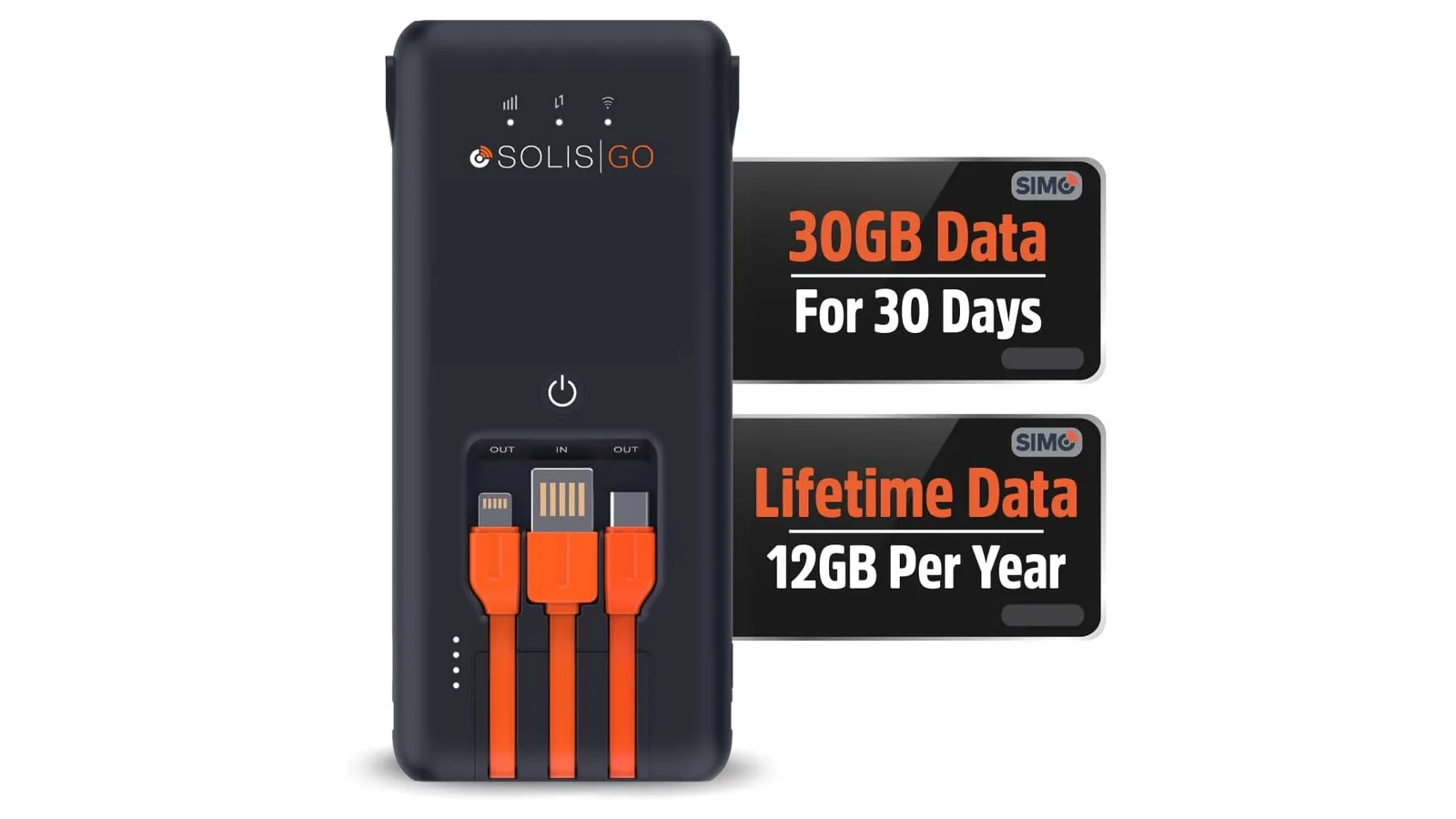
Why it earns the honesty crown spot: lifetime bundled data with no expiry and no throttle games on the included allowance. What you see is what you get.
The Solis model inverts the industry trick. Instead of unlimited-with-footnotes, it gives a defined bundle, 12GB per year of lifetime data plus purchasable packs, that never expires and never surprises. Light travelers and backup seekers know exactly where they stand. Heavy users will outgrow the bundle and should read that as a signal, not a flaw: this is the emergency fund of connectivity, not the salary.
2. NETGEAR Nighthawk M6, Around $400 to $490
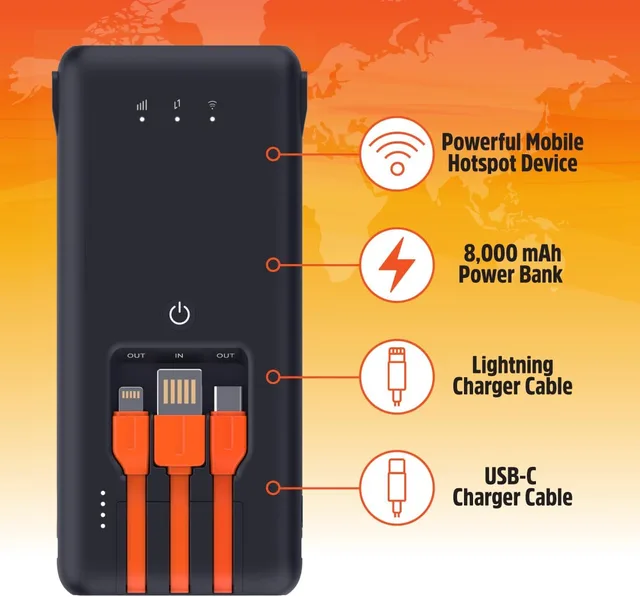
Why it earns the power-user spot: genuine 5G broadband with a data usage screen that shows consumption before the bill does.
The M6 suits travelers who pair premium hardware with honest carrier plans they choose themselves. Bring an AT&T, T-Mobile, or Verizon data SIM with a published allowance, watch usage on the touchscreen, and top up deliberately. Ratings near 3.7 across 290 reviews at last check reflect harsh judges, not bad radios. The Data Usage screen in the photo above is the transparency feature every hotspot should copy.
3. GlocalMe G4 Pro, Around $149 to $169
Why it earns the middle path spot: CloudSIM convenience with on-screen balance, for travelers who accept pay-as-you-go in exchange for zero SIM hunting.
The G4 Pro’s screen shows remaining gigabytes constantly, which is honesty of a sort: you always know where the meter stands. Per-gigabyte prices run high, so heavy users should look elsewhere, but occasional travelers who watch the meter do fine. Ten devices share one pool, making it the family compromise between Solis frugality and M6 firepower. My Ryoko comparison prices all three head to head.
Throttled Mid-Trip? The Rescue Playbook
The throttle usually announces itself at the worst moment: a client call in ten minutes and video frozen. Work this sequence.
First, confirm it is throttling and not signal. Check the provider app balance and step near a window or outside. Full bars with crawl speeds after heavy use means throttle. Weak bars anywhere means signal, and moving fixes it free.
Second, drop every stream to audio or standard definition immediately. One HD stream eats the exact bandwidth your call needs. Pause cloud backups, photo syncs, and updates on all connected devices. These background tasks consume throttled connections silently.
Third, shift the critical task to the strongest link you have. Move the video call to audio-only, which survives 600 Kbps connections that turn video into slideshows. Tether the laptop to a phone eSIM instead of the throttled brick, since separate allowances mean separate fates. Buy a top-up pack before the meeting rather than during it.
Fourth, prevent repeats with the habits section above plus a balance alert at 80 percent. Travelers who watch the meter get warnings. Travelers who do not get surprises.
How to Stop Burning Gigabytes
- Download maps, playlists, and shows on home WiFi before departure.
- Drop video calls to standard definition. Halves consumption invisibly.
- Disable cloud photo backup and app auto-updates on the hotspot.
- One device streams at a time. Two HD streams is a throttle appointment.
- Check the provider app balance every other day, not when apps die.
- Buy the next data pack before the current one empties.
These six habits cut typical trip usage by a third or more. The cheapest gigabyte is the one never used, and discipline beats plan shopping for most travelers.
Verdict
Unlimited is a billing word, not a physics word. Learn your gigabytes from the table, read throttle policies before buying, and pick hardware that states limits plainly. Solis for honest backup, M6 for real work, G4 Pro for convenient middle ground. Size the plan to the trip and the word unlimited loses its power to hurt you. My eSIM versus hotspot breakdown completes the strategy with per-trip cost math.
Count gigabytes like money, because on the road they are money.
Common Questions & Answers
Q: Why is my unlimited hotspot so slow?
Because unlimited describes billing, not speed. Most plans include a high-speed allowance, often 15 to 50GB, after which speeds drop to 2 to 5 Mbps or even 600 Kbps. That throttle makes video calls stutter and pages crawl while email still works. Check your plan's fine print for the throttle threshold and the throttled speed. You almost certainly blew past the allowance, not the network.
Q: How much hotspot data do I need for a two week trip?
A light traveler using maps, messaging, and browsing needs 5 to 10GB. Add video calls and you need 15 to 25GB. A working couple with video meetings needs 30 to 60GB. A family streaming video in the evenings can burn 100GB plus. The activity table in this article gives per-hour numbers so you can multiply your own habits instead of guessing.
Q: How much data does a Zoom call use per hour?
Roughly 1 to 1.5GB per hour for group video at standard quality, and 2 to 3GB at full HD. Audio-only calls sip about 100MB per hour. Screen sharing adds roughly half a gigabyte per hour on top. A week of daily hour-long standups costs about 7GB before any other usage, which is why remote workers blow through starter allowances in days.
Q: What speed do I need for video calls on a hotspot?
Stable 2 to 3 Mbps up and down handles standard video calls. HD wants 5 Mbps plus headroom. The cruel detail is stability over peak speed: a steady 3 Mbps beats a spiky 50 Mbps that drops packets. Throttled connections at 600 Kbps to 2 Mbps turn video into slideshows while audio survives. Test with a short call before any important meeting.
Q: Do hotspots work in rural areas?
Only as well as the underlying carrier signal. Hotspots are radios, not magic, so valleys, mountains, and remote campsites that starve phones starve hotspots identically. Check carrier coverage maps for your exact destinations before buying any device for rural use. No brand, at any price, fixes absent towers.
Q: Is 5G hotspot worth it over 4G for travel?
Rarely for travelers. 5G wins on speed where dense coverage exists, meaning cities you also find café WiFi. Abroad, your hotspot roams onto whatever local networks the platform deals cover, usually 4G. The M6-class 5G hardware only pays off for domestic power users on major carriers. Save the $300 plus premium unless your work genuinely needs 100 Mbps mobile.
Q: Can carriers tell I am tethering and throttle me?
Yes, and most say so in their terms. Carriers detect hotspot traffic separately from phone traffic and apply distinct caps, which is why unlimited phone data pairs with a 15GB hotspot limit on the same plan. VPNs mask the traffic type imperfectly and violate some terms. Assume the hotspot cap is real and plan gigabytes accordingly rather than fighting detection.
Q: What is the most honest hotspot data deal?
Honesty means stating the high-speed allowance and the throttled speed plainly. Lifetime bundled data like Solis, with small amounts that never expire, is the most transparent backup model. Pay-as-you-go platforms suit occasional trips when you price per gigabyte upfront. Distrust any plan advertising unlimited without publishing both numbers. No published throttle policy means an unpublished one.
More Smart Gadgets Articles


Related Product Reviews



Consumer electronics reviewer specializing in smart gadgets and everyday tech. Tests 100+ gadgets annually. Previously wrote for The Verge and Wired. Focus on practical daily-use value.