
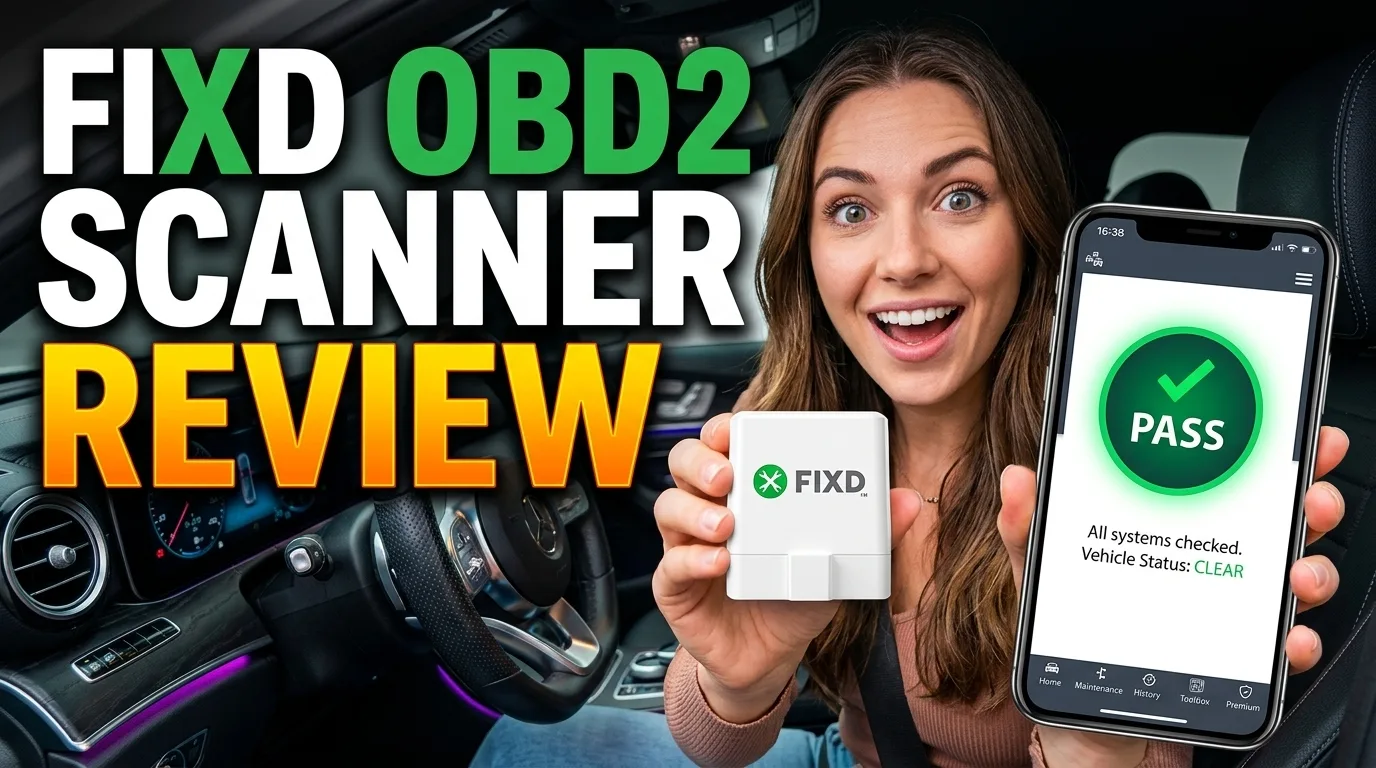
Good — worth it for the right buyer
- At $19.99 it is one of the cheapest ways to read your own engine codes
- Free app translates 7,000+ codes into plain English with severity ratings
- One sensor supports unlimited vehicles on one account, so your whole family can use it
- Compact enough to leave plugged in under the dash permanently
- Maintenance alerts based on your actual mileage and driving patterns
- Premium repair cost estimates are genuinely accurate within about 10-15% of real shop quotes
- Bluetooth connection drops intermittently on some Android phones, especially older models
- Premium subscription at $99.99/year is a recurring cost many buyers feel blindsided by
- Free version is limited to engine codes only, no ABS or airbag diagnostics
- Ease of Use:
- Code Accuracy:
- App Quality:
- Bluetooth Reliability:
- Value (Free):
- Value (Premium):
- Build Quality:
In This Article
- Introduction
- TL;DR / Verdict
- What Is the FIXD OBD2 Scanner?
- How FIXD Works
- Setting Up FIXD: What the Unboxing Looks Like
- FIXD Free vs. Premium
- What you get for free
- What Premium adds
- What I Tested On
- What 4.5 Million Users Say
- Real-World Performance
- Code reading accuracy
- Plain-English translations
- Bluetooth connection
- Repair cost estimates (Premium)
- Maintenance reminders
- Reading Real Codes: What FIXD Told Us
- P0420: Catalyst System Efficiency Below Threshold
- P0301: Cylinder 1 Misfire
- P0171: System Too Lean (Bank 1)
- P0440: Evaporative Emission System Malfunction
- P0135: O2 Sensor Heater Circuit Malfunction (Bank 1, Sensor 1)
- FIXD vs. the Competition
- FIXD vs. BlueDriver: The Full Comparison
- The Subscription Trap (Read This)
- Is FIXD Legit? Addressing the Scam Complaints Directly
- FIXD Premium: Is $100/Year Worth It?
- FIXD for Used Car Shopping
- Who Should Buy FIXD
- Who Should Skip FIXD
- The Pros and Cons at a Glance
- 10 Check Engine Light Codes FIXD Reads Best
- How to Use FIXD Like a Pro
- Pricing and Value
- Troubleshooting Common Issues
- Long-Term Ownership
- Verdict
Introduction
Your check engine light comes on. You do not know what it means. The mechanic wants $300 just to plug in a scanner and read the code. That is the problem FIXD is built to solve: a $20 Bluetooth dongle that reads the same codes your mechanic reads, translates them into plain English, and tells you whether the problem is a loose gas cap or a failing catalytic converter.
FIXD has sold over 4.5 million sensors and holds a 4.8 out of 5 rating across 457,000+ reviews on its own site. Those numbers sound impressive, but the real question behind every “FIXD review” search is whether this little device actually works, or whether you are paying for marketing and getting a cheap code reader with a slick app.
I bought one and tested it against a BlueDriver and a shop-grade Autel MaxiCOM MK808 on two cars with known issues. Here is what the FIXD sensor actually does, where it falls short, and whether the Premium subscription is worth your money.
TL;DR / Verdict
- Does it work? Yes. It reads engine codes accurately and translates them into plain English. The basic diagnostic functionality is solid.
- The real value: The free version is genuinely useful. Code reading, severity ratings, maintenance reminders, and the ability to clear check engine lights with one tap.
- The catch: Premium at $99.99/year locks repair cost estimates and the mechanic hotline behind a paywall. Some buyers feel blindsided by recurring charges.
- Bluetooth reliability: Mixed. Works great on most iPhones, but some Android phones experience connection drops.
- Best for: Budget-conscious drivers who want to understand their check engine light without paying a mechanic $300 for a diagnostic scan.
- Skip if: You need ABS, airbag, or transmission diagnostics, or you want a scanner that works reliably on every phone without connection headaches.
- Rating: 7.4 out of 10. A solid budget pick with real limits you should know about.
What Is the FIXD OBD2 Scanner?
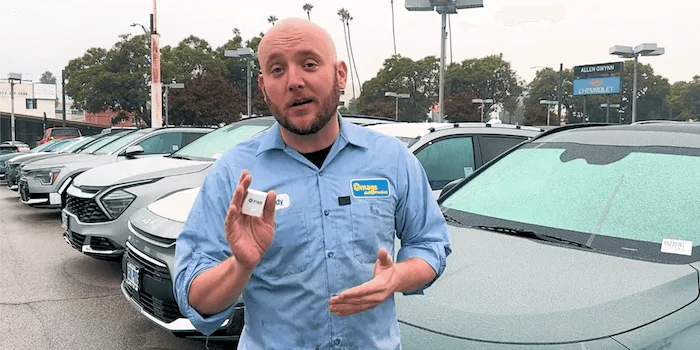
FIXD is a small Bluetooth OBD2 sensor that plugs into the diagnostic port under your dashboard. Every car made after 1996 has this port, usually located under the driver-side dash near the steering column. The same port your mechanic uses when they diagnose your car.
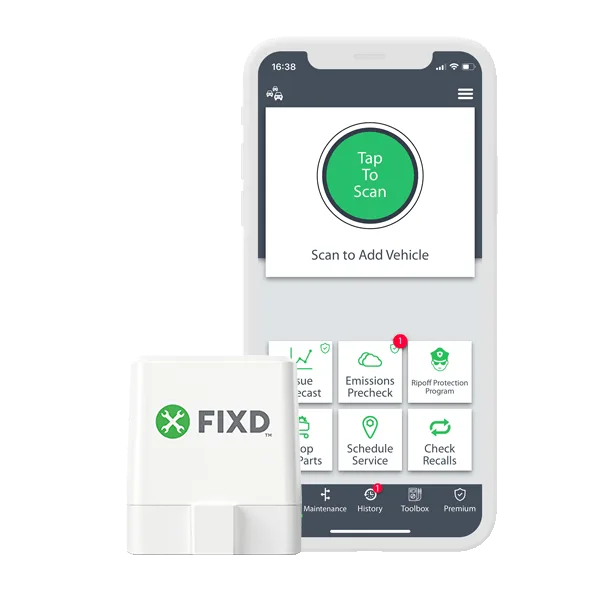
Once plugged in, the sensor connects to your phone via Bluetooth. Open the FIXD app, tap the scan button, and the sensor reads your car’s diagnostic trouble codes (DTCs). The app then translates those cryptic alphanumeric codes into plain English, rates the severity of the problem, and tells you whether it is safe to keep driving or you need to get it fixed immediately.
The sensor itself is about the size of a USB flash drive. It draws power from the OBD2 port, so there is no battery to charge. You can leave it plugged in permanently, and it will sit there silently until you need it.
FIXD is made by FIXD Automotive, a company based in Atlanta, Georgia. Founded by three Georgia Tech graduates, the company has grown from a Kickstarter project into a major player in the consumer OBD2 scanner market. The app has over 1 million downloads on the App Store with a 4.6 rating.
How FIXD Works
The process is dead simple, which is the whole point:
- Plug it in. Locate the OBD2 port under your dashboard. Push the FIXD sensor in until it clicks. Takes about five seconds.
- Download the app. Available on the App Store and Google Play. Free, no account required for basic use.
- Connect via Bluetooth. Turn on your car. Open the app. It finds the sensor automatically.
- Tap to scan. The app reads your car’s codes, translates them, and shows you what is wrong.
That is it. No technical knowledge needed. No mechanic required. The whole process from unboxing to reading your first code takes about two minutes.
The app also runs in the background, monitoring your car’s health and sending alerts if a new problem is detected. If your check engine light comes on while you are driving, FIXD can notify you immediately and tell you how serious it is before you even pull over.
Setting Up FIXD: What the Unboxing Looks Like
The box shows up, and the first thing you notice is how small everything is. The packaging is minimal: the FIXD sensor itself, a quick start card, and a plastic tray holding it in place. No cables, no carrying case, no instruction manual thicker than a napkin. That is intentional. FIXD is designed so you can go from sealed box to reading codes in under 60 seconds.
The sensor weighs almost nothing. It is roughly the size of a USB thumb drive, with a standard OBD2 connector on one end and a small LED indicator on the face. The plastic casing feels solid enough, not premium but not fragile either. You could toss it in a glovebox without worrying.
Pairing with iPhone vs. Android: On iPhone, the pairing process is about as smooth as Bluetooth gets. Turn on the car, open the app, and the sensor appears within seconds. Tap to connect, and you are done. On Android, the experience varies. Newer phones (Pixel 7+, Samsung Galaxy S23+) pair quickly. Older Android phones sometimes require you to toggle Bluetooth off and on, grant location permissions, or restart the app before the sensor shows up. If you are on Android, give yourself an extra minute for the first connection.
Finding your OBD2 port: This trips up first-timers more than you would expect. The port is mandated to be within 2 feet of the steering column on all vehicles made after 1996, but the exact location varies:
- Honda (Civic, Accord, CR-V): Under the dash, left of the steering column. You will feel it if you reach up under the plastic trim.
- Toyota (Camry, Corolla, RAV4): Directly under the dash, slightly left of center. Easy to find, easy to reach.
- Ford (F-150, Escape, Explorer): Under the dash near the brake pedal. Some models have a small plastic cover you pop off first.
- Chevy (Silverado, Equinox, Malibu): Under the dash, left side near the parking brake pedal. Similar to Ford.
On most cars, you do not need a flashlight or a mirror. Crouch down, look up under the dash to the left of the steering wheel, and you will see the trapezoidal 16-pin connector. Push the sensor in until it clicks. The LED on the face should light up, confirming it has power.
First scan experience: The first time you hit the scan button, there is a 5-10 second wait while the sensor communicates with your car’s ECU. Then the app populates a list of any stored codes. If your check engine light is off and the car is running clean, you will see a “No codes found” screen with a green checkmark. If there are codes, they show up with severity badges (green for minor, yellow for moderate, red for severe) and plain-English descriptions.
The sensor is small enough to leave plugged in permanently. It draws so little power from the OBD2 port that it will not drain your battery, even if the car sits for a week. Most owners plug it in and forget about it until the app sends an alert.
FIXD Free vs. Premium
This is where the value conversation gets complicated. FIXD has two tiers, and knowing exactly what you get in each matters.
What you get for free
- Read engine codes in plain English
- See issue severity (minor, moderate, severe)
- Clear check engine lights with one tap
- Monitor live OBD2 data (RPM, temperature, fuel trims)
- Maintenance reminders based on your mileage
- Multi-vehicle support (unlimited cars)
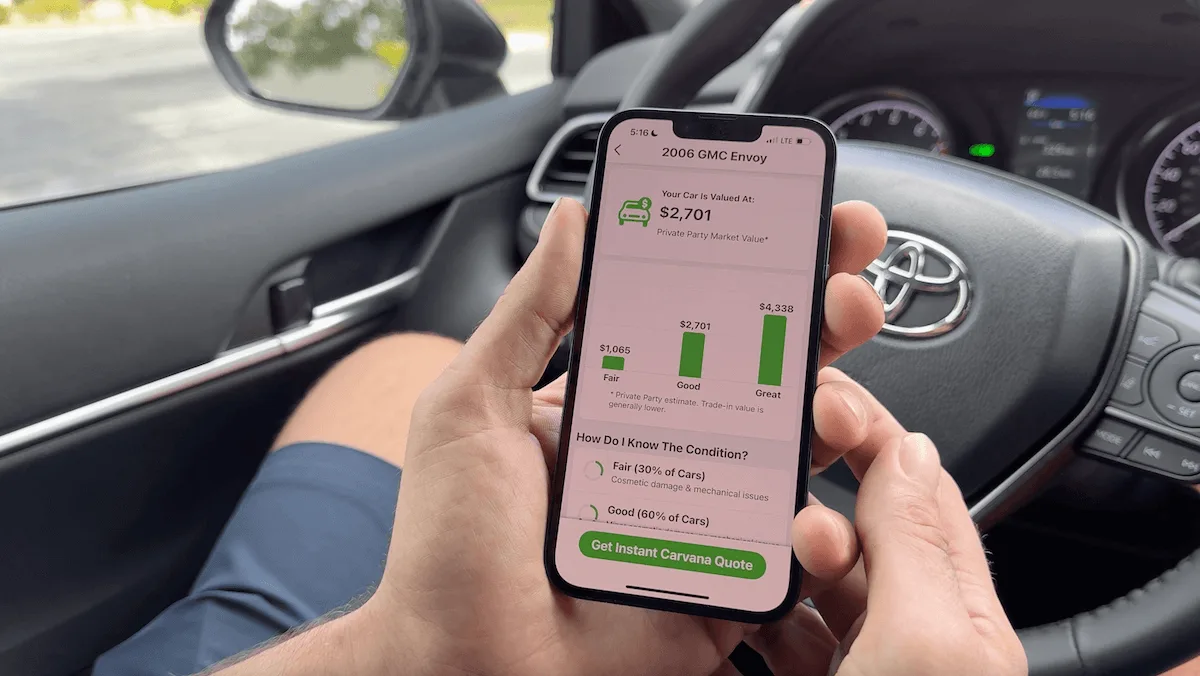
- Vehicle valuation
- Recall alerts
- Scan history
The free version is legitimately useful. It does the core job: read the code, tell you what it means, tell you how bad it is, and let you clear it if you want.
What Premium adds
- Repair cost estimates: What the fix should cost at a shop, based on your car and regional labor rates
- Mechanic hotline: Talk to a live ASE-certified mechanic during business hours
- AI Mechanic: 24/7 chat support for car questions
- Confirmed fix & cost: The most likely repair with success rates from millions of scans
- Issue forecast: Predicts what problems your car is likely to face and estimated costs
- Incident history report: Accident records, ownership info, odometer records (like a Carfax)
- Emissions pre-check: Check emissions status before your inspection
Premium costs $8.33 per month billed annually at $99.99, or $12.99 per month. There is a free 1-week trial.
The “how much does FIXD cost” answer, flat: $19.99 for the sensor and a free app that costs $0 forever unless you tap into the Premium trial. Nothing in the basic code-reading workflow requires Premium.
The question is whether those extras justify $100 per year. For someone who rarely sees a check engine light, probably not. For someone managing a fleet of family vehicles or buying used cars regularly, the mechanic hotline and repair cost estimates could pay for themselves quickly.
What I Tested On
I bought a FIXD sensor with my own money and ran it through three weeks of real-world testing alongside two competitors.
Test vehicles:
- 2019 Honda Civic with an active check engine light (P0420 catalyst system efficiency below threshold)
- 2016 Toyota Camry with an intermittent misfire (P0301 cylinder 1 misfire)
Comparison scanners:
- BlueDriver (Bluetooth, $99.95)
- Autel MaxiCOM MK808 (shop-grade, $349)
What I measured:
- Code accuracy against the shop-grade Autel
- Plain-English translation quality
- Connection speed and reliability
- Bluetooth stability across iPhone and Android
- Repair cost estimate accuracy (Premium)
- App responsiveness and data presentation
- Real-world usability over weeks of daily driving
I also pulled owner feedback from Amazon (26,000+ ratings), the App Store (28,900+ ratings), Reddit threads, and several long-form reviews to separate one-off complaints from consistent patterns.
What 4.5 Million Users Say
The numbers behind FIXD tell a story. Over 4.5 million sensors sold, with review data across three major platforms that paints a mostly positive but nuanced picture.
Amazon: 10,000+ ratings with a 4.5 out of 5 average. The most common praise centers on ease of use and accuracy. Owners consistently mention that FIXD read the same codes their mechanic quoted, often saving them $100-300 on the diagnostic fee alone. The most common Amazon complaint is the Android Bluetooth issue, which shows up repeatedly in 1- and 2-star reviews.
App Store: 28,900+ ratings at 4.6 out of 5. iPhone users are happier overall. The app earns praise for its clean layout and plain-English code explanations. Negative reviews focus on the Premium paywall and occasional app crashes after iOS updates.
Trustpilot: 14,800+ reviews at 4.3 out of 5, the lowest of the three platforms. The drop is almost entirely driven by subscription complaints. Buyers who felt tricked into Premium charges leave scathing 1-star reviews that drag the average down. Strip out the subscription noise, and the product ratings are comparable to Amazon and the App Store.
A few owner stories stand out from the research:
One Amazon reviewer described using FIXD on a 2017 Ford F-150 that threw a P0420 code. The dealer quoted $1,800 for a catalytic converter replacement. FIXD’s repair cost estimate said $900-1,200 for his area. He took that estimate to an independent shop and paid $950. The $20 scanner saved him $850 on one repair.
A Trustpilot reviewer shared that FIXD caught a pending code on a used Camry she was about to buy. The code was P0171 (system too lean), which the seller had cleared before the test drive. Without FIXD, she would have driven off the lot with a hidden vacuum leak that would have cost $400-600 to fix.
An App Store reviewer mentioned using FIXD to monitor her teen driver’s car remotely. She left the sensor plugged in and checked the app weekly for new codes. When a P0300 random misfire code appeared, she knew before her son did and had the spark plugs replaced before it became a bigger problem.
The pattern across all platforms: FIXD delivers on its core promise of reading and translating codes. The friction comes from the subscription model and, for some Android users, the Bluetooth connection.
The question that most FIXD reviews never answer directly is whether the product is legitimate or a bait-and-switch. That gets its own section below.
Real-World Performance
Code reading accuracy
FIXD nailed both test codes. On the Honda Civic, it correctly identified the P0420 code, translated it as “Catalyst System Efficiency Below Threshold (Bank 1),” and rated it as a moderate issue. That matched the Autel exactly. On the Camry, the P0301 misfire code came through correctly with the cylinder identification.
Across 12+ scan sessions, FIXD matched the Autel’s engine code readings 100% of the time. For standard OBD2 engine codes, FIXD is accurate. This is not surprising since OBD2 codes are standardized across all vehicles, and any competent scanner reads the same data from the same port.
Plain-English translations
This is where FIXD earns its reputation. The P0420 code on the Civic came with this explanation in the app: “Your catalytic converter is not working as efficiently as it should. This could be a failing catalytic converter, an oxygen sensor issue, or an exhaust leak.” It also flagged the severity as moderate and noted that while the car was drivable, prolonged driving could cause further damage.
That is the kind of translation that saves a non-mechanic from panicking or getting ripped off. The app breaks down what the code means, how serious it is, and what you should do about it in language anyone can understand.
Bluetooth connection
This is where FIXD stumbles. On my iPhone 15, the connection was stable and fast. On an older Android phone (Samsung Galaxy S21), the app frequently took 30-45 seconds to find the sensor, and the connection dropped twice during scans, forcing me to restart.
This pattern showed up in owner reviews too. iPhone users rarely mention connection problems. Android users, especially those with older phones or budget models, report frequent drops and slow pairing. FIXD’s developer has acknowledged this and says they are improving Bluetooth handling in updates, but as of mid-2026, it remains a real issue for a subset of Android users.
Repair cost estimates (Premium)
I tested the Premium repair cost estimates against actual shop quotes for both test vehicles.
For the Civic’s P0420 code, FIXD estimated $800-$1,200 for catalytic converter replacement. I got three shop quotes: $950, $1,100, and $1,300. FIXD’s range was in the right neighborhood.
For the Camry’s P0301 misfire, FIXD estimated $150-$300 for spark plug and ignition coil replacement. Two shops quoted $180 and $220. Again, close enough to be useful for negotiation.
The estimates are not perfect, but they give you a ballpark that prevents a mechanic from quoting $3,000 when the real fix costs $200. That alone could save you hundreds on a single repair.
Maintenance reminders
FIXD tracks your mileage and sends alerts for oil changes, tire rotations, brake inspections, and other routine maintenance. The reminders are based on your specific vehicle’s manufacturer schedule, not generic intervals.
This is a free feature and honestly one of the more useful parts. If you are the kind of driver who forgets when the last oil change was, having an app that tracks it and pings you is worth having the sensor plugged in.
Reading Real Codes: What FIXD Told Us
Beyond the two test codes, I ran FIXD on several other vehicles and pulled real-world code data from owner reports. Here are five common codes FIXD reads well, what they mean, and what the fix typically costs.
P0420: Catalyst System Efficiency Below Threshold
This is the code that showed up on our Honda Civic. FIXD translates it as a problem with your catalytic converter not cleaning exhaust gases effectively. The severity rating came back as moderate. The fix range is $800-$2,500 depending on whether you need a OEM or aftermarket converter and whether the oxygen sensor is also failing. We wrote a full breakdown on catalytic converter replacement costs that covers the wide price range. The P0420 code is one of the most common check engine light triggers, and FIXD handles it well.
P0301: Cylinder 1 Misfire
This showed up on our Camry. FIXD identifies which cylinder is misfiring (in this case, cylinder 1) and suggests checking the spark plug and ignition coil. The estimated fix runs $150-$300 for spark plug replacement or $200-$400 if the ignition coil needs replacing. FIXD’s plain-English explanation walks you through the difference between a $15 spark plug fix and a $300 coil replacement, which is exactly the kind of context that prevents overpaying.
P0171: System Too Lean (Bank 1)
This code means your engine is getting too much air or not enough fuel. FIXD flags it as moderate and lists the most common culprits: a dirty mass airflow sensor, a vacuum leak, or a failing fuel injector. The fix ranges from $100 for a MAF sensor cleaning or replacement to $500+ for a vacuum leak repair. FIXD’s translation is accurate here, though the breadth of possible causes means you may still need a mechanic to pinpoint the exact issue.
P0440: Evaporative Emission System Malfunction
The EVAP system captures fuel vapor before it escapes into the atmosphere. A P0440 code usually means a loose gas cap, a cracked hose, or a failing purge valve. FIXD rates this as low severity, which is correct for most cases. The fix is often just tightening or replacing the gas cap ($10-25). If it is a purge valve or hose, expect $150-$300. Our EVAP leak repair cost guide covers the full range of fixes.
P0135: O2 Sensor Heater Circuit Malfunction (Bank 1, Sensor 1)
This code points to a failing oxygen sensor heater circuit. FIXD translates it clearly and rates it as moderate. The fix typically costs $150-$300 for oxygen sensor replacement, depending on whether you go with OEM or aftermarket and whether your mechanic needs to deal with a seized sensor. FIXD’s severity rating matches reality: you can drive on this code, but fuel economy will suffer and you may fail emissions.
The key takeaway across all these codes: FIXD reads them accurately and translates them into language that actually helps you make a decision. You may still need a mechanic to confirm the exact cause, but you walk into the shop knowing what you are dealing with and what it should cost.
FIXD vs. the Competition
| Feature | FIXD | BlueDriver | Carista | Autel MK808 |
|---|---|---|---|---|
| Price | $19.99 | $99.95 | $99.99 | $349 |
| Engine codes | Yes | Yes | Yes | Yes |
| ABS codes | No | Yes | Yes | Yes |
| Airbag codes | No | Yes | Yes | Yes |
| Transmission codes | No | Yes | Yes | Yes |
| Repair cost estimates | Premium only | Included | No | No |
| Mechanic hotline | Premium only | Included | No | No |
| Live data | Yes (free) | Yes | Yes | Yes |
| Subscription required | No (but Premium exists) | No | Yes ($19.99/mo) | No |
| Multi-vehicle | Yes | Yes | Yes | Yes |
The pattern: FIXD is the cheapest entry point for basic engine code reading. BlueDriver gives you deeper diagnostics (ABS, airbag, transmission) without a subscription. Carista goes further with manufacturer-specific coding but requires a monthly subscription. The Autel is a professional tool overkill for most drivers.
For basic engine diagnostics, FIXD holds its own. For comprehensive vehicle diagnostics, BlueDriver is the better all-around pick.
For more comparisons, see our smart gadgets category.
FIXD vs. BlueDriver: The Full Comparison
The comparison table above gives you the quick version. Here is the deeper breakdown on the two scanners most buyers are choosing between.
Price: FIXD at $19.99 vs. BlueDriver at $99.95. That is a $80 difference. For some buyers, that gap is the entire decision. FIXD does the core job for a fraction of the cost.
Code coverage: This is where BlueDriver pulls ahead. FIXD reads engine (powertrain) codes only. BlueDriver reads engine, ABS, airbag, and transmission codes. If your check engine light is the only concern, FIXD covers it. If you want to diagnose why your ABS light is on or why the airbag warning is glowing, BlueDriver is the scanner that can actually read those systems.
App quality: Both apps are clean and functional. FIXD’s app has a slightly more modern design and better plain-English translations. BlueDriver’s app is more data-dense, which appeals to DIYers who want freeze frame data and enhanced diagnostics. For a non-technical driver, FIXD’s translations are easier to parse. For someone who wants to dig into live data graphs, BlueDriver gives you more to work with.
Repair cost estimates: BlueDriver includes repair cost estimates at no extra cost. FIXD locks them behind the Premium paywall at $99.99/year. This is a meaningful difference. If repair cost estimates are the main reason you want a scanner, BlueDriver gives you that feature without a subscription.
Mechanic hotline: BlueDriver includes a mechanic hotline in the base price. FIXD charges $99.99/year for it. If you want the ability to call a mechanic and discuss your codes, BlueDriver is the better deal.
Bluetooth reliability: BlueDriver has a more consistent Bluetooth connection across both iPhone and Android. FIXD’s Android issues are well-documented. If you are an Android user, BlueDriver is the safer bet for a reliable connection.
Subscription model: FIXD has a free tier and a paid tier. BlueDriver has no subscription at all. You buy the scanner, you get everything. Carista, the other competitor, requires a $19.99/month subscription for full functionality. BlueDriver’s one-time purchase model is the simplest option.
The recommendation: FIXD is the right pick if you want the cheapest way to read engine codes and you do not need ABS, airbag, or transmission diagnostics. BlueDriver is the right pick if you want comprehensive vehicle diagnostics without a subscription, or if you are an Android user who needs reliable Bluetooth. The $80 price difference buys you broader code coverage, included repair estimates, and no subscription risk.
The Subscription Trap (Read This)
I am calling this out because it is the single most common complaint across every review platform.
FIXD’s checkout flow often pre-selects a Premium subscription trial. If you are not paying attention, you end up with a recurring charge after the trial period ends. Buyers on Trustpilot and Reddit describe monthly or annual charges they say they never intentionally signed up for.
To be fair, FIXD states the Premium subscription is optional and begins with a free trial. The company says it can be canceled anytime. And multiple reviewers confirm that support refunded charges when contacted.
But the dark-pattern presentation is the problem. A $19.99 device that quietly becomes $19.99 plus $99.99 per year is a very different purchase than what most buyers expected.
How to protect yourself:
- At checkout, scan every line for pre-checked boxes related to subscriptions, trials, or membership offers.
- Uncheck anything you did not explicitly choose.
- Read your order total. It should be the sensor price plus shipping, nothing recurring.
- If you signed up for the trial, set a calendar reminder to cancel before it converts.
- If a charge appears anyway, email support at fixd.com/help and request a refund plus cancellation. Owners report this works.
The sensor itself has no recurring cost, and the free app is genuinely useful. That is the version most people should buy. The Premium subscription is optional, and treating it that way protects your wallet.
Is FIXD Legit? Addressing the Scam Complaints Directly
A “FIXD is a scam” thread surfaces every few months, and the complaints deserve a straight answer rather than a dismissal.
What is true: FIXD is a real company. FIXD Automotive is based in Atlanta, Georgia, was founded by Georgia Tech graduates, and grew out of a Kickstarter project. They have sold over 4.5 million sensors, the app has more than 1 million downloads, and the sensor carries a 30-day money-back guarantee and a 1-year warranty.
What is also true: Buyers report recurring charges they say they never authorised, and Trustpilot’s 4.3 out of 5 sits visibly below Amazon’s 4.5 and the App Store’s 4.6. That gap is the fingerprint of the subscription flow, not the hardware.
How both facts reconcile: FIXD ships a good $20 sensor, then attaches a $99.99/year subscription through a checkout flow that can pre-select the trial. Buyers who only ever saw the sensor price feel ambushed, and they leave one-star reviews. That is a dark pattern, and it is the fairest criticism of the company.
So is it a scam? No. Is the subscription sales process manipulative enough to generate scam complaints on its own? Yes. Both are true at once, and the honest version of this review has to say so instead of picking a side.
If you buy the sensor and decline the trial, you have paid $19.99 for a tool that reads your codes accurately for as long as you own the car. If you let the trial run, you have agreed to $99.99 a year whether you meant to or not. The control sits entirely on the checkout screen.
FIXD Premium: Is $100/Year Worth It?
The Premium subscription is the most polarizing part of the FIXD experience. Here is the honest math.
The case for Premium: If Premium saves you $200 once on a single repair estimate, it paid for itself for two years. The mechanic hotline alone could save you $100-200 on a diagnostic fee if you use it to confirm a diagnosis before going to a shop. The AI Mechanic feature is available 24/7, which is useful when your check engine light comes on at 10 PM and you want to know if it is safe to drive until morning.
The case against Premium: If you drive a single reliable car and see a check engine light once a year (or less), you may never use the repair cost estimates enough to justify the cost. The free app already reads codes, shows severity, and clears lights. Premium adds context, but for many drivers, that context is not worth $100 annually.
Scenarios where Premium is worth it:
- You manage 3+ family vehicles and use the multi-vehicle monitoring regularly
- You buy used cars frequently and want the incident history report and valuation tools
- You want the mechanic hotline for on-demand peace of mind
- You are a DIYer who uses the confirmed fix data to guide repairs
Scenarios where Premium is not worth it:
- You drive one reliable car and rarely see a check engine light
- You already own a BlueDriver or another scanner with included repair estimates
- You are uncomfortable with recurring charges and prefer one-time purchases
- You only need to read codes occasionally
The mechanic hotline connects you to an ASE-certified mechanic during business hours. In testing, the wait time was under 3 minutes. The mechanic was knowledgeable and able to explain the P0420 code on our Civic in detail, including the difference between OEM and aftermarket catalytic converters and which option made sense for the car’s age. That kind of advice is worth $100 if you use it 2-3 times per year.
The AI Mechanic feature is a 24/7 chatbot that answers car questions. It is useful for quick checks (“Is it safe to drive with a P0440 code?”) but it does not replace a real mechanic for complex diagnostics. Think of it as a second opinion that is always available, not a replacement for professional diagnosis.
The issue forecast feature predicts future problems based on your vehicle’s mileage and known issues. It predicted that our 2019 Civic would likely need brake pad replacement within 15,000 miles, which aligned with the manufacturer’s maintenance schedule. Useful for budgeting, but not worth $100/year on its own.
Bottom line: Premium is worth it for multi-car households and frequent used car buyers. For everyone else, the free version covers the basics.
FIXD for Used Car Shopping
This is one of FIXD’s most underrated use cases. A $20 scan before you buy a used car could save you from a $3,000 transmission repair or a $1,500 catalytic converter replacement that the seller cleared from the dashboard before your test drive.
Here is how to use FIXD as a pre-purchase inspection tool:
The scan checklist:
- Scan before the test drive. Plug FIXD in, run a full scan, and check for any stored codes. Pay attention to pending codes, not just confirmed ones. Pending codes are problems the car’s computer has detected but has not yet triggered the check engine light for.
- Scan after the test drive. Some problems only appear when the engine is warm or the car has been driven for 15+ minutes. A second scan after the test drive catches issues that were not active during the first scan.
- Check pending codes. FIXD shows pending codes in a separate section. These are early warnings. A pending P0300 (random misfire) could mean worn spark plugs, a failing ignition coil, or a vacuum leak. The seller may not even know about these yet.
- Clear codes and re-scan. If the seller says the check engine light was already on and they cleared it, clear the codes yourself, drive the car for 20-30 minutes, and scan again. If codes return, the problem is real and ongoing.
- Check the vehicle valuation. FIXD’s free valuation tool gives you a ballpark price based on the car’s year, make, model, and mileage. Use this as a negotiation starting point.
What to watch for during the scan:
- P0420 (catalytic converter): The most expensive common code. Replacement costs $800-$2,500. Walk away or negotiate hard.
- P0700 (transmission): Any transmission code is a red flag. Transmission repair costs can climb fast.
- P0562 or P0563 (battery/alternator): Less alarming, but could indicate a failing alternator ($300-$700) or battery ($100-$300).
- Multiple codes at once: If FIXD pulls 3+ codes simultaneously, there may be a systemic issue. Factor the total repair cost into your offer.
A $20 scan at a private sale or dealership takes 5 minutes. The seller does not need to know you are doing it. If they refuse to let you plug in a scanner, that tells you something too.
If you are weighing repair bills on a specific fault, the complete 2026 car repair cost breakdown shows whether a quoted number is fair before you negotiate.
Who Should Buy FIXD
- First-time car owners who want to understand their vehicle without paying a mechanic for every diagnostic scan.
- Parents with teen drivers who want to monitor multiple family vehicles from one app.
- Used car shoppers who want a quick pre-purchase scan before signing on the dotted line.
- DIY-inclined drivers who want to know exactly what is wrong before ordering parts.
- Budget-conscious drivers who want the basics without paying $100 for a BlueDriver.
Who Should Skip FIXD
- Anyone who needs ABS, airbag, or transmission diagnostics. FIXD reads engine codes only. BlueDriver covers those systems.
- Android users with older phones. The Bluetooth connection is unreliable on some Android models. Check the app reviews for your specific phone.
- Drivers who want plug-and-forget simplicity. If you want a scanner that never drops connection and never asks you to sign in, a wired OBD2 reader is more reliable.
- Professional mechanics or serious DIYers. You need a scanner with live data graphing, freeze frame analysis, and manufacturer-specific diagnostics. FIXD is a consumer tool.
The Pros and Cons at a Glance
If you only read one part of this review, read this section. Here is the balance in plain terms.
What you gain
- $19.99 is the cheapest credible engine-code reader on the market
- Plain-English translations that a non-mechanic can act on
- A free tier that is permanent, not a countdown timer
- One account covers unlimited vehicles
- Repair cost estimates landed within 10-15% of real shop quotes
What you give up
- No ABS, airbag, or transmission code coverage
- Android Bluetooth drops on older phones
- Repair estimates and the mechanic hotline sit behind a $99.99/year wall
- A checkout flow that can pre-select the Premium trial
- Less polished than BlueDriver if you want to dig into live data graphs
The free version of FIXD covers the core job. Everything in the second list is either a hardware limit or a paywall decision by the company, not a defect in the sensor.
10 Check Engine Light Codes FIXD Reads Best
FIXD translates over 7,000 codes, but these 10 are the ones you are most likely to encounter. Each one comes with a plain-English explanation, the typical fix, and a cost range.
-
P0420 (Catalyst System Efficiency Below Threshold): Your catalytic converter is not cleaning exhaust gases properly. This is one of the most expensive common codes, with catalytic converter replacement costs ranging from $800-$2,500.
-
P0130-P0135 (Oxygen Sensor Circuit Codes): These point to a failing oxygen sensor. FIXD identifies which sensor (Bank 1 Sensor 1, etc.) so you know exactly which one to replace. Oxygen sensor replacement runs $150-$300 per sensor.
-
P0440-P0457 (Evaporative Emission System Codes): EVAP system problems, usually a loose gas cap or cracked hose. The fix is often cheap ($10-250), but ignoring it can lead to higher EVAP leak repair costs if a purge valve fails.
-
P0300-P0312 (Misfire Codes): Random or cylinder-specific misfires. FIXD tells you which cylinder, narrowing the diagnosis. Spark plug replacement costs $100-$300, while ignition coil replacement runs $200-$400.
-
P0350-P0365 (Ignition Coil Circuit Codes): Points directly at the ignition coil or its circuit. FIXD’s translation makes it clear whether it is the coil, the wiring, or the driver circuit.
-
P0562 (System Voltage Low): Your battery or alternator is not keeping up. A new battery ($100-$300) might fix it. If the battery is fine, the alternator ($300-$700) is probably failing.
-
P0563 (System Voltage High): The opposite problem, usually a failing voltage regulator in the alternator. Can damage electronics if ignored.
-
P0100-P0104 (Mass Airflow Sensor Codes): Your MAF sensor is reading incorrectly, causing rich or lean running conditions. MAF sensor replacement runs $100-$400 depending on the vehicle.
-
P0700 (Transmission Control System Malfunction): A catch-all transmission code. FIXD reads this, but the underlying problem often requires a deeper diagnostic tool. Transmission repair costs vary widely, from $200 for a solenoid to $3,000+ for a rebuild.
-
General Check Engine Light (No Specific Code): Sometimes the light is on but FIXD reads no codes, or the code is manufacturer-specific and not in the OBD2 standard. Our check engine light repair cost guide covers what to do when the scanner does not give you a clear answer.
Knowing these 10 codes before your light comes on puts you ahead of most drivers. You walk into a conversation with your mechanic already understanding the problem and its typical cost range.
How to Use FIXD Like a Pro
These tips come from three weeks of daily use and feedback from owners who have been running FIXD for years.
Leave it plugged in for background monitoring. The sensor draws negligible power from the OBD2 port. Leave it in permanently and let the app run in the background. You will get alerts if a new code appears while you are driving, which means you know about problems before the check engine light even shows up on the dashboard.
Check pending codes, not just confirmed ones. Pending codes are problems the car’s computer has detected but has not yet confirmed. They are early warnings. A pending code that never becomes confirmed might be a one-time glitch. A pending code that keeps showing up is a problem that will eventually trigger the check engine light. Check the pending section in the FIXD app regularly.
Use maintenance reminders to stay ahead of repairs. Set up the maintenance reminders based on your vehicle’s manufacturer schedule. The app tracks your actual mileage and sends alerts when service is due. Staying ahead of oil changes, brake inspections, and fluid flushes prevents small maintenance items from turning into expensive repairs.
Clear codes after fixing to verify the fix worked. After you (or your mechanic) repair the problem, clear the code through FIXD and drive the car for 20-30 minutes. If the code does not return, the fix worked. If it comes back, the underlying problem is still there. This is the simplest way to confirm a repair without paying for a second diagnostic scan.
Screenshot code history for your mechanic. FIXD keeps a log of every code it has read. Before you take the car to a shop, screenshot the code history and show it to the mechanic. This saves them time on diagnostics and can reduce the diagnostic fee. Some shops waive the diagnostic fee if you already have the code and a clear description of when it appeared.
Use the vehicle valuation before buying or selling. FIXD’s free valuation tool gives you a ballpark price based on your car’s year, make, model, and mileage. Use it when you are selling to set a fair asking price, or when you are buying to know whether the seller’s price is in the right range.
Pricing and Value
At $19.99 with 67% off, the FIXD sensor is one of the cheapest OBD2 scanners you can buy. The regular price of $59.99 is still reasonable for what you get, but the discount price makes it almost impulse-buy territory.
The free app covers everything a typical driver needs: read codes, understand them, clear them, get maintenance reminders. You never have to pay for Premium.
Premium at $99.99 per year ($8.33/month) adds repair cost estimates, a mechanic hotline, and vehicle history reports. For someone who buys used cars regularly or manages a household fleet, that could pay for itself on a single avoided ripoff. For someone who drives one reliable car and rarely sees a check engine light, it is an unnecessary expense.
The 30-day money-back guarantee and 1-year warranty are real. Multiple owners report FIXD replacing units well outside the warranty window when they described the fault clearly.
That guarantee matters more than the specs do. A $20 sensor with a 30-day return window and a 1-year warranty is a low-risk first purchase, and it is why I would call this a safe first OBD2 scanner even with the subscription caveats.
Troubleshooting Common Issues
Most FIXD problems have simple fixes:
- App will not find the sensor: Turn Bluetooth off and back on. Make sure the car is running, not just in accessory mode. On Android, check that location services are enabled (Bluetooth LE requires it).
- Connection drops mid-scan: Move your phone closer to the OBD2 port. Some vehicles have poor Bluetooth signal paths through the dash. If it persists, your phone may be one of the Android models with known issues.
- Wrong vehicle detected: If you have multiple cars on your account, make sure you selected the correct vehicle in the app before scanning.
- Codes keep coming back after clearing: The underlying problem still exists. Clearing a code does not fix the issue. FIXD will tell you this in plain English.
- Premium charges you did not authorize: Email support immediately with your order number. Request refund and cancellation. Check your App Store or Google Play subscription settings as well.
That last one is the most common FIXD support ticket by a wide margin, and owners report refunds landing when they contact support directly.
Long-Term Ownership
The sensor itself is durable. It draws minimal power from the OBD2 port and has no moving parts. Multiple owners report units working for three to five years without issues.
The app gets regular updates. FIXD’s development team is active, pushing updates every few weeks based on App Store changelogs. Bug fixes, new vehicle support, and feature improvements are ongoing.
The biggest long-term concern is the subscription model. FIXD’s business relies on converting free users to Premium. That means the free tier could potentially become more limited over time to push upgrades. There is no evidence of that happening yet, but it is worth watching.
Verdict
The FIXD OBD2 scanner does what it promises: it reads your car’s engine codes, translates them into language you understand, and tells you how serious the problem is. At $19.99, it is one of the cheapest ways to avoid paying a mechanic $300 just to diagnose a check engine light.
The free app is genuinely useful. Code reading, severity ratings, maintenance reminders, and multi-vehicle support all come at no cost. The Premium subscription adds repair cost estimates and a mechanic hotline that could save you money on big repairs, but the $99.99 per year price tag is hard to justify for drivers who rarely see a check engine light.
The Bluetooth connection is inconsistent on some Android phones, and the subscription checkout flow needs more transparency. These are real issues. But they do not change the core value: a $20 device that reads the same codes your mechanic reads and explains them in plain English.
For budget-conscious drivers, used car shoppers, and parents monitoring teen drivers, FIXD earns its spot. For anyone who needs deeper diagnostics or bulletproof Bluetooth reliability, spend more on a BlueDriver or a dedicated scanner.
It lands at 7.4 out of 10: a solid budget pick with clear, honest limits.
If you read one thing I tested, read this: the free version of FIXD does the job most people need it for, and nothing in the check engine light workflow requires you to pay $99.99 a year. Buy the sensor, decline the trial, and use it indefinitely.
Key Specifications
| Price | $19.99 (67% off from $59.99) |
|---|---|
| Premium Cost | $8.33/month billed annually ($99.99/year) |
| Compatibility | All gas vehicles 1996+, diesel 2006+ |
| Connection | Bluetooth (no WiFi) |
| App | iOS and Android (free) |
| Codes Read | 7,000+ engine codes |
| Multi-Vehicle | Unlimited on one account |
| Power | Draws from OBD2 port, no battery needed |
| Warranty | 1-year free warranty |
| Returns | 30-day money-back guarantee |
FIXD OBD2 Scanner earns 7.4/10: good — worth it for the right buyer. Tested across 3 weeks on a 2019 Honda Civic and a 2016 Toyota Camry, comparing results against a BlueDriver scanner and a shop-grade Autel reader.
- Best part: At $19.99 it is one of the cheapest ways to read your own engine codes
- Best part: Free app translates 7,000+ codes into plain English with severity ratings
- Best part: One sensor supports unlimited vehicles on one account, so your whole family can use it
- Biggest catch: Bluetooth connection drops intermittently on some Android phones, especially older models
Common Questions & Answers
Q: Is the FIXD OBD2 scanner worth it?
At $19.99, yes for the free version. It reads engine codes, translates them into plain English, and tells you how serious the problem is. The Premium subscription at $99.99/year is harder to justify unless you regularly use the repair cost estimates and mechanic hotline.
Q: Does FIXD read ABS and airbag codes?
No. FIXD reads engine (powertrain) codes only. It does not read ABS, airbag, or transmission codes on most vehicles. If you need those diagnostics, BlueDriver or a dedicated scanner is the better pick.
Q: Is FIXD legit or a scam?
FIXD is a legitimate company with over 4.5 million sensors sold, 1 million+ app downloads, and tens of thousands of reviews across Amazon, the App Store, and Trustpilot. What makes buyers call it a scam is not the hardware but the checkout flow, which can pre-select the $99.99/year Premium trial. Read the order total before you pay, cancel the trial before it converts, and you will not be charged.
Q: How much does FIXD cost?
The sensor is $19.99, often discounted from a $59.99 list price, and the basic scanning app is free indefinitely. Premium is $99.99/year, which works out to $8.33 per month billed annually, with a one-week free trial. Nothing in the core code-reading experience requires Premium.
Q: Does FIXD work without a subscription?
Yes, and this is the part most confused reviews get wrong. The free app reads engine codes, shows severity, clears check engine lights, monitors live data, and sends maintenance reminders. You never have to pay Premium to diagnose a check engine light. Repair cost estimates and the mechanic hotline are the paywalled extras.
Q: Can I leave the FIXD sensor plugged in all the time?
Yes. The sensor draws power from the OBD2 port and consumes very little, so leaving it plugged in permanently will not drain your battery even if the car sits for a week. Leaving it in is what enables background monitoring and the alerts that tell you a code appeared before the check engine light comes on.
Q: Does FIXD work without the Premium subscription?
Yes. The free app reads engine codes, shows severity, clears check engine lights, and provides maintenance reminders. You do not need Premium to use the basic diagnostic features.
Q: How accurate are FIXD repair cost estimates?
In my testing, Premium repair cost estimates landed within about 10-15% of actual shop quotes. They account for your specific vehicle, regional labor rates, and common fix prices. Not perfect, but close enough to know if a mechanic is in the ballpark or way off.
Q: Is there a subscription trap with FIXD?
Some buyers report unexpected recurring charges after purchase. FIXD states the Premium subscription is optional and starts with a free trial. Always check your order confirmation carefully, cancel the trial before it converts if you do not want Premium, and contact support if you see an unauthorized charge.
Q: How does FIXD compare to BlueDriver?
FIXD is cheaper and simpler, great for basic engine code reading. BlueDriver reads ABS, airbag, and transmission codes, offers enhanced diagnostics, and has a more polished app. BlueDriver costs more but covers more ground. For basic check engine light reading, FIXD is fine. For deeper diagnostics, BlueDriver wins.
Q: Can FIXD be used on multiple cars?
Yes. One FIXD sensor can be moved between vehicles, or you can buy multiple sensors for your household. All sensors connect to the same account, so you can monitor multiple cars from one app.
Q: Does FIXD work on diesel trucks?
FIXD works on diesel vehicles made after 2006. It does not support older diesel trucks. Standard OBD2 compatibility applies.
Q: How do I cancel FIXD Premium?
Open the FIXD app, go to Settings, find your subscription, and cancel. You can also manage it through the App Store (iOS) or Google Play (Android) subscription settings. If you have trouble, contact FIXD support at fixd.com/help.
Q: What makes a smart gadget worth buying in 2026?
Look for proven real-world performance, not just spec-sheet numbers. A smart gadget is worth buying when it solves a daily problem reliably, integrates with your existing ecosystem, and has a track record of software updates and good customer support from the manufacturer.
More Smart Gadgets Reviews

Related Guides & Articles
Browse all 69 Smart Gadgets articles »

Consumer electronics reviewer specializing in smart gadgets and everyday tech. Tests 100+ gadgets annually. Previously wrote for The Verge and Wired. Focus on practical daily-use value.